Why Rapid Alert Triage Is Critical for Incident Response
Quick answer: The best AI incident response tools in 2026 are PagerDuty for enterprise event correlation and runbook automation, Incident.io for Slack- and Teams-first incident management, Rootly for no-code SRE workflows, Splunk ITSI for predictive log analytics, and Jira Service Management (Opsgenie’s successor) for Atlassian teams. All of them use AI to group related alerts, cut alert fatigue, and speed up recovery.
Deploying dependable incident response tools is essential when high-volume alert fatigue threatens system availability. Legacy monitoring environments often trigger hundreds of overlapping notifications during service disruptions. When engineering teams cannot quickly differentiate critical alerts from routine telemetry noise, unresolved issues can persist for hours.
Waking engineers at 3 AM to decipher raw stack traces across disconnected dashboards is a recipe for operational disaster. Alert fatigue causes real burnout and burns revenue when critical microservices stall. Modern engineering teams need automated triage that separates background static from genuine customer outages.
The importance of catching regressions before deployment necessitates an evaluation of the Best AI Software Testing Tools. Production environments, however, are chaotic ecosystems where distributed edge cases still slip through. Mitigating security breaches versus infrastructure crashes also relies on the systems covered in our guide to Best AI Cybersecurity Tools.
DevOps and SRE leaders measure operational resilience by Mean Time to Acknowledge (MTTA) and Mean Time to Resolution (MTTR). The best ai incident management software leverages real-time correlation and predictive modeling to synthesize hundreds of event signals into clear diagnostics. Instead of guessing, on-call developers receive immediate context linking the break to the exact git commit or canary deployment responsible.
Severe database connection pool lockups, cascading gateway timeouts, and synthetic traffic surges can quickly destabilize multi-region environments. If runaway server spikes threaten your margins, take a look at our roundup of the Best AI Cloud Cost Optimization Tools. Here is how the leading platforms compare.
📖 Recommended Reading: Also check out our in-depth guide to Best AI Interview Coach Tools.
Buyer’s Guide: How to Choose an AI Incident Response Platform in 2026
Selecting an ai incident response platform requires looking past marketing buzzwords and evaluating how machine learning handles unpredictable operational failures. Modern systems do far more than ping phone numbers in a round-robin schedule. Here are the core pillars to examine when auditing incident automation.
Dynamic Alert Deduplication and Noise Reduction
Alert storms are the primary driver of human error during major outages. A single failed microservice can cascade into hundreds of downstream warnings across API gateways, databases, and message queues. Dedicated ai incident response software groups related events using topological dependencies and temporal proximity, serving engineers a single actionable incident instead of hundreds of notifications.
Collaborative Context and ChatOps Integration
Context switching between disconnected monitoring tools slows down recovery. High-performing engineering teams organize their war rooms where communication already happens. If your team relies on modern communication stacks like those in our Best Slack Alternatives review, ensure your incident platform can initiate conference bridges, track updates, and assign roles directly from chat channels.
Automated Runbook Orchestration
Modern site reliability engineering demands self-healing capabilities. High-tier automated incident response tools do not simply notify humans; they execute pre-approved remediation scripts autonomously. Whether it is rolling back a bad Kubernetes deployment, cycling a stalled queue consumer, or clearing an isolated cache pool, automated action saves critical minutes before humans even open their laptops.
Generative Post-Mortems and Audit Trails
Documenting an outage after resolving it is tedious yet mandatory for operational maturity. Contemporary ai incident management software captures conversation transcripts, system metrics, and remediation timestamps during the triage process. It automatically drafts objective post-mortems and action items, freeing developers to focus on long-term code fixes.
BEST FOR ENTERPRISE TRIAGE

Best for: Large engineering organizations managing complex hybrid infrastructures that require automated runbooks and battle-tested uptime.
PagerDuty remains the standard in operational reliability. Over the past year, PagerDuty has transformed from a paging service into an intelligent ai incident response platform. It ingests telemetry from hundreds of monitoring sources and uses machine learning to correlate anomalies before on-call responders get notified.
In real-world workflows, when a sudden database deadlock triggers downstream alerts across web apps, payment services, and caching layers, PagerDuty groups related events into a single primary incident. Its generative triage assistant can suggest rolling back configuration changes by identifying identical historical patterns from previous incidents.
Connecting custom webhooks to PagerDuty’s Runbook Automation feature enables automated mitigation. Teams can set rules to restart secondary worker pods whenever a specific memory threshold trips, resolving issues without human intervention. The platform gives engineering directors deep visibility into team health, showing exactly which teams are suffering from after-hours interruptions.
In Practice: Configuring PagerDuty’s Event Orchestration requires navigating a system of global rules and service-specific dependencies. The logic editor is robust, but setting up conditional regex rules across nested payloads takes careful setup before alerts route predictably without accidental drops.
Pros
- Exceptional alert correlation eliminates redundant notifications.
- Native Runbook Automation executes self-healing scripts reliably.
- Over 700 native monitoring and cloud integrations.
- Predictive analytics track responder burnout and team on-call health.
Cons
- AIOps and automated runbooks are paid add-ons or higher-tier features.
- Administrative console has lingering legacy submenus that feel disjointed.
- Steep onboarding curve for non-SRE engineers.
Pricing: Free tier supports up to 5 users with basic on-call alerting. Professional tier is $21 per user/month billed annually ($25 monthly). Business tier is $41 per user/month billed annually ($49 monthly). AIOps is a separate consumption-priced add-on, and Enterprise pricing is custom.
BEST FOR SLACK-FIRST TEAMS

Best for: Cloud-native startups and scaling tech companies running their engineering operations natively inside Slack or Microsoft Teams.
Incident.io took the traditional on-call workflow and moved it completely into team chat channels. It serves as intuitive ai incident response software that eliminates the need to jump across separate administrative consoles during an active fire. Responders declare incidents, delegate roles, and coordinate investigations using slash commands directly in Slack.
During an active incident, typing `/incident declare` into Incident.io generates an isolated Slack war room, invites required responders, and launches a dedicated Google Meet link. The underlying AI engine analyzes channel message history, auto-generating a chronological timeline of who discovered the bug, what commands were executed, and when the patch went live.
The generative post-mortem feature is remarkably capable. Once an incident is resolved, Incident.io summarizes the entire channel conversation into an exhaustive post-incident review draft. It populates root causes, timeline milestones, and mitigation tasks into Notion and Jira without needing manual copy-pasting. It also allows your engineering team to keep customer support updated via synced status pages without leaving chat.
In Practice: The Slack workflow is fast, but if your team fails to use the /incident update command and instead chats informally, the AI can only summarize what is captured in the channel. Teams may need to manually edit the generated timeline to include troubleshooting commands executed without explicit bot tagging.
Pros
- Native Slack and Microsoft Teams integration eliminates context switching.
- AI timeline auto-summarizes conversations and code actions.
- Single-click post-mortem exports to Jira, Confluence, and Notion.
- Simple status page synchronization keeps external stakeholders informed.
Cons
- Heavily reliant on chat clients; limited functionality via standalone browser.
- Lacks deep, raw log aggregation compared to Splunk or Datadog.
- Seat-based licensing can get costly for large engineering rosters.
Pricing: Free Basic plan for small teams. Team plan is $15 per user/month billed annually ($19 monthly), with on-call as a paid add-on; Pro is $25 per user/month plus on-call. Enterprise tiers add advanced catalog integrations and custom governance workflows on a custom quote basis.
BEST FOR SRE WORKFLOW AUTOMATION
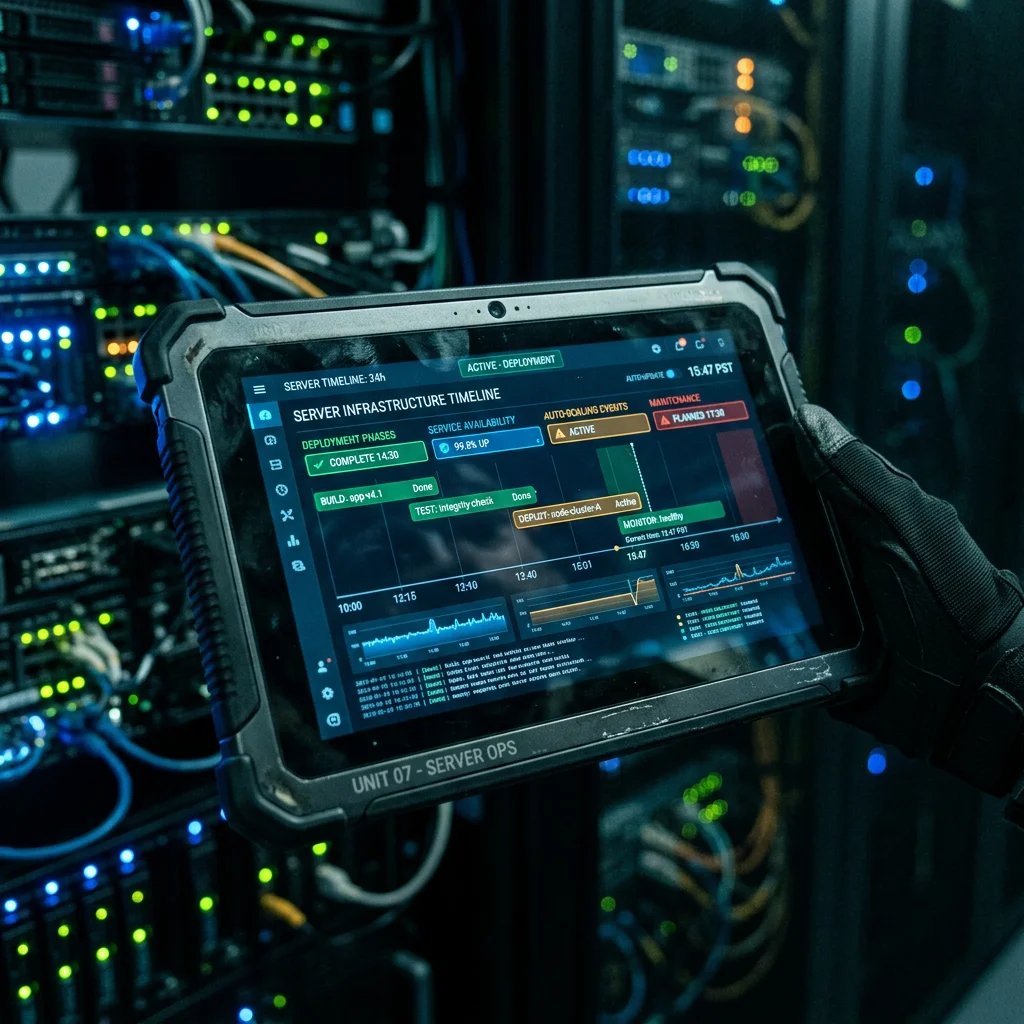
Best for: Mature SRE teams seeking no-code automation workflows, deep Datadog/Kubernetes telemetry integration, and generative debriefs.
Rootly has positioned itself as one of the most flexible automated incident response tools on the market. It combines Slack-native usability with a modular workflow engine that lets engineers automate actions across dozens of developer tools without writing custom bot code.
Rootly integrates directly with observability tools like Datadog and Grafana. When error rate alerts trigger, Rootly automatically pulls snapshot graphs into the dedicated incident channel. Its telemetry engine analyzes active metrics to pinpoint anomalous surges, such as 504 gateway timeouts originating from specific worker nodes.
Rootly does not stop at triaging. It automatically provisions dedicated Slack channels, Zoom meetings, Jira sub-tasks, and shared Google Docs the second a high-severity incident is marked. Its generative AI engine translates complex technical logs into clean executive summaries, so non-technical stakeholders stay informed without distracting the engineers working on the fix.
In Practice: Setting up conditional logic inside Rootly’s workflow builder is intuitive, but the sheer volume of available triggers can be overwhelming. Without carefully refined trigger conditions, automated loops between Jira ticket generation and status updates can generate duplicate tickets.
Pros
- Powerful no-code workflow builder automates routine operational tasks.
- Directly embeds Datadog, New Relic, and Grafana telemetry snapshots.
- AI automatically summarizes technical metrics for non-technical leadership.
- Tracks follow-up action items and nudges owners until code fixes deploy.
Cons
- Extensive workflow options require careful configuration during initial rollout.
- Tailored primarily for modern cloud architectures rather than legacy bare-metal.
- AI SRE and Enterprise tiers require sales interaction for custom quotes.
Pricing: Essentials plan from $20 per user/month for Incident Response (includes Status Pages); On-Call is another $20 per user/month. AI SRE and Enterprise tiers are custom-quoted.
BEST FOR PREDICTIVE LOG FORENSICS

Best for: Data-heavy enterprise organizations running hybrid or multi-cloud infrastructures that need predictive anomaly detection before downtime hits users.
Splunk ITSI takes a different approach than lightweight paging software. It is a full-scale ai incident response platform designed to analyze terabytes of machine-generated telemetry. Using machine learning models, it identifies microscopic variances across network layers and microservices, aiming to flag service degradation before customer-facing services are affected.
Splunk processes historical infrastructure logs alongside real-time memory consumption spikes. The platform’s predictive intelligence can flag impending server failures before critical thresholds crash containers. It groups millions of event logs into clustered “episodes,” highlighting the root anomaly without generating alert spam.
Splunk also excels at high-level infrastructure health scoring. It maps complex inter-service dependencies, showing how a minor failure in an obscure authentication cache impacts overall revenue services. For regulated environments like fintech or healthcare that face strict compliance and forensic auditing mandates, Splunk’s audit trail is unmatched.
In Practice: Deploying and tuning Splunk ITSI is a massive undertaking. Defining service dependencies and calibrating machine learning thresholds requires extensive tuning to avoid false positives. This platform demands a dedicated administrator or data engineer to extract its true value.
Pros
- Predictive algorithms identify hardware and service bottlenecks before outages.
- Handles massive data ingestion across hybrid, on-prem, and multi-cloud stacks.
- Provides service dependency mapping and dynamic infrastructure health scores.
- Unmatched forensic log detail for strict compliance audits.
Cons
- Exceptionally steep learning curve compared to lightweight SaaS alternatives.
- Requires significant time and engineering overhead to configure service topologies.
- Enterprise pricing is prohibitive for early-stage and mid-market teams.
Pricing: Enterprise quote-based pricing only, typically calculated by workload units or daily ingested data volume.
BEST FOR ATLASSIAN ECOSYSTEMS

Best for: Engineering teams already using Jira Service Management, Confluence, and Bitbucket that want reliable routing without extra SaaS overhead.
Jira Service Management (JSM) is Atlassian’s successor for Opsgenie’s on-call and alerting features. Atlassian ended new sales of Opsgenie on June 4, 2025 and will end support on April 5, 2027, with migration paths to Jira Service Management or Compass. JSM provides notification delivery, multi-channel alerting, and escalation policies, and links operational alerts directly to Jira work items.
For alert escalation workflows, when a primary responder fails to acknowledge a critical Sev-1 alert within a set window, JSM escalates according to the configured policy, notifying the next responder by phone call, SMS, or push. Alert enrichment can append related Jira issues and deployment context to the incoming alert.
JSM also carries over heartbeat monitoring from Opsgenie, alerting the team if a scheduled job or endpoint stops checking in. The mobile app lets engineers acknowledge, triage, or snooze alerts without opening a laptop.
In Practice: JSM’s integration with Jira is native, but its operations administration can feel heavier than chat-first tools like Rootly or Incident.io. Building complex alerting filters requires navigating multiple settings pages, and AI features (Atlassian Rovo) depend on the plan.
Pros
- Native synchronization with Jira and Confluence.
- Multi-channel escalation rules via SMS, voice calls, and push alerts.
- Heartbeat monitoring identifies stalled background jobs.
- Free plan for up to 3 agents for small teams.
Cons
- Administrative interface feels heavier than newer, chat-first competitors.
- AI features depend on the Jira Service Management plan.
- Less automated runbook capability compared to PagerDuty or Rootly.
Pricing: Free plan for up to 3 agents. Standard and Premium plans are priced per agent; see official pricing. Existing Opsgenie customers can migrate before support ends on April 5, 2027.
Comparison Table: AI Incident Response Software Compared
Here is how the top five automated incident response tools stack up across primary use cases, entry pricing, and ratings:
| Tool |
Best For |
Free Tier |
Starting Price |
Rating |
| PagerDuty AI |
Enterprise Triage & Runbooks |
Up to 5 users |
$21/user/mo |
4.8 / 5 |
| Incident.io |
Slack/Teams ChatOps |
Basic free plan |
$15/user/mo (annual) |
4.7 / 5 |
| Rootly |
SRE Workflow Automation |
Free trial only |
$20/user/mo (Essentials) |
4.7 / 5 |
| Splunk ITSI |
Predictive Log Forensics |
No free plan |
Enterprise Quote |
4.5 / 5 |
| Jira Service Management |
Atlassian Workflows |
Up to 3 agents |
See official pricing |
4.4 / 5 |
Frequently Asked Questions
How does AI for incident response reduce alert fatigue?
Machine learning models analyze incoming alert streams against temporal and topological dependencies. Instead of triggering separate alerts for a failed database, broken API gateways, and connection timeouts, the platform clusters them into a single incident. This prevents on-call engineers from receiving hundreds of duplicate notifications during an active outage.
What makes an automated incident response tool different from legacy paging software?
Legacy paging software simply routes alerts based on static schedules and phone numbers. In contrast, modern automated incident response tools ingest telemetry, analyze code changes, draft root-cause hypotheses, and execute remediation scripts autonomously. They focus on reducing MTTR rather than just delivering notification pings.
Is it safe to give an AI incident response platform direct access to production infrastructure?
Yes, provided you implement role-based access control (RBAC), least-privilege service accounts, and approval gates. Leading platforms maintain SOC 2 Type II certifications and allow teams to configure automated runbooks that require human confirmation for sensitive operations like database migrations or traffic rerouting.
Which platform best automates incident response to reduce alert fatigue in an enterprise?
For large enterprises, PagerDuty is the strongest fit: its event orchestration and AIOps add-on group related alerts into a single incident, and Runbook Automation can run approved remediation steps. Splunk ITSI suits organizations that need predictive analytics across very large log volumes, while Incident.io and Rootly focus on coordinating the human response in Slack or Microsoft Teams.
Which AI tools can recover automatically from production failures?
PagerDuty Runbook Automation and Rootly’s workflow engine can trigger pre-approved fixes, such as restarting services or rolling back a deployment, when specific alerts fire. Most teams keep a human approval step for sensitive actions, and the tools support that.
PagerDuty vs Incident.io: Which should you choose?
Choose PagerDuty if you run an enterprise organization with complex multi-cloud environments, strict compliance needs, and a requirement for automated self-healing runbooks. Choose Incident.io if your engineering culture lives inside Slack or Microsoft Teams and you want frictionless communication and automated post-mortem generation without heavy administrative overhead.
Final Verdict
Based on documented capabilities and user feedback, PagerDuty AI remains the top choice for complex, mission-critical enterprise environments. Its event correlation is reliable, its native Runbook Automation fixes known errors autonomously, and its SLA guarantees provide peace of mind.
However, if your engineering team operates primarily inside Slack and hates context switching, Incident.io is the clear winner for day-to-day usability. It turns chaotic chat threads into structured incident war rooms, drafts post-mortems automatically, and keeps your team focused on shipping fixes.
Last updated: April 2026. For an overview on trustworthy AI governance, see the NIST AI Risk Management Framework.
Securing distributed teams requires robust perimeter defense; check out our complete zero trust network setup guide for remote IT infrastructure.

Written by Giorgi Sakandelidze
I research and compare software tools using official documentation, pricing pages, and verified user feedback to help solopreneurs and creators find the right fit.
How we research and compare tools →
Views: 1,363