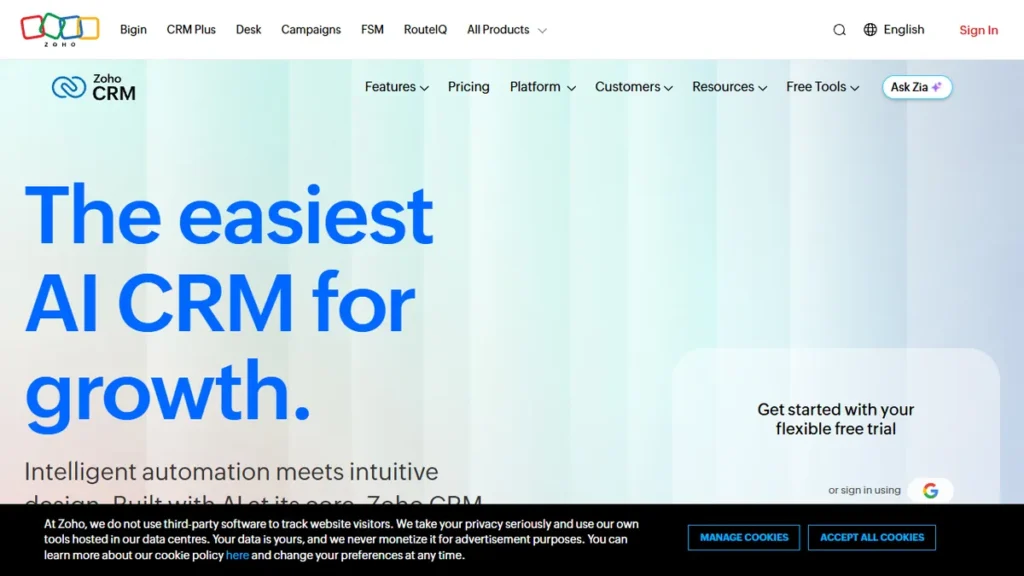
Zoho CRM dashboard review

Zoho vs Salesforce (2026): Enterprise CRM Showdown

A growing enterprise pipeline quickly exposes architectural limits. Configuring multi-touch attribution or syncing external ERP records often requires a certified technical specialist simply to avoid breaching API Governor Limits.

That operational bottleneck defines the core tension in the zoho vs salesforce debate. Teams must balance developer-grade architectural extensibility against platform maintainability and ballooning subscription overhead.

This 2026 architectural breakdown examines real licensing tiers, API rate ceilings, Deluge versus Apex scripting constraints, and the total cost of ownership behind each platform.

Architectural Foundations: Proprietary Cloud vs. Hyperforce

Analyzing a zoho vs salesforce comparison requires looking beneath user interfaces. Both systems represent fundamentally distinct approaches to enterprise data infrastructure and multi-tenancy.

Zoho builds and runs its hardware stack inside proprietary data centers located across the globe. This full-stack independence means Zoho does not pay public cloud compute margins, passing lower per-seat costs directly to the end customer.

Salesforce operates on Hyperforce, deploying multi-tenant clusters directly on top of major public cloud providers like AWS. This infrastructure grants Fortune 500 enterprises hyper-scalable compliance and global data residency, but it comes with rigorous concurrency Governor Limits and enterprise-grade licensing rates.

1. Zoho CRM

Best for Cost-Conscious Mid-Market Teams & Zoho App Users

2026 Pricing: Free tier supports up to 3 users (5,000 records, 1 GB storage, 5,000 API credits/day). Standard is $14/user/month billed annually ($20/user/month monthly); Professional is $23/user/month billed annually ($35/user/month monthly); Enterprise is $40/user/month billed annually ($50/user/month monthly); Ultimate is $52/user/month billed annually ($65/user/month monthly).

Core Focus: Transparent CRM architecture with native lead enrichment, visual process blueprinting, and low licensing friction.

Zoho CRM provides complete customer lifecycle tracking without the enterprise consulting overhead mandated by older legacy competitors. Its Blueprint editor allows administrators to enforce mandatory transition states across sales pipelines, ensuring reps log key meeting details and contract values before moving an opportunity to subsequent stages.

From an automation perspective, Zoho uses a combination of declarative visual builders, Webhooks, and its proprietary scripting language called Deluge. While Deluge allows custom logic execution across standard and custom modules, it presents challenges for traditional software engineers due to proprietary syntax, rigid execution timeouts, and limited automated testing suites.

The platform natively includes Zia, an AI assistant unlocked on the Enterprise tier ($40/user/month). Zia predicts win rates, detects deal anomalies, and evaluates customer sentiment across inbound emails without requiring third-party vector databases or usage-based consumption tokens.

Who should NOT use this: Large enterprise organizations managing complex multi-subsidiary governance models or developer teams demanding standard CI/CD deployment pipelines using Git and TypeScript.

Friction Point: Deluge scripting introduces vendor lock-in, and customer support on lower subscription tiers often suffers from multi-day response delays.

Pros
  • Predictable per-seat pricing with minimal mandatory add-on fees
  • Native Blueprint UI simplifies complex sales stage governance
  • Included AI capabilities (Zia) on the $40 Enterprise tier
  • Direct interoperability with over 45 internal Zoho business apps
Cons
  • Deluge programming language lacks standard testing and debugging tools
  • Steep 40% to 50% price markup when choosing monthly billing
  • Complex cross-module analytics often require routing data to Zoho Analytics

2. Salesforce Sales Cloud

Best for Global Enterprises & Complex Developer-Led RevOps

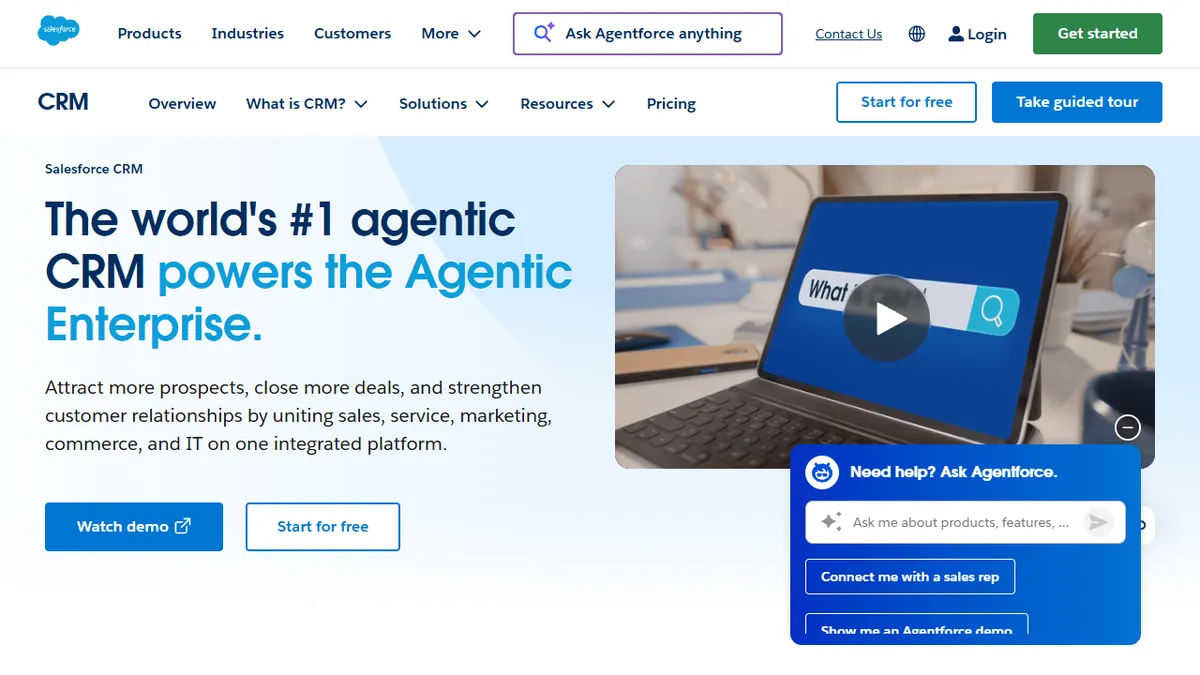
2026 Pricing: Starter Suite is $25/user/month (monthly or annual billing); Pro Suite is $100/user/month billed annually; Enterprise is $175/user/month billed annually; Unlimited / Agentforce 1 editions range from $350 to $550/user/month billed annually.

Core Focus: Infinite enterprise customizability, multi-tenant governance, and programmatic sales orchestration via Apex and Flow.

Salesforce Sales Cloud serves as the operating system for global sales teams. It provides unmatched data modeling flexibility, enabling organizations to construct intricate custom objects, master-detail relationships, and granular sharing hierarchies based on enterprise territory rules.

The declarative automation engine, Salesforce Flow, functions as a visual programming environment capable of querying external data sources, executing loops, and calling Apex code. However, managing this level of logic requires certified administrators to avoid running into multi-tenant Governor Limits on SOQL queries and DML statements.

Salesforce’s current flagship focus centers around Agentforce, its autonomous generative AI agent framework. While Agentforce automates pipeline analysis and executes multi-step actions across Data Cloud, it carries substantial consumption costs that push baseline annual licensing fees into hundreds of dollars per seat.

Who should NOT use this: Small businesses without full-time certified Salesforce administrators or organizations seeking rapid out-of-the-box pipeline deployments without custom consulting budgets.

Friction Point: High baseline license costs combined with routine 5% to 9% annual renewal contract escalations and strict API paywalls on lower tiers.

Pros
  • Unmatched architectural scalability and granular record-level security
  • Apex and Lightning Web Components (LWC) support modern software delivery
  • Massive AppExchange ecosystem with over 7,000 verified enterprise apps
  • Vast global ecosystem of certified technical administrators and developers
Cons
  • Total cost of ownership often reaches 2x to 3x base licensing fees
  • Standard integrations often mandate jumping straight to the $175 Enterprise tier
  • Substantial administrative overhead required to avoid mounting technical debt

3. HubSpot Sales Hub

Best for Modern Inbound Go-to-Market & Rapid Rep Adoption

2026 Pricing: Free tools available with core limitations; Sales Hub Starter begins at $15/seat/month billed annually ($20/seat/month monthly); Professional is $90/seat/month billed annually (plus a mandatory one-time $1,500 onboarding fee); Enterprise is $150/seat/month billed annually (plus a mandatory $3,500 onboarding fee).

Core Focus: Frictionless sales rep enablement, unified marketing-to-sales data synchronization, and modern UI design.

HubSpot Sales Hub prioritizes user adoption above raw administrative complexity. While legacy enterprise tools require navigating dense administrative consoles, HubSpot presents pipeline stages, meeting schedules, and automated email sequences in an intuitive interface that requires virtually zero end-user onboarding.

The system connects cleanly to HubSpot Marketing Hub and Service Hub via a shared single-source database. This unified architecture avoids the synchronization latency that often plagues disparate multi-cloud enterprise stacks.

However, HubSpot enforces strict seat limits and mandatory onboarding packages on Professional and Enterprise tiers. When growing teams expand custom object usage or scale lead volume, per-seat licensing escalations can rival the total cost of Salesforce Sales Cloud.

Who should NOT use this: Large multi-tiered sales forces requiring deeply customized procedural Governor Limits or companies seeking low-cost per-seat scaling without mandatory onboarding penalties.

Friction Point: Steep jump from Starter to Professional tiers, alongside mandatory thousands of dollars in upfront implementation service charges.

Pros
  • Industry-leading rep interface driving rapid user adoption
  • Seamless single-database integration across sales, marketing, and support
  • Visual sequence builder automates multi-channel rep touchpoints
  • Comprehensive out-of-the-box attribution reporting
Cons
  • Mandatory paid onboarding fees ($1,500 to $3,500) on higher editions
  • High price leap between Starter ($15/seat) and Professional ($90/seat)
  • Less flexible than Salesforce for highly complex custom object relations

4. Creatio

Best for Complex Business Process Management & No-Code Customization

2026 Pricing: Composable pricing model. Studio platform base costs $25/user/month; Sales Creatio application add-on is $15/user/month; combined pricing typically lands at $40/user/month billed annually. Service and Marketing composable applications sold separately.

Core Focus: End-to-end business process orchestration (BPMN 2.0) combined with flexible, modular no-code customization.

Creatio approaches customer relationship management through the lens of business process management (BPM). Instead of building sales stages as static status menus, Creatio treats every deal as a dynamic, running process driven by standard industry-grade BPMN execution logic.

The composable no-code architecture lets non-technical operations teams assemble custom user interfaces, views, and data structures using drag-and-drop functional blocks. This allows organizations to build unique operational workflows without writing proprietary code like Deluge or maintaining heavy Apex classes.

While Creatio offers deep process modeling power, it does not possess the massive third-party integration catalog found in the Salesforce AppExchange. Organizations with niche software ecosystems will need to allocate development time to construct custom REST integrations.

Who should NOT use this: Small operations with simple linear pipelines who want an out-of-the-box CRM ready in thirty minutes.

Friction Point: Composable licensing calculations can be confusing, and initial process modeling requires strong structural planning.

Pros
  • Full visual BPMN 2.0 process modeling engine built natively
  • Modular composable pricing keeps per-seat software costs competitive
  • Strong no-code page builder allows deep interface customization
  • Deployable on public cloud or customer-hosted private infrastructure
Cons
  • Smaller marketplace of pre-built integrations compared to major competitors
  • Requires rigorous upfront business process architecture to execute properly
  • Lower brand recognition makes finding certified external contractors harder

5. Zoho One

Best for Companies Seeking an All-in-One Operations Operating System

2026 Pricing: $37/employee/month billed annually ($45/employee/month monthly) under the All-Employee Pricing model; alternatively $90/user/month billed annually ($105/user/month monthly) for the Flexible-User Pricing model.

Core Focus: Complete enterprise operating suite uniting CRM, double-entry accounting, customer ticketing, and internal communications.

Zoho One packages the Enterprise tier of Zoho CRM together with more than 45 interconnected business applications. When an account executive marks an opportunity as closed-won, the platform can immediately generate an invoice in Zoho Books, dispatch a service onboarding ticket in Zoho Desk, and spin up a workspace in Zoho Projects.

This tight integration eliminates the third-party integration software subscriptions typically required to bridge Salesforce with accounting systems like NetSuite or QuickBooks. For growing companies, this consolidation saves substantial software subscription budget.

However, running an entire enterprise on Zoho One requires accepting UI inconsistencies. Because Zoho engineers its products across distributed international development units, administrative settings menus and user interfaces differ noticeably when jumping between Zoho CRM, Zoho Analytics, and Zoho Books.

Who should NOT use this: Organizations committed to best-of-breed software architectures using tools like Slack, Jira, and Workday.

Friction Point: The All-Employee license mandate requires purchasing a seat for every payroll employee, regardless of whether they log in to the software.

Pros
  • Unbeatable cost-to-capability ratio across 45+ enterprise applications
  • Eliminates need for costly third-party iPaaS middleware connectors
  • Unified directory management and centralized single sign-on security
  • Enterprise CRM capabilities included directly within the license
Cons
  • Noticeable interface fragmentation across legacy and modern apps
  • All-Employee pricing model is not viable for companies with large non-desk workforces
  • Cross-module syncing errors occasionally require manual admin intervention

Head-to-Head: salesforce vs zoho crm Feature Showdowns

Selecting between these systems requires analyzing specific technical execution limits. We compared both across four mission-critical operational benchmarks.

salesforce vs zoho crm: Lead Management & Pipeline Automation

In any salesforce vs zoho crm assessment, basic record tracking works well in both ecosystems. The architectural divergence occurs when managing complex automation.

Zoho uses visual Blueprints to establish linear stage gates. A representative cannot advance an account past discovery without completing required fields such as deal value and primary decision-maker. This keeps pipelines organized without custom code.

Salesforce utilizes Salesforce Flow, which operates as a visual software development environment. Flow can perform asynchronous batch updates, trigger headless background HTTP calls to microservices, and loop through complex record collections. For mid-market companies with straightforward sales cycles, Flow represents unneeded administrative friction. For enterprise RevOps managing hundreds of routing rules, it is indispensable.

zoho crm vs salesforce: Reporting, Analytics & Dashboard Speed

A direct comparison of zoho crm vs salesforce reporting highlights substantial differences in native query power.

Salesforce Sales Cloud sets the industry standard for enterprise analytics. Constructing matrix reports, historical trend analyses, and multi-object conversion funnels takes minimal administrative effort once custom objects are established. The database engine executes complex calculations across millions of customer records without performance drops.

Zoho CRM handles operational pipeline reporting reliably. However, when users require advanced cohort conversion calculations or multi-variable regression tracking, its native reporting module feels restrictive. Users must export data to Zoho Analytics to access enterprise-grade BI, which adds an extra step to configuration workflows.

salesforce crm vs zoho crm: AI Capabilities, Ecosystems & Hidden Costs

Evaluating salesforce crm vs zoho crm on artificial intelligence reveals contrasting packaging strategies.

Zoho includes Zia in its standard Enterprise tier ($40/user/month). Zia handles deal prediction scoring, suggests optimal communication windows, and flags pipeline anomalies without requiring dedicated data pipelines or consumption tokens.

Salesforce positions Agentforce as an autonomous agent framework connected to Data Cloud. The technical scope is vast: autonomous agents can review inbound RFPs, cross-reference internal knowledge bases, and update records across platforms. However, taking advantage of Agentforce requires either the top-tier Unlimited Edition ($350+/seat/month) or substantial usage-based credit add-ons.

zoho vs salesforce: API Limits & Developer Experience

For engineering teams integrating internal apps, API limitations represent a constant operational constraint.

Salesforce calculates API calls on a rolling 24-hour limit aggregated across user licenses. On Enterprise editions, organizations typically receive 100,000+ daily calls, but individual database transactions face strict Governor Limits (such as the 100 SOQL query limit per synchronous transaction). Code must be optimized using proper batching practices.

Zoho CRM enforces a daily API credit ceiling based on organization size. Standard plans start with 5,000 daily credits, scaling upward with Enterprise editions. Zoho’s Deluge language lacks the automated CI/CD tooling found in Salesforce DX, making multi-developer source-controlled release cycles harder to manage.

Zoho vs Salesforce Comparison Table

The comparative matrix below outlines key operational differences for 2026 implementations:

PlatformBest ForFree TierStarting Pricing (2026)Editorial Rating
Zoho CRMBootstrapped Teams & SMBsYes (Up to 3 users)$14 / user / mo4.7 / 5.0
Salesforce Sales CloudComplex Enterprise RevOpsNo$25 / user / mo (Starter)4.5 / 5.0
HubSpot Sales HubModern Inbound Sales TeamsYes (Basic tools)$15 / user / mo (Starter)4.6 / 5.0
CreatioProcess-Heavy OperationsNo$40 / user / mo (Composable)4.4 / 5.0
Zoho OneUnified Operating StackNo (30-day trial)$37 / employee / mo4.8 / 5.0
📖 Recommended Reading: Also check out our guide to Best Social Media Management Tools.

Buyer’s Guide: Evaluating Total Cost of Ownership

Choosing between salesforce vs zoho based purely on base subscription rates leads to inaccurate IT budgets. A comprehensive Total Cost of Ownership (TCO) evaluation requires accounting for three core factors:

1. Administrative Overhead and Consulting Multipliers

Salesforce implementations regularly require external implementation partners. Industry standards indicate that initial consulting and configuration fees often range from 1.5x to 2x the first-year software license expenditure.

Furthermore, maintaining complex validation rules, flows, and sharing configurations on Salesforce typically necessitates a full-time certified administrator. Conversely, a generalist RevOps lead or sales manager can oversee a 100-seat Zoho CRM environment using its visual Blueprint and Canvas builders.

2. API Gateways and Data Storage Penalties

Evaluate your integration architecture. If you plan to sync tens of thousands of telemetry rows from production databases into your CRM, confirm your storage and API ceilings upfront.

Salesforce limits storage allocations on baseline licenses, charging upwards of $250/GB/month for extra data blocks. Zoho provides lower base limits on standard tiers, but scaling daily API calls via add-on packs costs a fraction of enterprise cloud rates.

3. Renewal Escalations

Consider contractual term renewals. Multi-year Salesforce agreements commonly include standard 5% to 9% automatic annual price increases written into sales agreements.

Zoho has historically maintained fixed per-seat renewal rates without compounding annual price hikes. For bootstrapped startups and mid-market organizations, this pricing stability prevents unexpected budget shortfalls.

Frequently Asked Questions

Which is better for small-to-midsize businesses: zoho vs salesforce?

For companies with fewer than 250 employees without dedicated in-house Salesforce administrators, Zoho CRM is typically the superior operational choice. It delivers 80% to 90% of core CRM capabilities at a fraction of the cost, without requiring thousands of dollars in certified consulting services.

In a salesforce vs zoho crm comparison, which handles custom development better?

Salesforce is significantly better for custom software development. Its developer framework (Apex, Lightning Web Components, and Salesforce DX) supports modern engineering practices including automated CI/CD testing, Git version control, and multi-tier sandbox deployments. Zoho’s Deluge scripting environment is proprietary and lacks comparable engineering tooling.

What is the true cost difference between zoho crm vs salesforce?

The difference in total cost is significant. A 20-seat team using Zoho Enterprise spends roughly $9,600 annually with Zia AI included. That same 20-seat team on Salesforce Enterprise spends $42,000 annually for baseline licenses alone, excluding implementation fees, storage add-ons, or Agentforce AI packages.

Can I migrate from zoho to salesforce later as my company grows?

Yes. Data migrations between both platforms are common. While migrating raw relational data (Accounts, Contacts, and Deals) via CSV or REST APIs is straightforward, migrating proprietary Deluge automations or Salesforce Flow structures requires completely rewriting workflow logic in the target system.
Zoho vs Salesforce Verdict

Final Verdict on Zoho vs Salesforce

The choice between these two platforms is determined by operational scale and administrative headcount.

For lean operations, mid-market organizations, and companies already using adjacent tools like Zoho Books, Zoho CRM is our recommendation. It provides exceptional pipeline controls and native AI without predatory renewal structures or mandatory consultant retainers.

For enterprise revenue organizations managing complex multi-subsidiary territories, strict data compliance mandates, and dedicated RevOps engineering teams, Salesforce Sales Cloud remains the enterprise standard. Ensure your operating budget accounts for certified administration and implementation costs.

Giorgi Sakandelidze

Written by Giorgi Sakandelidze

Principal Software Analyst evaluating B2B cloud architectures, enterprise pricing models, and workflow automation infrastructure.

🕒 Last updated: 2026-07-22 — Pricing structures and platform capabilities verified against live vendor documentation.


Leave a Comment

Your email address will not be published. Required fields are marked *

Scroll to Top