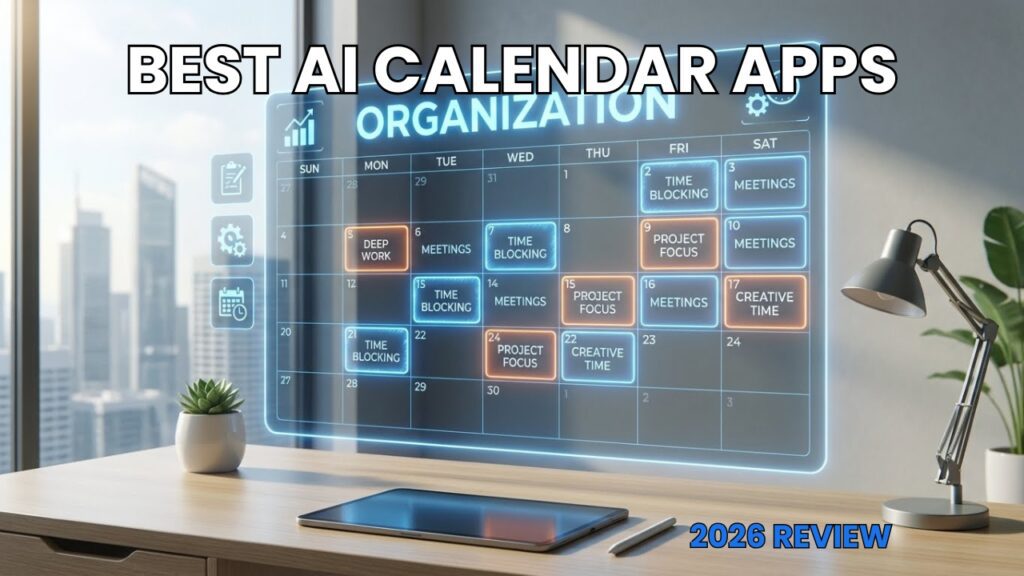
Quick answer: An AI calendar automates scheduling by calculating task dependencies, meeting requests, and personal energy curves, automatically shifting events when delays strike. For full autonomous rescheduling, Motion leads the market. Reclaim.ai delivers defensive habit scheduling and calendar bridging, while Morgen, Akiflow, and Sunsama offer specialized command centers featuring local Model Context Protocol (MCP) server support and keyboard-driven timeboxing.
The Operational Shift: Why Static Calendars Fail Knowledge Workers
Picture a product manager entering Tuesday with a carefully organized schedule. By 10:15 AM, a critical production outage requires an immediate post-mortem, an external partner postpones a strategy review by two hours, and an executive fires off a high-priority request. The manual time-blocked schedule collapses entirely into overlapping blocks. Resolving that single morning disruption requires twenty minutes of manual dragging, dropping, and checking attendee availability across Google Calendar or Microsoft Outlook.
Standard calendars function as passive operational ledgers. They display events reliably, but they are blind to task backlogs, project dependencies, and shifting cognitive thresholds. When an interruption occurs, traditional digital calendars do nothing to restore balance, offloading the entire cognitive tax back onto the user.
A modern ai calendar assistant replaces reactive manual adjustment with proactive, constraint-based recalculation. By transforming static tasks, habits, and deadlines into dynamic calendar entities, these platforms convert a brittle agenda into a self-healing operational engine. The consolidation of the scheduling software space has made choosing the right ai calendar planner an essential architecture choice for technical professionals and scaling teams.
📖
Related Analysis: Read our architectural breakdown on modern automation pipelines in our guide to
Zapier Alternatives.
Evaluation Criteria: What Separates a True AI Calendar Planner?
Identifying the best ai calendar app requires examining core algorithmic capabilities rather than marketing buzzwords. Putting a generative AI interface over standard Cal.com links does not constitute true intelligence. An enterprise-grade ai calendar must solve complex constraint-satisfaction problems dynamically.
Every platform on this list was assessed against four strict architectural benchmarks:
- Continuous Algorithmic Optimization: The scheduling engine must recognize when a meeting overruns or priorities shift, recalculating downline commitments without human prompting.
- Constraint & Dependency Mapping: The system must respect complex parameters, including hard deadlines, dependency chains (Task B cannot start until Task A finishes), energy-level alignment, and fixed duration estimates.
- Defensive Time Allocation: The platform must proactively cluster meetings into compact blocks, reserve uninterrupted focus windows, and maintain habit blocks through flexible availability states.
- API & Protocol Openness: Seamless bi-directional synchronization with Google Workspace, Microsoft 365, project issue trackers (Linear, Jira, Asana), and modern AI protocols like the Model Context Protocol (MCP) is critical.
Autonomous scheduling saves knowledge workers between three and five hours weekly in scheduling overhead. Selecting an incompatible scheduling architecture, however, can introduce frustrating administrative friction.
1. Motion — Best Overall AI Calendar Assistant for Total Autopilot
Rating: 4.8/5

Best For: Founders, executives, and fast-moving technical operators who want their entire project queue automatically scheduled and continuously rebalanced.
2026 Pricing: Individual Pro AI costs $19/user/month billed annually ($228/year) or $29 to $49/month billed monthly. Team Pro begins at $19/seat/month billed annually. A 7-day card-required free trial is available, but there is no permanent free tier.
Motion is designed as an autonomous operational executive rather than a passive visualization tool. The platform combines a full project management engine, task tracker, meeting scheduler, and dynamic calendar into a single workflow. Instead of checking a separate issue tracker and manually carving out calendar slots, users assign priorities, duration estimates, and deadlines directly in Motion. The software calculates the most mathematically viable schedule, placing tasks directly onto connected Google or Outlook calendars.
The platform runs an aggressive auto-rescheduling algorithm. If an emergency phone call preempts a 90-minute design review block on Tuesday morning, Motion shifts downstream tasks across the rest of the week, ensuring no project with a hard deadline is jeopardized. If a user falls behind, the system automatically surfaces alert banners highlighting tasks at risk of missing their deadlines, prompting priority reassessments before commitments break.
Motion’s scheduler features intelligent multi-account meeting booking. Users can publish customized booking pages that dynamically evaluate availability across personal and multiple professional calendars, completely preventing double bookings. However, buyers should watch the AI credit limits. Pro tiers include 7,500 AI credits per seat per month. Heavy generative query use or agent triggers will incur an overage fee of $0.25 per 100 credits, and the mandatory credit-card-gated trial renews automatically if not cancelled promptly.
Pros:
- Algorithmic auto-rebalancing completely removes manual calendar rescheduling.
- Deeply integrated project management engine with automated task dependencies.
- Multi-account conflict detection protects availability across separate corporate calendars.
Cons:
- AI usage capped at 7,500 credits/seat/month with $0.25 per 100 credits overage billing.
- Aggressive auto-scheduling can feel jarring for users who prefer strict manual control.
- Short 7-day trial requires an active credit card upfront.
2. Reclaim.ai — Best for Habit Protection & Cross-Ecosystem Sync
Rating: 4.7/5

Best For: Engineers, product teams, and individual contributors needing defensive focus blocks, flexible personal habits, and reliable cross-calendar sync.
2026 Pricing: Free Lite tier (1 calendar sync, 2 connected accounts, 1-week scheduling horizon). Starter is $10/user/month billed annually ($12/user/month monthly). Business is $15/user/month billed annually ($18/user/month monthly). Enterprise requires custom sales scoping, starting around $22/seat/month.
Reclaim.ai (operating under the Dropbox umbrella) acts as an intelligent algorithmic layer directly over Google Calendar and Microsoft 365. Rather than replacing your current calendar client, Reclaim works invisibly via webhooks, injecting dynamic, native events straight into your schedule. This architectural approach ensures that colleagues viewing your native Google or Outlook availability always see an accurate schedule.
The signature capability of Reclaim is its dynamic "Smart Habits" engine. Users define target routines, such as an hour of technical writing or a 45-minute midday run, within a flexible window. Initially, Reclaim displays this event as "Free" on public availability sheets, letting colleagues book over it if necessary. As the afternoon progresses and available slots shrink, Reclaim automatically flips the habit to "Busy" and locks it down, defending your personal priorities from calendar creep.
Reclaim also bridges disjointed professional lives via bi-directional calendar synchronization. Changes in a personal calendar automatically mask off time on corporate calendars without disclosing sensitive details. However, Starter tiers impose an 8-week forward scheduling horizon limit (compared to 12 weeks on Business) and throttle scheduling agent frequency. Users should also note that its Google Workspace integration remains noticeably more responsive than its Microsoft 365 support.
Pros:
- Adaptive habits toggle between "Free" and "Busy" states to defend routines flexibly.
- Permanent free Lite tier supports basic habit and calendar synchronization.
- Bi-directional multi-calendar syncing preserves privacy across personal and work agendas.
Cons:
- Starter plan limits forward-scheduling horizon to 8 weeks.
- High task volume can clutter native calendar views with excessive micro-events.
- Outlook integrations experience slight webhook sync latency compared to Google Workspace.
3. Morgen — Best for Cross-Platform Multi-Calendar Consolidation
Rating: 4.6/5Best For: Power users, developers, and consultants working across Linux, macOS, and Windows who need to merge Apple Calendar, Fastmail, Google, and Outlook.
2026 Pricing: Individual Pro costs $15/month billed annually ($180/year) or $30/month billed monthly. Team tiers require a mandatory 2-seat minimum, priced at $10/seat/month billed annually ($25/seat/month monthly). 14-day free trial; no permanent free tier.
Morgen approaches calendar intelligence as an advanced, cross-platform command center. While competitors focus exclusively on cloud-based Google and Microsoft environments, Morgen provides native desktop software across macOS, Windows, and Linux. It bridges fragmented calendar infrastructure, supporting Apple iCloud, CalDAV servers, Fastmail, Google Workspace, and Microsoft 365 under a unified querying layer.
Morgen uses a human-in-the-loop AI planning model. Rather than autonomously moving calendar entries behind the scenes, Morgen’s AI Planner analyzes your connected task managers (Todoist, Notion, Linear, ClickUp) and generates draft time blocks. The user reviews and accepts these proposed layouts before events are published to connected accounts. This approach eliminates the jarring schedule reorganizations common in fully automated systems.
Morgen also includes built-in scheduling links, custom booking workflows, and automated focus-time protection. It avoids web-only performance lags by running natively on your operating system. Keep in mind that team accounts have a mandatory two-seat minimum, making solo team deployments expensive. Additionally, users wanting entirely hands-off schedule management may find the manual review workflow unnecessary.
Pros:
- Native cross-platform desktop clients across macOS, Windows, and Linux distributions.
- Universal calendar ingestion covering Apple iCloud, CalDAV, Fastmail, Outlook, and Google.
- Propose-and-approve AI architecture gives users final editorial control over schedules.
Cons:
- Team subscription plans enforce a mandatory 2-seat minimum.
- Lacks autonomous backend rescheduling; requires user review to accept drafts.
- No permanent free tier after the 14-day evaluation window closes.
4. Akiflow — Best for Developer Workflows & MCP Integration
Rating: 4.5/5Best For: Software engineers, technical project managers, and power users who live by keyboard hotkeys and consolidate issues from GitHub, Jira, and Slack.
2026 Pricing: Pro costs $19/user/month billed annually ($228/year) or $34/user/month billed monthly. The "Believer" plan costs $699 for 5 years of upfront access. A 7-day card-required free trial is available. The AI Meeting Assistant is a paid add-on at $19/month.
Akiflow is designed around rapid capture and efficient task consolidation. Built with an Electron-based desktop app and comprehensive global command hotkeys, it turns daily planning into a keyboard-first workflow. Akiflow pulls inbox items directly from Slack, Jira, GitHub PRs, Linear issues, Asana, and Gmail, compiling them into a unified triage dashboard alongside your schedule.
Akiflow was among the first productivity systems to support a native Model Context Protocol (MCP) server. This setup enables external AI agents like Claude Desktop or OpenAI Agents to read and write directly to your Akiflow task backlog and calendar. As a result, technical teams can use external LLMs to sort, schedule, and assign tasks across their calendar via standard protocols.
Akiflow prioritizes human approval over automatic background rescheduling. Users drag tasks directly into calendar slots or let the platform highlight optimal time windows. The main drawback is cost. Standard Pro billing sits at the high end of productivity software, and the AI Meeting Assistant is a separate $19/month add-on rather than an included feature. Additionally, the short 7-day trial requires entering a credit card upfront.
Pros:
- Native Model Context Protocol (MCP) server for local and remote AI agent coordination.
- Best-in-class keyboard shortcuts and capture workflows across Slack, Linear, and GitHub.
- Unified universal inbox eliminates manual copy-pasting between disparate trackers.
Cons:
- AI Meeting Assistant requires an additional $19/month subscription fee.
- High base cost at $34/month on the monthly payment plan.
- Does not provide hands-free automatic task rescheduling when delays occur.
5. Sunsama — Best for Mindful Daily Planning & Burnout Defense
Rating: 4.4/5Best For: Knowledge workers, creators, and professionals with ADHD seeking structured daily planning rituals and healthy workload boundaries.
2026 Pricing: Single unified tier at $17/user/month billed annually ($204/year) or $22/user/month billed monthly. 14-day free trial with no credit card required. Custom quotes for enterprise SSO.
Sunsama takes a different approach than algorithmic scheduling engines, intentionally avoiding hands-off automation. Instead, it positions itself as a mindful ai calendar planner built to curb overwork and context switching. Sunsama guides you through structured morning planning and evening shutdown rituals, helping you curate a realistic daily workload rather than packing your schedule full of speculative tasks.
Sunsama’s AI engine helps you shape your day during planning rituals. It analyzes pending tasks from ClickUp, Asana, Trello, Jira, and email inboxes, estimating completion times and flagging when your commitments exceed your target workday limits. Sunsama also provides a hosted Model Context Protocol (MCP) endpoint, letting users export planning states into agent-assisted personal dashboards.
Rather than letting algorithms shift your events automatically, Sunsama requires you to decide what gets postponed when unexpected interruptions occur. This deliberate, human-centric design makes it one of the most effective tools for preventing burnout. However, operators looking for an ai calendar that recalculates their day hands-free will find its deliberate planning rituals counterproductive, and there is no free tier available.
Pros:
- Structured morning and evening shutdown rituals reinforce reasonable working hours.
- Workload threshold alerts flag unrealistic schedules before burnout occurs.
- No credit card required for the 14-day trial period.
Cons:
- Strictly rejects autonomous auto-rescheduling; all changes require user interaction.
- Flat $17 to $22/month price tag with zero free-tier availability.
- Enterprise compliance features like SCIM and SAML require custom enterprise contracts.
2026 Feature & Pricing Architecture Comparison
Choosing between these platforms comes down to how much autonomy you want to give the scheduling engine, your preferred calendar ecosystem, and your tolerance for credit limits. The breakdown below details the technical architecture and real costs across each tool.
| Platform | Best Persona | Scheduling Architecture | Free Tier / Trial | Starting Price (Annual) | Rating |
|---|
| Motion | Founders & Agile Teams | Fully Autonomous Rescheduling | 7-day trial (Card req.) | $19/user/mo | 4.8 / 5 |
| Reclaim.ai | Cross-Functional ICs | Autonomous Webhook Events | Free Lite Tier | $10/user/mo | 4.7 / 5 |
| Morgen | Multi-Account Power Users | Draft & Approve UI | 14-day trial (No card) | $15/mo | 4.6 / 5 |
| Akiflow | Developers & Engineers | Manual / MCP Protocol | 7-day trial (Card req.) | $19/user/mo | 4.5 / 5 |
| Sunsama | Burnout-Prone Knowledge Workers | Human-in-the-Loop Rituals | 14-day trial (No card) | $17/user/mo | 4.4 / 5 |
Buyer's Framework: Choosing Your AI Calendar System
Selecting an AI calendar tool requires balancing algorithmic automation against personal control. Choosing the wrong approach can create unwanted administrative overhead. Here is how to pick the right platform for your operational workflow:
Autonomous Rebalancing vs. Propose-and-Approve
Determine whether you want your calendar to reorganize itself automatically. Platforms like Motion and Reclaim.ai operate autonomously, continuously shifting your daily blocks as priorities change. This is ideal for operators with dynamic schedules who do not mind algorithmic calendar shifts.
Conversely, if sudden schedule changes stress you out, look at Morgen or Sunsama. These tools use a propose-and-approve model. Their AI suggests time blocks, but nothing updates on your actual calendar until you review and confirm it.
Ecosystem Compatibility & Calendar Protocol Boundaries
Evaluate your underlying email and calendar infrastructure carefully. Reclaim works best with Google Workspace, though it also supports Microsoft 365. Akiflow and Motion both deliver mature integrations across Google and Microsoft ecosystems.
If you use privacy-focused or non-standard providers like Apple iCloud, Fastmail, or self-hosted CalDAV servers, Morgen is the only enterprise-ready platform that consolidates them all under a single native interface.
Extensibility: Model Context Protocol (MCP) Support
Teams building custom agentic workflows should look closely at API flexibility. Platforms like Akiflow and Sunsama feature dedicated Model Context Protocol (MCP) servers. This lets local AI models, Cursor, and custom Claude workspaces query, organize, and append calendar events through standardized, agent-ready endpoints.
Category Consolidation: What Happened to Clockwise?
Longtime followers of smart scheduling will notice the absence of Clockwise. After being acquired by Salesforce, Clockwise was officially sunset in March 2026, with its core scheduling algorithms absorbed into Salesforce’s internal Agentforce enterprise tools.
This acquisition accelerated market consolidation. Teams that previously relied on Clockwise for meeting coordination have largely migrated to Reclaim.ai for habit defense and team scheduling, or to Motion for fully autonomous task and meeting execution.
Frequently Asked Questions
What is the best AI calendar app in 2026?
Motion is the best ai calendar app for full-scale scheduling automation. It dynamically rebalances task backlogs alongside meetings as interruptions occur. If you are looking for habit protection with a permanent free tier, Reclaim.ai is the top alternative.
How does an AI calendar assistant work with Google Calendar and Microsoft Outlook?
An ai calendar assistant does not replace your underlying email provider. Instead, it connects via secure APIs and webhooks, reading your existing events and writing task blocks, focus time, or habits back to your calendar. Colleagues and clients see your standard availability without needing the same software.
Can an AI calendar planner help prevent professional burnout?
Yes. Platforms like Sunsama and Reclaim monitor meeting volume and flag days where scheduled work exceeds sensible limits. By clustering meetings together and auto-locking focus blocks, an ai calendar planner prevents calendar creep and protects your personal downtime.
What are Model Context Protocol (MCP) servers in AI calendar apps?
Model Context Protocol (MCP) is an open standard that allows external AI agents (like Claude Desktop or local LLM instances) to interact directly with software data. In tools like Akiflow and Sunsama, MCP servers let outside AI agents read your task queue, check calendar openings, and schedule events programmatically.
Are AI calendar apps worth the cost for solopreneurs and freelancers?
Yes. Freelancers and solo operators spend significant time every week manually coordinating meetings, reprioritizing tasks, and reshuffling to-do lists. An automated scheduling app handles these administrative updates in the background, making it an easy return on investment for busy professionals.
Final Recommendation
Upgrading from a static calendar to an automated scheduling engine is one of the most effective ways to reclaim lost productivity. For teams and solo operators looking for hands-off schedule management, Motion remains the category leader in algorithmic rebalancing.
If you prefer a free starting tier and want to defend personal habits alongside work meetings, start with Reclaim.ai. If you run a multi-platform workstation with Apple or CalDAV accounts, Morgen offers the most reliable unified workspace.

Written by Giorgi Sakandelidze
I analyze enterprise tools and productivity systems using verified documentation, pricing frameworks, and technical architecture to help operators optimize their workflows.
How we research and compare tools →
Views: 3,840
Best AI Calendar Apps: 5 Smart Tools to Automate Your Schedule (2026)
A comprehensive review of the best AI calendar apps like Motion, Reclaim.ai, and Clockwise. We compare auto-scheduling features, pricing, and ease of use to help you save time.
Price Currency:
USD
Operating System:
Web, Windows, macOS, iOS, Android
Application Category:
Productivity