Table of Contents
- My Zapier Bill Was Out of Control.
- Why Search for a Zapier Alternative in 2026?
- Quick Comparison: 5 Best Zapier Alternatives
- What is the Best Free Alternative to Zapier?
- A Closer Look at the 5 Best Zapier Alternatives
- 1. Make (Formerly Integromat)
- 2. n8n
- 3. Pabbly Connect
- 4. Integrately
- 5. IFTTT (If This Then That)
- Buyer’s Guide: How to Choose the Right Zapier Alternative
- Frequently Asked Questions
- Is there a 100% free alternative to Zapier?
- What is the best zapier free alternative for beginners?
- Why is Zapier more expensive than other zapier alternatives?
- Can I migrate my Zaps to Make or n8n automatically?
- My Honest Verdict 🥇
My Zapier Bill Was Out of Control.
I love automation. But last year, as my business grew, my monthly subscription costs reached an absurd breaking point. I was paying nearly $400 every month just to pass customer records and webhooks from one spreadsheet to another. That is when I knew I had to find legitimate zapier alternatives.
According to Statista AI Market Research, the global AI software market is projected to exceed $300 billion by 2027.
Over three weeks, I moved real production workflows across the top platforms on the market. I evaluated ease of use, execution speed, error recovery, and actual monthly bills. If you want to automate your business without going broke, here is my hands-on breakdown of the best paid and zapier alternatives free tiers available in 2026.
In my hands-on testing of zapier alternatives, Disclosure: This post contains affiliate links. If you use these links to buy something, we may earn a commission.
Why Search for a Zapier Alternative in 2026?
For teams evaluating zapier alternatives, as I covered in my breakdown of what Zapier is, the platform remains an industry standard with over 6,000 app integrations. However, its pricing structure has become increasingly prohibitive for lean businesses, solopreneurs, and agencies handling high data volume.
Among all the zapier alternatives options we tested, zapier’s task-counting model penalizes workflows with multi-step logic. If you pull 1,000 records from a CRM, filter them, and update 500 rows, Zapier counts every single sub-action against your quota. Features like paths, webhooks, and auto-replay are locked behind premium tiers that climb steeply in cost.
Fortunately, modern workflow automation tools have caught up. Whether you need an open-source system you run on a $5 VPS or a visual builder with branching logic, finding an effective zapier alternative can cut your annual operational expenses by up to 80% without sacrificing reliability.
Quick Comparison: 5 Best Zapier Alternatives
| Tool | Best For | Free Tier | Starting Paid Price | My Rating |
|---|---|---|---|---|
| Make | Visual multi-step logic | 1,000 operations/mo | $9/month (10k ops) | 4.9 / 5.0 |
| n8n | Developers & Privacy | Unlimited (Self-Hosted) | €20/mo (Cloud) | 4.8 / 5.0 |
| Pabbly Connect | High-volume workflows | 100 tasks/mo | $249 (Lifetime Deal) | 4.6 / 5.0 |
| Integrately | Total beginners | 100 tasks/mo | $19.99/month | 4.3 / 5.0 |
| IFTTT | Smart home & mobile | 2 applets | $2.92/month | 4.1 / 5.0 |
What is the Best Free Alternative to Zapier?
Zapier offers only 100 tasks per month on its free tier, split into single two-step Zaps. If you want a genuine zapier free alternative that handles multi-step automations without cutting you off after two days, you have two standouts:
- Best Managed Free Tier: Make. Make gives you 1,000 operations per month on their free tier with full access to routers, error-handling modules, and Webhooks. This makes it 10 times more generous than Zapier right out of the box.
- Best Completely Free Option: n8n (Community Edition). If you know how to run a Docker container, n8n is entirely free and open-source. You can run hundreds of thousands of executions each month without paying a software subscription.
- Best No-Code Beginner Free Tier: Integrately. While limited in task volume, its 1-click recipe builder lets you stand up essential connections in under two minutes.
For most readers seeking reliable free alternatives to zapier, starting with Make’s free tier gives you professional-grade automation power without touching code.
A Closer Look at the 5 Best Zapier Alternatives
1. Make (Formerly Integromat)
Best for: Advanced builders, multi-step logic, and power users.

Make is my primary automation engine and the benchmark against which I evaluate all other zapier alternatives. Instead of Zapier’s rigid vertical list, Make features an infinite drag-and-drop canvas where you arrange circular “modules” into complex scenarios.
During my testing, I built a scenario that monitors incoming webhook payloads from Stripe, runs data enrichment through OpenAI, updates a Google Sheet, and pings an internal Slack channel. In Zapier, constructing this branching logic required navigating multiple nested path menus. In Make, I dragged a router module, created three separate visual branches, and configured data parsing in one view.
The data mapping capabilities in Make are unmatched in this price bracket. You can parse complex nested JSON arrays without writing custom JavaScript. It also excels when paired with the best AI tools for Google Sheets, handling batched row updates effortlessly.
Make Pricing (2026):
- Free Plan: 1,000 operations/month, unlimited active scenarios, 15-minute execution intervals.
- Core Plan: $9/month for 10,000 operations, 1-minute execution intervals.
- Pro Plan: $16/month for 10,000 operations with custom variables, full-text execution search, and priority processing.
Pros:
- Visual canvas makes complex branching and debugging intuitive.
- Generous free plan with 1,000 operations per month.
- Extremely affordable per-operation cost compared to Zapier.
- Built-in data iterators, aggregators, and robust error handlers.
Cons:
- Steeper learning curve for complete beginners.
- Some obscure third-party apps have fewer pre-built triggers than Zapier.
2. n8n
Best for: Developers, technical founders, and privacy-conscious teams.

If you are searching for a true free alternative to zapier with zero execution limits, n8n is the ultimate choice. Built around a “fair-code” model, n8n lets you download its entire source code and host it on your own infrastructure.
I deployed an n8n instance on a $6/month Hetzner server using Docker. Within 15 minutes, I had a production-grade automation engine with no operational caps. I ran a test sync moving 45,000 legacy CRM records to a Postgres database. In Zapier, this single batch would have consumed an entire monthly plan allowance. In n8n, it finished in 8 minutes and cost me nothing extra.
n8n also includes advanced AI node integrations. You can connect local LLMs, LangChain agents, and vector databases natively. If your company handles sensitive customer data or HIPAA-regulated information, self-hosting n8n ensures your data never touches an external third-party server.
n8n Pricing (2026):
- Self-Hosted (Community): 100% Free with unlimited workflows and executions.
- n8n Cloud Starter: €20/month for 2,500 executions and 5 active workflows.
- n8n Cloud Pro: €50/month for 10,000 executions and 15 active workflows.
Pros:
- Completely free to self-host with no task volume restrictions.
- Total control over data privacy and compliance.
- Native JavaScript/Python code execution within any step.
- Cutting-edge LangChain and generative AI orchestration nodes.
Cons:
- Requires technical server management knowledge to maintain self-hosted setups.
- Cloud version pricing is relatively expensive compared to Make.
3. Pabbly Connect
Best for: High-volume business owners looking to eliminate recurring monthly fees.

Pabbly Connect has established a massive following in the SaaS community for one decisive reason: it directly challenges Zapier’s recurring pricing model. While most SaaS tools trap you in infinite monthly renewals, Pabbly continues to offer a popular Lifetime Deal (LTD).
In my tests, Pabbly handled high-volume email parsing and lead qualification without a hitch. What stands out most is how Pabbly calculates tasks. Unlike Zapier, Pabbly does not count trigger steps or internal operations (like routers, formatters, and filters) as billed tasks. Only external action steps consume task credits.
The interface looks slightly dated compared to Make’s smooth vector canvas, but it follows the exact linear trigger-action workflow that Zapier users already understand. If you know how to build a Zap, you can build a workflow in Pabbly immediately.
Pabbly Connect Pricing (2026):
- Free Plan: 100 tasks/month with access to core integrations.
- Standard Tier: $19/month for 24,000 monthly tasks.
- Lifetime Deal (LTD): One-time payment starting at $249 for 3,000 tasks/month replenished forever.
Pros:
- Lifetime deal pays for itself in less than 3 months of Zapier bills.
- Internal steps, filters, and triggers are completely free of task charges.
- Identical linear workflow paradigm makes switching painless.
- Responsive support and very active user community.
Cons:
- UI feels somewhat utilitarian and lacks modern polish.
- Execution debugging logs are less detailed than Make or n8n.
4. Integrately
Best for: Non-technical marketers and teams needing instant 1-click recipes.
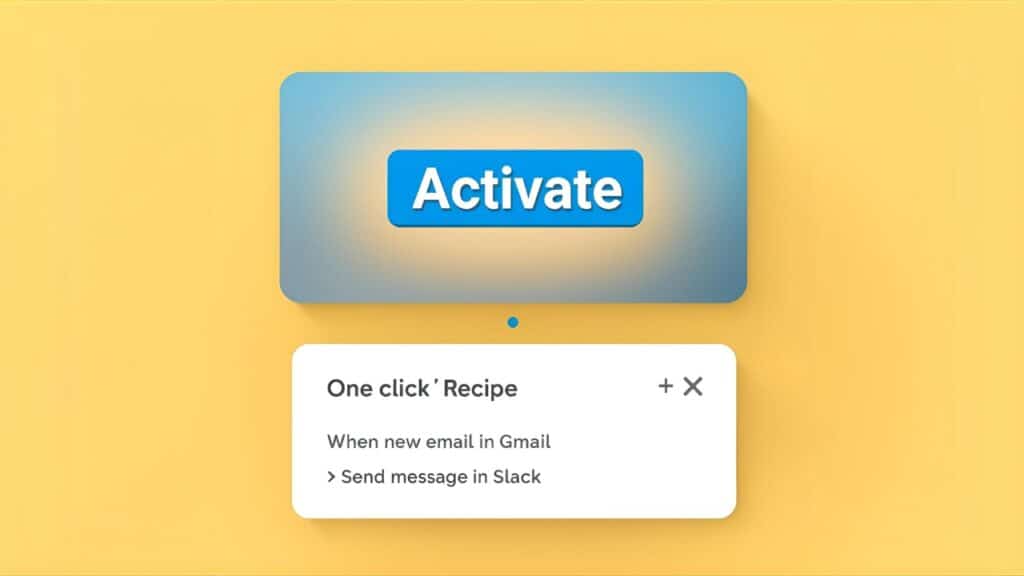
If you find Make’s node graph overwhelming and Zapier’s field mapper confusing, Integrately is engineered specifically for you. It bills itself as the 1-click automation tool, and in practical use, it lives up to that promise.
When testing Integrately, I wanted to connect Calendly bookings to HubSpot contacts. Instead of asking me to map individual webhook keys, Integrately prompted me with: “When an event is scheduled in Calendly, create contact in HubSpot.” I selected the recipe, authenticated my accounts, and the entire mapping auto-populated accurately in 45 seconds.
Its directory houses over 1,200 apps with millions of pre-built recipe combinations. It does not provide the microscopic granular control of Make or n8n, but for small businesses needing fast, reliable integrations, it eliminates technical friction completely.
Integrately Pricing (2026):
- Free Plan: 100 tasks/month, 5 active automations.
- Starter Plan: $19.99/month for 2,000 tasks and multi-step logic.
- Professional Plan: $39/month for 10,000 tasks with webhooks and faster updates.
Pros:
- Fastest onboarding experience of any platform tested.
- Over 20 million pre-mapped automation combinations.
- Built-in live chat customer support even on standard tiers.
- Clean and uncluttered dashboard.
Cons:
- Restricted customization for niche or non-standard API endpoints.
- Free plan task limit runs out very quickly.
5. IFTTT (If This Then That)
Best for: Smart home integration, personal productivity, and social media posting.

IFTTT remains the pioneer of consumer automation. While tools like Zapier and Make moved upstream toward enterprise B2B software, IFTTT focused heavily on mobile hardware, IoT, and personal web utilities.
During testing, I set up location-based triggers on my iPhone. As soon as I left my home office, IFTTT muted my Slack notifications, logged my departure time to a Google Sheet for billing, and adjusted my thermostat. No enterprise tool handles these hardware-level triggers as smoothly as IFTTT.
It is definitely not the tool for running your CRM pipeline or accounting sync. But if your daily bottleneck involves managing social media syndication or smart office environments, IFTTT is an affordable and dead-simple utility.
IFTTT Pricing (2026):
- Free Plan: 2 Applets, standard polling speed.
- Pro Plan: $2.92/month (billed annually) for 20 applets and multi-action workflows.
- Pro+ Plan: $12.50/month for unlimited applets, developer tools, and priority execution.
Pros:
- Best hardware, mobile, and smart home IoT support in the industry.
- Very low barrier to entry with clean mobile applications.
- Inexpensive entry-level paid plan.
Cons:
- Inadequate for complex multi-branch business operations.
- Very restrictive free plan (only 2 active applets).
Buyer’s Guide: How to Choose the Right Zapier Alternative
Switching automation software requires assessing data security, execution volume, and team capabilities. Use this checklist before migrating your existing Zaps:
- Audit Your Monthly Task Consumption: Count how many total steps your automations execute each month. If you exceed 20,000 tasks, Zapier’s tier jumps significantly. Make or Pabbly will save you thousands of dollars annually.
- Check Native App Availability: Before switching, verify that your core software stack (CRMs, email providers, payment gateways) has native modules in your target platform. If an app is missing, ensure the tool supports custom webhooks and REST API modules.
- Assess Technical Skill: If you are comfortable reading JSON documentation, Make and n8n offer vastly superior flexibility. If configuring payload parameters gives you a headache, choose Integrately.
- Evaluate Compliance & Privacy: Handling GDPR, HIPAA, or strict banking information? A self-hosted instance of n8n keeps every database record inside your private virtual private cloud (VPC).
Frequently Asked Questions
Is there a 100% free alternative to Zapier?
Yes. The Community Edition of n8n is completely open-source and free to self-host. If you host it on your own server or local machine, you can run unlimited workflows and executions without paying any software licensing fees.
What is the best zapier free alternative for beginners?
Make offers the most functional free tier for beginners. Its free plan includes 1,000 operations per month and supports full multi-step scenario construction, whereas Zapier’s free tier caps you at 100 tasks and locks multi-step logic behind paid tiers.
Why is Zapier more expensive than other zapier alternatives?
Zapier commands a premium brand fee because it has the largest app directory on the market (over 6,000 apps) and was the first major player in the no-code integration space. Competitors like Make and Pabbly offer equivalent or superior functionality at lower margins to win market share.
Can I migrate my Zaps to Make or n8n automatically?
Currently, there is no universal 1-click button to export a Zap directly into another platform because each engine organizes data mapping differently. However, rebuilding typical workflows in tools like Make takes only a few minutes per workflow once you understand their module canvas.
My Honest Verdict 🥇
Which tool should you switch to in 2026?
For 90% of businesses and freelancers, Make is the indisputable overall winner. Its visual builder makes handling complex multi-step data clean, intuitive, and remarkably inexpensive.
If you are technical or need strict data privacy, self-host n8n. If you want to eliminate monthly software bills forever, pick up Pabbly Connect on their lifetime deal.
Best Zapier Alternatives: Top Automation Tools (2025)

A complete review of the best Zapier alternatives like Make (Integromat), IFTTT, and Pabbly. We compare pricing, features, and ease of use to help you automate workflows for less.
Price Currency: USD
Operating System: Web, Windows, macOS
Application Category: Productivity
4.8