Table of Contents
- Posting Every Day Was Killing My Business Momentum
- 2026 Quick Comparison: Top Social Media Platforms
- What Defines the Best Social Media Management Tools in 2026?
- A Closer Look at the 5 Best Social Media Management Tools
- 1. Buffer — Best for Solo Creators and Minimalist Scheduling
- 2. Metricool — Best for Data-Driven Marketers & All-in-One Analytics
- 3. Publer — Best Value for Small Agencies and Power Users
- 4. Later — Best for Visual Curation, Instagram, and TikTok
- 5. Hootsuite — Best for Large Marketing Teams and Social Listening
- Agency & Creator Scaling: Connecting Distribution to AI Contract Management
- Buyer’s Guide: How to Choose the Right Tool in 2026
- Frequently Asked Questions
- Can social media management tools automatically post to Instagram Reels and TikTok?
- Is there a 100% free social media management tool?
- How does automated contract management software fit into a social media agency workflow?
- Why is Hootsuite so much more expensive than Buffer or Publer?
- My Honest Verdict for 2026 🥇
Posting Every Day Was Killing My Business Momentum
Trying to manually post on Facebook, Instagram, LinkedIn, Threads, and X every day is a guaranteed path to burnout. Early on, I was burning two hours every morning logging into half a dozen platforms, resizing images, and copying text. I knew I needed the best social media management tools to automate the tedious distribution work.
The NIST AI Risk Management Framework recommends evaluating AI tools against governance and transparency benchmarks before adoption.
Over the past six months, I set up paid accounts on the leading platforms to run my channels. I evaluated real scheduling reliability, API quirks, analytics accuracy, and workflow automation. If you want to plan a full month of content in one afternoon without technical headaches, here is my hands-on ranking of the best social media management tools for 2026.
In my hands-on testing of best social media management tools, Disclosure: This post contains affiliate links. If you use these links to buy something, we may earn a commission at no extra cost to you.
2026 Quick Comparison: Top Social Media Platforms
| Tool | Best For | Free Tier | Starting Price (2026) | My Rating |
|---|---|---|---|---|
| Buffer | Solo creators & clean scheduling | Up to 3 channels (10 posts/mo) | $6/channel/mo | 4.7 / 5.0 |
| Metricool | Analytics & cross-platform tracking | 1 brand profile (50 posts/mo) | $22/month | 4.9 / 5.0 |
| Publer | Small agencies & multi-channel value | 3 accounts (10 posts/mo) | $12/month | 4.8 / 5.0 |
| Later | Visual brands (Instagram & TikTok) | 14-day trial only | $25/month | 4.5 / 5.0 |
| Hootsuite | Enterprise listening & large teams | 30-day trial only | $99/month | 4.2 / 5.0 |
What Defines the Best Social Media Management Tools in 2026?
For teams evaluating best social media management tools, A social media management tool is an operational command center that connects to your social profiles via official APIs. Instead of opening multiple browser tabs, you compose, format, schedule, and track content from a single interface.
Among all the best social media management tools options we tested, in 2026, social platforms change publishing rules constantly. Modern tools must do more than hold a schedule queue. They must automatically format aspect ratios for vertical video, tailor post copy per network, and flag failed posts immediately so your distribution engine never stalls.
A Closer Look at the 5 Best Social Media Management Tools
1. Buffer — Best for Solo Creators and Minimalist Scheduling
From a practical standpoint with best social media management tools, buffer remains my favorite recommendation for individuals who dislike complex enterprise software. It focuses entirely on frictionless publishing and clean calendar management.
My Testing Experience: During setup, connecting my LinkedIn, X, and Instagram profiles took under three minutes. Buffer’s slot-based queue is intuitive: you configure fixed posting times (for example, 9:00 AM and 3:30 PM), drop your drafts into the queue, and walk away. While publishing carousels to LinkedIn, Buffer preserved formatting and alt-text without breaking. The built-in AI assistant helps rephrase headlines for different channels without generating robotic fluff.
2026 Pricing: Free plan supports 3 channels with 10 scheduled posts per channel. The Essentials plan costs $6/channel/month billed annually ($5/month on annual billing) and provides unlimited scheduling, engagement tools, and reporting.
Buffer Pros:
- Per-channel pricing means you only pay for accounts you actually use.
- Minimalist, distraction-free interface with zero learning curve.
- Reliable mobile apps for on-the-go queue adjustments.
Buffer Cons:
- Analytics lack deep competitor tracking.
- Social inbox features require higher-tier team plans.
2. Metricool — Best for Data-Driven Marketers & All-in-One Analytics

Metricool has become an essential utility in my daily stack. If you need unified metrics across paid ads, web traffic, and organic social posts, Metricool outperforms platforms costing four times as much.
My Testing Experience: Metricool connects not just to social channels, but also to Google Business Profile, Google Ads, and Facebook Ads. Its visual planner displays a live heatmap showing the exact hours your unique audience is active online. When testing automated Reels and TikTok scheduling, videos published on schedule without audio-sync errors. The automated PDF reporting feature saves hours at the end of each month.
2026 Pricing: Generous free tier includes 1 brand profile and up to 50 scheduled posts per month. Starter plans begin at $22/month ($18/month billed annually) supporting 5 brands and unlimited post scheduling.
Metricool Pros:
- Unbeatable free plan with robust reporting data.
- Integrated ad analytics and website traffic tracking in one dashboard.
- Real-time heatmap for best posting times based on audience activity.
Metricool Cons:
- The desktop UI feels crowded with metrics until customized.
- Asset library organization is basic compared to dedicated visual planners.
3. Publer — Best Value for Small Agencies and Power Users
Publer is packed with micro-features that other platforms overlook. It has earned a loyal following among boutique agencies and multi-channel marketers.
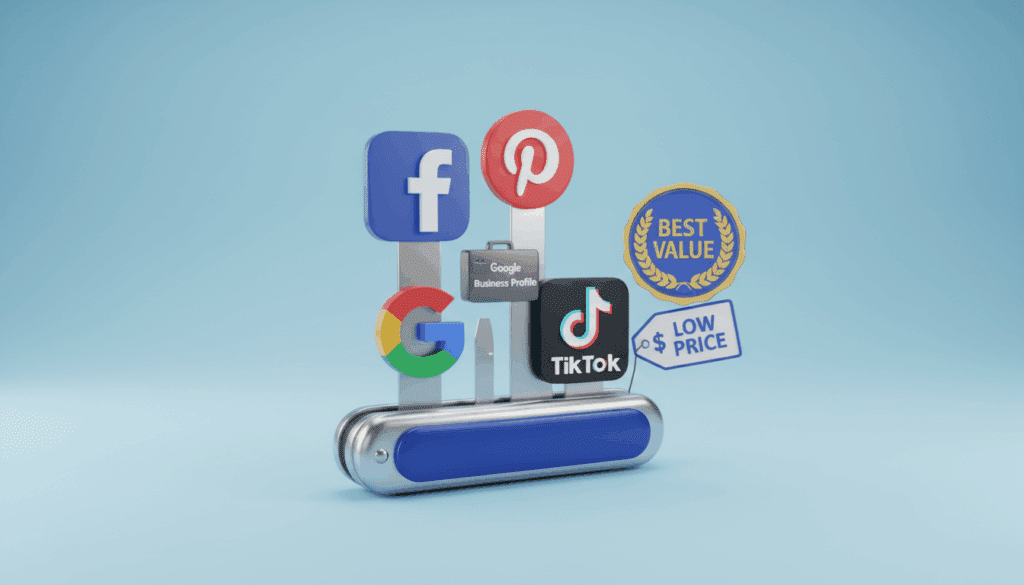
My Testing Experience: Publer allows granular post automation. I tested its automated first-comment scheduler for Instagram and LinkedIn, which works reliably every time. You can automatically add follow-up links, recycle evergreen posts on set intervals, and watermarking graphics during upload. The platform supports Telegram channels, Pinterest, WordPress, and Google Business Profiles, making it a Swiss Army knife for distribution.
2026 Pricing: Free plan allows 3 social accounts and 10 pending posts. The Professional plan starts at $12/month for 3 accounts ($4 per additional account), and the Business plan starts at $21/month with analytics and team approvals.
Publer Pros:
- Automates follow-up comments, auto-delete, and post recycling.
- Supports niche channels like Telegram, Pinterest, and Mastodon.
- Flexible modular pricing tailored to exact account counts.
Publer Cons:
- Analytics are slower to update than Metricool.
- Mobile app is functional but less refined than Buffer.
4. Later — Best for Visual Curation, Instagram, and TikTok

If your primary revenue drivers are Instagram, TikTok, and Pinterest, Later offers the most polished media-first workflow. It was built around visual media rather than text-first updates.
My Testing Experience: Later’s drag-and-drop Visual Instagram Planner lets you arrange your future grid before anything goes live, ensuring your visual aesthetic stays consistent. The built-in media library lets you tag, filter, and store raw video and image assets efficiently. Their Link in Bio tool remains the benchmark for converting social followers into storefront visitors with trackable links.
2026 Pricing: Free tier is discontinued; 14-day free trial available. The Starter plan costs $25/month ($16.67/month billed annually) for 1 social set and 30 posts per profile. Growth plans begin at $45/month.
Later Pros:
- Intuitive drag-and-drop visual grid planner.
- Strong user-generated content (UGC) sourcing and media tagging tools.
- Best-in-class customizable Link in Bio solution.
Later Cons:
- Text-heavy platforms like LinkedIn and X feel like secondary additions.
- No permanent free tier available in 2026.
5. Hootsuite — Best for Large Marketing Teams and Social Listening

Hootsuite is the enterprise veteran of social software. While it has priced out most casual bloggers and solo creators, it remains a powerhouse for large marketing departments that require governance and real-time monitoring.
My Testing Experience: Hootsuite’s standout feature is its Streams architecture. You can configure multi-column dashboards monitoring brand keywords, competitor mentions, and incoming direct messages in real time. The shared team inbox lets multiple agents assign tickets and handle customer support inquiries without duplicate replies. However, the interface feels heavy and takes time to master.
2026 Pricing: Standard plan starts at $99/month (billed annually) for 1 user and 10 social accounts. Team plans run $249/month for 3 users and 20 social accounts.
Hootsuite Pros:
- Unmatched real-time social listening and monitoring streams.
- Robust approval hierarchies and enterprise compliance permissions.
- Comprehensive unified inbox for customer support workflows.
Hootsuite Cons:
- High barrier to entry with no affordable monthly or low-tier plan.
- Complex user interface with a noticeable onboarding curve.
Agency & Creator Scaling: Connecting Distribution to AI Contract Management
As social media operations grow from solo publishing into full agencies or multi-creator partnerships, content scheduling is only half the battle. Managing client scopes, influencer retainers, and sponsorship deliverables quickly creates a legal bottleneck if handled across loose email threads.
Modern agencies pair their distribution tools with dedicated ai contract management software to govern creator agreements, licensing clauses, and client master service agreements (MSAs). Implementing an automated contract management system ensures that brand deliverables agreed upon in signed contracts automatically align with scheduling deadlines inside your social calendar.
Leveraging modern ai contract management allows marketing teams to parse clauses, verify usage rights for creator-generated assets, and track expiration dates automatically. By adopting automated contract management software alongside your publishing tools, your agency avoids costly copyright oversights when republishing sponsored creative.
For agencies running dozens of concurrent campaigns, enterprise-grade artificial intelligence contract management software solutions index key obligations and payment triggers into a unified dashboard. Storing master agreements within ai contract repository management software gives team members immediate visibility into intellectual property rights before any campaign asset goes live in your scheduling queue.
Buyer’s Guide: How to Choose the Right Tool in 2026
Choosing the right platform depends on your operational bottlenecks. Here are the four criteria I evaluate before recommending any social tool:
- Network Coverage and API Reliability: Ensure the platform supports direct publishing for your core channels. In 2026, tools must support Threads, LinkedIn document carousels, and automated Reel/Short distribution without requiring mobile push notifications.
- Per-Seat vs. Per-Channel Pricing: If you are a solo operator with 8 profiles, Buffer or Metricool provides maximum cost efficiency. If you run a team with multiple approval steps, Publer or Hootsuite provides the necessary permission layers.
- Unified Analytics & Cross-Channel Attribution: Vanity metrics like follower count matter far less than click-through rates and audience engagement. Prioritize platforms that let you track outbound link clicks and campaign tags cleanly.
- Workflow Automation: Look for built-in draft recycling, auto-first comments, and AI-assisted variation generation to avoid rewriting the same message manually five times.
Frequently Asked Questions
Can social media management tools automatically post to Instagram Reels and TikTok?
Yes. All five tools reviewed here support direct, automated publishing for vertical video formats including Instagram Reels, TikTok, YouTube Shorts, and Facebook Reels through official platform APIs without manual mobile reminders.
Is there a 100% free social media management tool?
Metricool offers the most practical free tier, providing 1 brand profile and up to 50 scheduled posts per month along with analytics. Buffer also offers a reliable free plan for up to 3 social accounts with a 10-post queue limit per channel.
How does automated contract management software fit into a social media agency workflow?
Agencies use automated contract management software to manage influencer deliverables, client retainers, and asset usage terms. Integrating an automated contract management system prevents copyright disputes and ensures posting schedules fulfill contractual milestones.
Why is Hootsuite so much more expensive than Buffer or Publer?
Hootsuite targets enterprise marketing teams and brand agencies that require advanced social listening, crisis monitoring, custom team approvals, and multi-user governance. For solo creators and small businesses, Buffer, Metricool, or Publer provide significantly better value.
My Honest Verdict for 2026 🥇
Which social media management tool should you choose?
If you need clean, dead-simple scheduling without clutter, start with Buffer.
If you want in-depth analytics, ad tracking, and the best free tier on the market, Metricool is my top overall pick for 2026.
For agencies needing advanced automations and multi-channel posting on a sensible budget, Publer delivers unbeatable value.
As Harvard Business Review on AI notes, choosing the right software stack is now a competitive advantage, not a luxury.
Best Social Media Management Tools: Top Picks for 2025

A comprehensive review of the best social media management tools like Buffer, Hootsuite, and Sprout Social. We compare scheduling features, analytics, and pricing to help you grow your audience.
Price Currency: USD
Operating System: Web, iOS, Android
Application Category: BusinessApplication
4.8