Manually translating video tutorials into languages like Spanish and German can take many hours. Between coordinating freelance voice actors and fixing awkward timing cuts, production budgets can escalate quickly. These operational headaches drive many creators to seek automated speech engines as a streamlined fix.
Finding the best ai dubbing tools isn’t just about converting raw text into robotic speech. You need natural pacing, believable vocal inflection, and clean separation so your background music doesn’t vanish.
If you want your content to reach international audiences without sounding like an old GPS device, picking the right platform is critical. This comparison is based on official documentation, pricing pages and user reports, and covers what each tool does well, where it falls short, and where the money is best spent.
⚡ Quick Verdict: Best best ai dubbing tools at a Glance
Top best ai dubbing tools for 2026
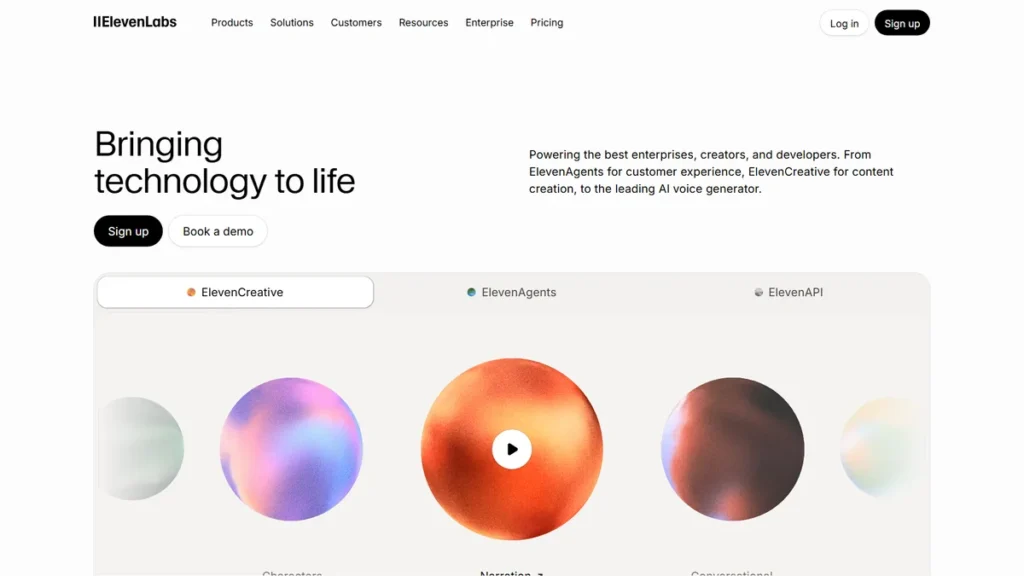
ElevenLabs
Solo creators who need photorealistic voice cloning and emotion control across 29+ languages.
💰 Free / $6/mo
HeyGen
Talking-head creators who need both translated speech and matching mouth movements.
💰 Free / $29/mo
Rask AI
Podcasts, interviews, and webinars with multiple distinct voices talking in the same file.
💰 Trial / $39/mo
Table of Contents
- ⚡ Quick Verdict: Best best ai dubbing tools at a Glance
- 1. ElevenLabs
- 2. HeyGen
- 3. Rask AI
- 4. Dubverse.ai
- 5. DupDub
- Comparison Table: Top AI Dubbing Tools 📊
- How to Choose Between Speech Clones, Lip-Syncing, and Studio Editors
- Frequently Asked Questions About these solutions
- Final Verdict on the platforms 🏆
1. ElevenLabs
Best for Voice Quality & Cloning
ElevenLabs Dubbing Studio translates spoken video between languages like English and Spanish while capturing natural speaking cadences. The voice clone replicates distinct vocal nuances closely, aiming to preserve tone and subtle expressions in the translated speech.
The script editor allows users to fine-tune phonetic spellings when the engine encounters niche technical SaaS terms. It ranks among the most capable video dubbing platforms available.
- Uncanny voice clone fidelity
- Granular Dubbing Studio script editor
- Preserves original background music tracks
- No visual lip-syncing feature
- Character limits can feel restrictive on lower tiers
2. HeyGen
Best for Visual Lip-Syncing
HeyGen translates talking-head video intros into multiple languages, such as French and Japanese, while actively reshaping mouth movements. The lip-sync technology is designed to match target-language syllables, though results depend on the source footage.
Fast head turns and hands crossing the mouth can still produce artifacts. For creators publishing to TikTok or Reels, this tool prevents awkward audio-desync issues. It is clearly one of the best ai tools for dubbing video interviews.
- Strong visual lip-sync matching
- Supports over 70 target languages
- Simple drag-and-drop web interface
- Expensive starting monthly plan
- Occasional minor artifacts during fast hand gestures across the mouth
3. Rask AI
Best for Multi-Speaker Videos
Rask AI is built for recordings with several speakers, such as podcasts where people talk over each other. Its multi-speaker detection separates voices and can assign a distinct cloned voice to each person, where simpler dubbing engines tend to blend speakers together.
Exports include clean SRT subtitle tracks across target languages like German and Portuguese. While it costs more than standalone voice generators, it eliminates substantial hours of manual track cutting. For interview formats, it is arguably one of the top 10 artificial intelligence tools for localization.
- Automatic multi-speaker detection
- Built-in lip-sync and SRT export
- Deep language library with 130+ languages
- High starting price tag
- Strict monthly minute limits on starter tiers
4. Dubverse.ai
Best for Fast Turnaround & Subtitles
Users can paste a direct YouTube link into Dubverse to translate explainer videos into languages such as Hindi and Spanish. The platform generates synthesized audio alongside synchronized on-screen captions ready to download, offering a frictionless workflow without requiring manual video file transfers.
The script editor highlights low-confidence translation words in yellow, making it quick to spot awkward phrasing. The voice acting feels slightly more commercial than conversational, but the speed makes up for it. Dubverse belongs on any shortlist for high-volume multilingual localization.
- Direct YouTube and Vimeo URL import
- Generates translated subtitles automatically
- Affordable pricing structure
- Voice clones lack subtle emotional dynamics
- Lip-sync engine is not available on standard plans
5. DupDub
Best for Granular Speech Editing
DupDub provides a granular word-by-word phonetic timeline where creators can insert micro-pauses and pitch adjustments. This level of control makes it easy to resolve pronunciation issues on technical terms and proprietary brand names that basic text-to-speech tools often misread.
The platform also supports background audio mixing directly in the browser timeline without requiring an external DAW. While it may not carry the viral buzz of rival platforms, its granular editorial control makes it one of the best ai tools for video dubbing technical walkthroughs.
- Deep phonetic and pause controls
- Multi-track audio timeline editor
- Includes avatar and text-to-speech tools
- Interface feels cluttered for beginners
- Translation speed is slower than pure one-click dubbers
Comparison Table: Top best ai dubbing tools 📊
To help you compare top dubbing tools side by side, here is an evaluation of pricing, target audience, and ratings:
| Tool | Best For | Starting Price | Free Plan | Rating |
|---|---|---|---|---|
| ElevenLabs | Realistic Voice Cloning & Emotion | $6/month | Yes (10k credits/mo) | ⭐ 4.9 / 5.0 |
| HeyGen | Talking-Head Lip-Sync Matching | $29/month | Yes (Trial credits) | ⭐ 4.8 / 5.0 |
| Rask AI | Multi-Speaker Podcasts & Interviews | $28–$39/month | Yes (Trial credits) | ⭐ 4.7 / 5.0 |
| Dubverse.ai | Speed & Subtitle Automation | $15/month | Yes (20 credits) | ⭐ 4.5 / 5.0 |
| DupDub | Granular Audio & Phonetic Control | $15/month | Yes (3-day trial) | ⭐ 4.6 / 5.0 |
How to Choose Between Speech Clones, Lip-Syncing, and Studio Editors
When evaluating speech dubbing platforms, raw translation accuracy is only the initial test. A tool might get the grammar right but completely butcher the emotional delivery of your punchlines. If you create educational or entertaining content, the synthesized voice needs to pause and breathe naturally.
Voice cloning fidelity is another major factor. Top-tier tools preserve your original accent, tone, and vocal characteristics across different languages. If you already use 5 Best AI Video Repurposing Tools in 2026: Effortlessly Go Viral to slice long streams into clips, adding localized audio makes your content resonate globally.
Lip-syncing precision separates budget apps from serious production software. While basic platforms paste translated speech over your video, modern engines warp mouth movements to match the new syllables.
Finally, pay attention to the timeline editor before pulling out your credit card. You will inevitably need to fix phonetic mispronunciations, names, and pacing. If a tool doesn’t give you a granular script editor with audio track control, you will waste hours re-rendering entire files for single-word mistakes.
Frequently Asked Questions About best ai dubbing tools
What are the best ai tools for video dubbing? ▾
The leading dubbing solutions currently include ElevenLabs for raw voice cloning realism, HeyGen for visual lip-syncing, and Rask AI for multi-speaker podcasts. Choosing the right one depends on whether your priority is realistic emotional delivery, accurate mouth movements on camera, or managing multi-track interviews without spending days on manual audio post-production.
What is the best ai robot for voice translation? ▾
If you mean an automated voice translation engine, ElevenLabs offers the most realistic speech synthesis available today. It analyzes your original vocal timbre, pacing, and tone, then reproduces your voice in dozens of target languages. HeyGen is the leading visual alternative if you also need an AI system to adjust video lip-syncing.
How to use dubbing tool workflows effectively? ▾
To use an AI dubbing tool effectively, start by uploading high-quality source video with clear vocal separation and minimal background noise. Let the platform generate the initial transcript, then manually review the text for technical terminology or cultural slang. Adjust the phonetic spelling where necessary before generating the final audio and video renders.
How to learn dubbing with AI as a beginner? ▾
Learning AI dubbing starts with understanding audio balance and script timing. Test free tiers on platforms like ElevenLabs or Dubverse by importing short 30-second clips. Practice editing the translated scripts to ensure syllables match the original visual pacing, and experiment with pitch and pause settings to make synthetic voices sound natural.
Final Verdict on best ai dubbing tools 🏆
When selecting the ideal the platforms, balance feature depth with user interface simplicity.
If you want the highest voice quality and natural inflection, ElevenLabs stands out as the primary recommendation for natural inflection and voice authenticity. It is widely regarded as one of the most natural-sounding options. If your content features a prominent talking head and you need mouth movements to match the new language, HeyGen is worth the extra cost.
For multi-speaker interviews and podcasts, stick with Rask AI to avoid messy voice overlaps. Start with a free trial on ElevenLabs to see how your own voice sounds in another language before committing your budget.
Written by Giorgi Sakandelidze
I research and compare software tools using official documentation, pricing pages, and verified user feedback to help solopreneurs and creators find the right fit.
🕒 Last updated: 2026-09-30 — We actively monitor tool updates, pricing changes, and feature releases.