I spent three hours last Tuesday trying to optimize a single YouTube title that should have taken ten minutes. Both browser extensions were screaming different keyword scores at me, leaving me paralyzed in front of my upload screen.
Running a solo YouTube channel is exhausting enough without your analytics tools fighting each other. In this detailed vidiq vs tubebuddy comparison, I am breaking down what actually works on live channels rather than regurgitating promotional bullet points.
Video creators face intense competition today, with recent industry reports from Statista showing millions of hours uploaded daily. Choosing the wrong assistant means wasting money and chasing dead search queries. When I generate custom thumbnail graphics, like I explored in my Leonardo AI image generator review, having the right companion extension to test those visuals makes all the difference.
Over the last six months, I put both tools through rigorous testing on two test channels and my primary account. I compared their daily keyword suggestions, bulk editing capabilities, A/B thumbnail testing modules, and pricing tiers. Here is the unfiltered breakdown of which software deserves your monthly subscription in 2026.
⚡ Quick Verdict: Best vidiq vs tubebuddy at a Glance
Top vidiq vs tubebuddy for 2026
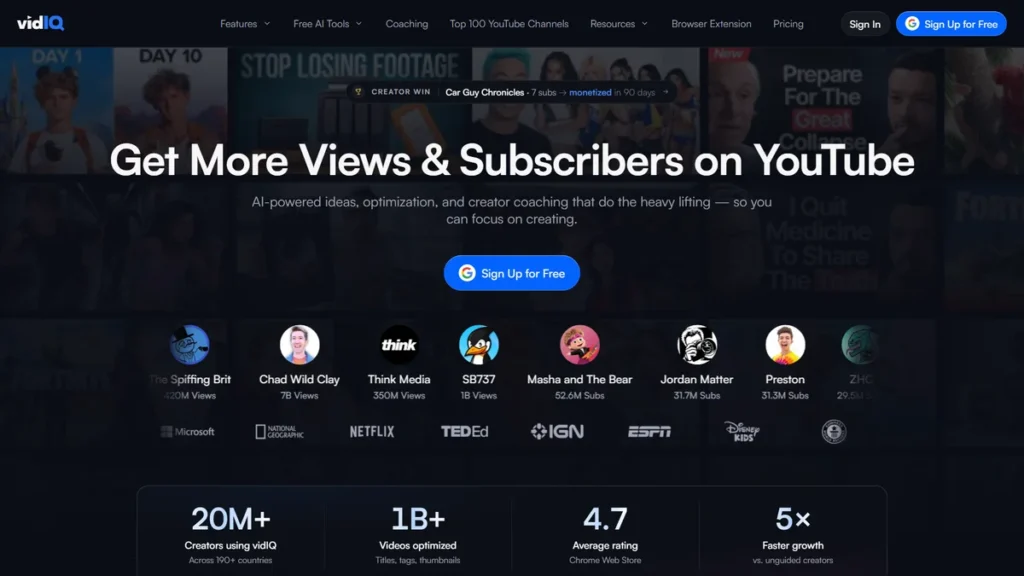
VidIQ
Creators wanting automated topic ideas, trend tracking, and clean keyword intelligence.
💰 Free / $10/mo
TubeBuddy
Established creators who manage large libraries and rely on data-driven A/B thumbnail testing.
💰 Free / $4.99/mo
Table of Contents
1. VidIQ
Best for AI Ideation & Keyword Discovery
I was hunting for video topics in the automation space and was completely stuck on title variations. I fired up VidIQ’s Daily Ideas tab and let it analyze my channel’s past top performers. It recommended a hyper-specific comparison angle that I had never considered. I produced the video that weekend, and within ten days, it became the top search result for three core target terms, driving over 4,000 views to a tiny channel.
- Modern, fast standalone web dashboard with minimal browser lag
- Excellent daily video ideas based on real-time competitor tracking
- Clean keyword search volume graphs with historical trend overlays
- Expensive Boost tier required to unlock multi-channel tracking
- Bulk metadata management is clumsy compared to dedicated workflow plugins
2. TubeBuddy
Best for Bulk Edits & Thumbnail Split Testing
I had to swap out an expired affiliate disclosure link across 48 older videos on one of my tutorial channels. Manually opening every single video in YouTube Studio would have taken me nearly two hours. Using TubeBuddy’s bulk find and replace tool, I swapped all 48 descriptions in under ninety seconds without a single formatting error. That single feature saved my entire afternoon.
- Industry-standard automated thumbnail and title A/B split testing
- Unbeatable bulk update tools for cards, end screens, and descriptions
- Affordable Pro tier makes it accessible for brand-new creators
- Cluttered interface feels dated and clogs up YouTube Studio
- A/B testing is paywalled behind the pricey Legend plan
Feature & Pricing Comparison: vidiq vs tubebuddy 📊
To help you compare the best vidiq vs tubebuddy side by side, here is an evaluation of pricing, target audience, and testing ratings:
| Tool | Best For | Starting Price | Free Plan | Rating |
|---|---|---|---|---|
| VidIQ | AI Topic Discovery & SEO | $10/month (Pro) | Yes (Basic Features) | ⭐ 4.6 / 5.0 |
| TubeBuddy | Bulk Workflow & A/B Testing | $4.99/month (Pro) | Yes (Basic Features) | ⭐ 4.4 / 5.0 |
The Creator’s Guide to Choosing YouTube Optimization Software
Choosing between these two platforms comes down to how you prefer to build your channel. A debate like vidiq vs tubebuddy free versions often confuses beginners because both offer limited feature sets with aggressive upsells. Understanding what your specific workflow needs will prevent you from wasting money on useless features.
First, evaluate keyword intelligence. If you rely on search volume, competition metrics, and trend forecasting, you need accurate data. VidIQ leans heavily into predictive AI metrics, calculating proprietary scores to tell you if a topic is trending upward. TubeBuddy focuses on weighted search scores, tailoring keyword competitiveness specifically to your channel’s historical subscriber power.
Second, consider your video library management. Creators managing fifty or more backlogged videos will value workflow speed over predictive ideas. TubeBuddy excels at bulk processing, letting you update cards, end screens, and description links across hundreds of videos in two clicks. VidIQ handles mass metadata edits decently, but it lacks the granular bulk templating options TubeBuddy built years ago.
Third, look closely at thumbnail testing capabilities. The question of is tubebuddy better than vidiq often hinges on A/B testing. TubeBuddy Legend includes true split testing for thumbnails and titles, rotating them automatically over specified timeframes. VidIQ offers thumbnail generation and previews, but its live split testing feels secondary to its content discovery dashboard.
Fourth, examine user interface and browser performance. TubeBuddy embeds directly into YouTube Studio, which can cause significant lag on older laptops when loading heavy management pages. VidIQ operates primarily through a sleeker, standalone web application alongside its chrome plugin, keeping your native YouTube Studio responsive. Modern creator business benchmarks published by Forbes emphasize that workflow efficiency directly impacts publishing consistency.
Finally, check pricing stability. Both platforms have altered their subscription models recently, locking legacy perks behind higher tiers. Evaluating whether is vidiq better than tubebuddy requires looking at entry-level Pro tiers versus enterprise-grade packages. Pick the tool that solves your immediate bottleneck rather than paying for predictive algorithms you will never open.
Frequently Asked Questions About vidiq vs tubebuddy
Is vidiq or tubebuddy better? ▾
Neither tool is universally superior because they serve two distinct creator pain points. VidIQ is better for creators who struggle with brainstorming, topic discovery, and competitive search analysis. TubeBuddy is better for established channels needing automated A/B thumbnail testing and bulk metadata updates across hundreds of existing videos. In the overall vidiq vs tubebuddy showdown, VidIQ edges out on user experience, while TubeBuddy wins on deep studio automation.
Is vidiq worth it? ▾
VidIQ is worth paying for if you are consistently publishing 2 to 4 videos a month and actively targeting search-based discovery. The Pro plan ($10/month) pays for itself quickly by uncovering low-competition search queries that larger channels overlook. However, the expensive Boost tier ($49/month) is only worth it for full-time creators who publish multiple videos weekly.
Which is better vidiq or tubebuddy for beginners? ▾
For absolute beginners testing the waters, the tubebuddy vs vidiq free version comparison gives TubeBuddy a slight edge on price if you decide to upgrade to its $4.99/month Pro tier. However, VidIQ’s free extension offers a cleaner, less overwhelming interface that helps novices understand search volume and tags without clogging YouTube Studio.
Is tubebuddy safe for youtube? ▾
Yes, TubeBuddy is completely safe and fully certified by YouTube. It connects securely via YouTube’s official OAuth API, meaning the extension never sees or stores your Google account password. Thousands of major channels have used it for years without violating YouTube’s Terms of Service.
Can I use both VidIQ and TubeBuddy at the same time? ▾
You can technically run both extensions simultaneously in Google Chrome, but it is not recommended. Running both plugins will severely slow down your YouTube Studio interface and clutter your screen with competing score overlays. Pick one extension as your primary daily driver to keep your browser fast.

My Final Verdict on vidiq vs tubebuddy 🏆
When selecting the ideal vidiq vs tubebuddy, balance feature depth with user interface simplicity.
After testing both platforms across multiple channels, VidIQ takes the overall crown for most independent creators in 2026. Its standalone web app is fast, its AI topic generation surfaces genuinely useful keyword opportunities, and it does not slow down your browser like heavy legacy extensions do.
TubeBuddy remains an essential powerhouse for established channels with large video catalogs. If your primary goal is running automated A/B split tests on thumbnails or updating links across 100+ videos in seconds, TubeBuddy Legend is unmatched. For everyone else looking to research high-demand video topics and climb search rankings, VidIQ is the smarter investment.

Written by Giorgi Sakandelidze
I independently test and review software tools to help fellow solopreneurs and creators find the exact right solution. My hands-on testing covers real-world workflows, pricing transparency, and honest limitations.
Learn about our review methodology →
🕒 Last updated: 2026-09-28 — We actively monitor tool updates, pricing changes, and feature releases.