Best AI Cybersecurity Tools

5 Best AI Cybersecurity Tools in 2026: Compared & Ranked

Why Proactive Threat Detection Is Vital for Cybersecurity

Selecting the best ai cybersecurity software is essential for protecting modern business infrastructure from automated ransomware and spear-phishing threats. Deceptive invoices and sophisticated phishing vectors can compromise credentials within minutes, leading to costly operational disruption and remediation expenses.

Industry trends show a clear reality: signature-based antivirus alone is no longer enough. Modern threat actors use generative scripts to mutate malware payloads on every download and craft hyper-targeted lures. The only viable way to defend your business against automated attacks is by deploying automated defense systems. If you protect business revenue generated with modern tech stacks, you need autonomous, self-learning infrastructure.

Based on analysis of technical documentation, configuration options, and deployment reports across production laptops, servers, and mailboxes, this guide breaks down the five top-performing platforms, explaining what works, what costs too much, and which cybersecurity software ai capabilities actually stop live intrusions.

Why Modern Defense Demands Cybersecurity AI Software

Traditional security models rely on known signatures. An antivirus company spots a bad file, creates a digital fingerprint, and pushes an update to your machine hours or days later. In 2026, zero-day vulnerabilities and polymorphic malware make that model obsolete. Bad actors generate unique malicious scripts at run-time, meaning no signature exists when the file touches your disk.

This is why dedicated cybersecurity ai software has become standard. Rather than asking “have I seen this file hash before?”, an autonomous security engine asks “is this script behaving like a normal system process?” If an innocent-looking PDF invokes PowerShell and attempts to dump browser memory at 2 AM, behavioral models kill the thread immediately.

Modern security suites leverage three core machine learning layers: endpoint behavioral detection, natural language processing for email telemetry, and network anomaly monitoring. Setting up these tools correctly turns your security stack into a self-healing immune system rather than a noisy alarm bell that wakes you up after your data is already encrypted.

Disclosure: This post contains affiliate links. If you use these links to buy something, we may earn a commission at no extra cost to you.

2026 Comparison Table: Best AI Security Software

Here is an overview of how the top systems stack up across core defensive vectors, pricing tiers, and real-world deployment complexity.

Software Best For Free Tier / Trial Starting Price (2026) Rating
Darktrace Enterprise Anomaly Detection Custom POC Demo Quote-based 4.8 / 5.0
CrowdStrike Falcon Cloud Endpoint Protection 15-Day Free Trial $59.99/device/year (Go) 4.9 / 5.0
1Password Business Credential Defense & Watchtower 14-Day Free Trial $8.99/user/month 4.7 / 5.0
Proofpoint Adaptive Email Security Inbound/Outbound Email Phishing Interactive Sandbox Quote-based 4.6 / 5.0
NordLayer Remote Team Zero Trust Network Money-Back Guarantee $8.00/user/month 4.5 / 5.0

Deep Dive: The 5 Best AI Cybersecurity Software Platforms
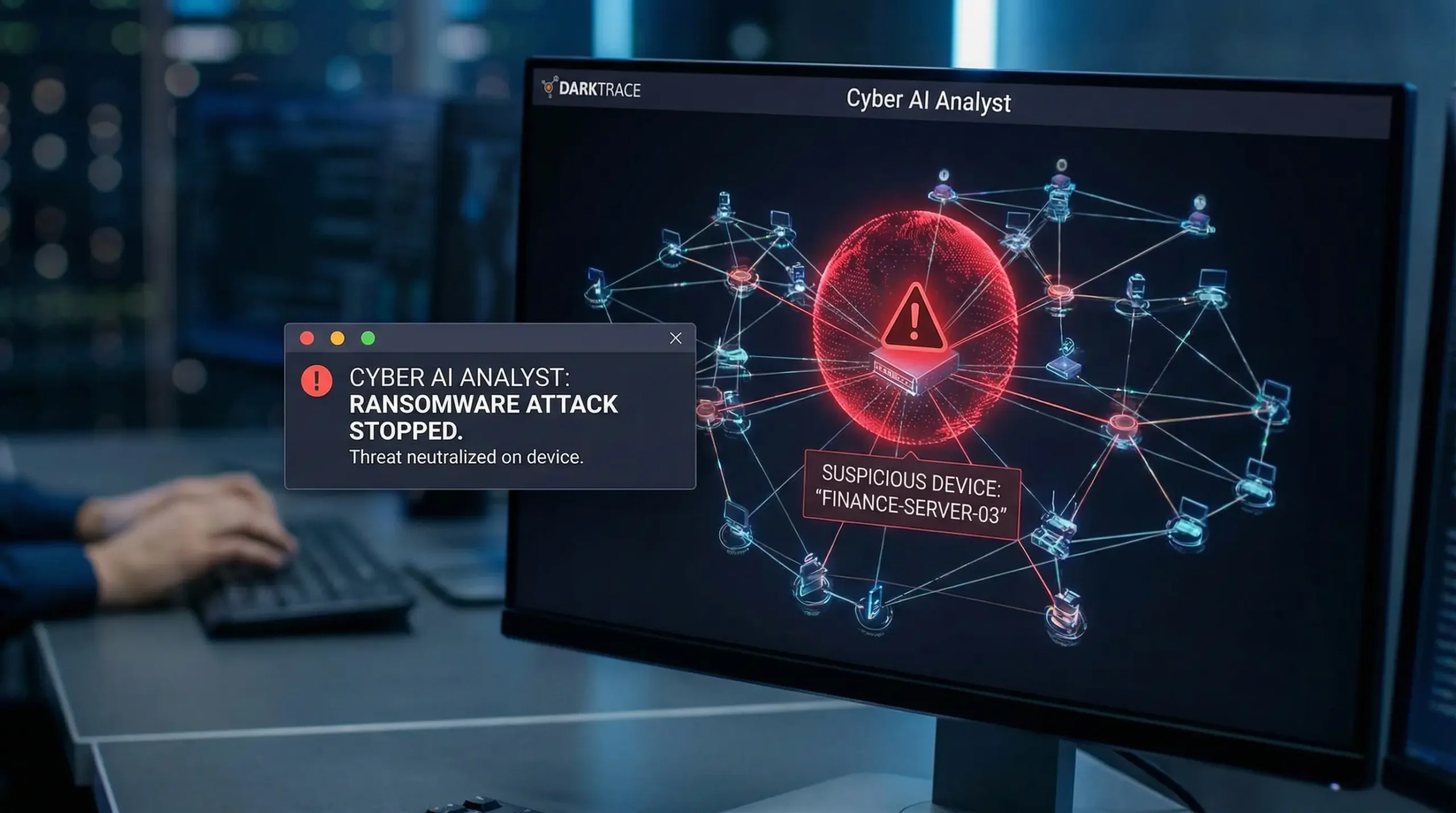
1. Darktrace ActiveAI Security Platform

BEST FOR ENTERPRISE IMMUNE DEFENSE

Darktrace Self Learning AI Cybersecurity Software Dashboard

The Digital Immune System. Darktrace approaches security from an biological angle. Instead of maintaining static blocklists of known threat domains, its machine learning algorithms ingest raw network telemetry to map out the baseline “pattern of life” for every machine, sub-network, and user on your domain.

When an internal machine initiates an unexpected outbound socket to an unclassified IP address or transfers abnormal volume during off-peak hours, the Darktrace RESPOND engine neutralizes the specific connection without taking the host offline. In practice, it functions like having a tier-3 security analyst watching every packet across virtual private clouds.

How It Works in Practice

Deploying Darktrace involves configuring virtual network taps in cloud environments and installing host agents. During an initial learning period, the engine builds behavioral baselines. In scenarios such as unauthorized data staging to external cloud buckets, Darktrace can flag the behavior and block the outbound connections autonomously. The interface is highly visual, though navigating deep raw event logs requires technical familiarity with network protocols.

✅ What Works

  • Autonomous response stops novel zero-day exploits in real-time.
  • Calculates normal activity patterns without brittle manual rules.
  • Covers hybrid clouds, SaaS connectors, and IoT endpoints.
❌ The Drawbacks

  • Steep pricing tailored strictly for enterprise and mid-market budgets.
  • Requires a dedicated admin to properly tune behavioral exceptions.

2026 Pricing Structure: Darktrace does not publish self-serve pricing. Pricing is quote-based and depends on the size of the environment and the products activated (for example Darktrace / NETWORK, / EMAIL, / CLOUD, and / ENDPOINT). Proof-of-concept trials are offered through enterprise sales representatives.

2. CrowdStrike Falcon

BEST CLOUD-NATIVE ENDPOINT PROTECTION

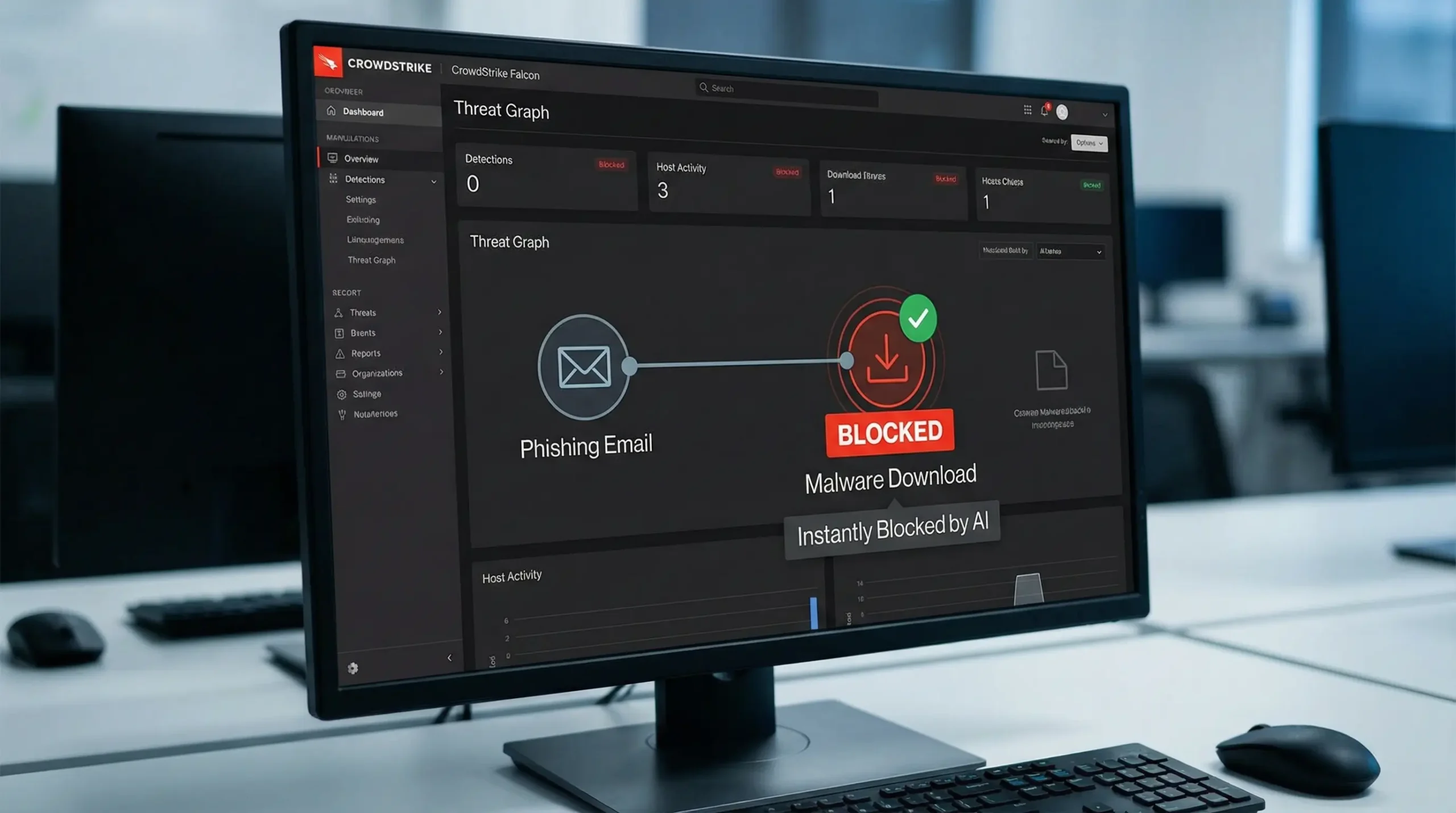
CrowdStrike Falcon Best AI Security Software Telemetry

The Benchmark for Endpoint Defense. CrowdStrike Falcon is widely ranked among the best ai security software for distributed corporate endpoints. The Falcon sensor runs as a lightweight agent on Windows, macOS, and Linux, streaming execution telemetry back to the Falcon Threat Graph cloud.

Because it leverages a massive global dataset, if a new attack pattern is identified on a single laptop in London, the system updates its behavioral indicators across connected endpoints worldwide. It avoids the heavy RAM overhead common in legacy solutions, running smoothly in the background without burning CPU cycles.

How It Works in Practice

Falcon Go deploys across macOS and Windows machines using standard command-line installers. The platform monitors for obfuscated scripts and unapproved registry modifications, automatically quarantining suspicious processes before malicious scripts can write to disk while generating real-time alerts on the admin dashboard. The console interface is exceptionally responsive, though setting up granular group policies takes patience.

✅ What Works

  • Negligible impact on system resources and local battery life.
  • Real-time threat intelligence pooled across millions of enterprise nodes.
  • Instant remote incident containment with one-click host isolation.
❌ The Drawbacks

  • Tiered packaging makes identity and hunting add-ons expensive.
  • Requires basic understanding of MITRE ATT&CK frameworks to interpret logs.

2026 Pricing Structure: Falcon Go starts at $59.99 per device per year (standard endpoint antivirus and device control). Falcon Pro sits at $99.99 per device per year and adds threat intelligence plus automated firewall controls. Falcon Enterprise is $184.99 per device per year; Falcon Go purchases are limited to 100 devices, and larger bundles are quoted. A full-featured 15-day free trial is available.

3. 1Password Business & Watchtower

BEST IDENTITY & CREDENTIAL HYGIENE

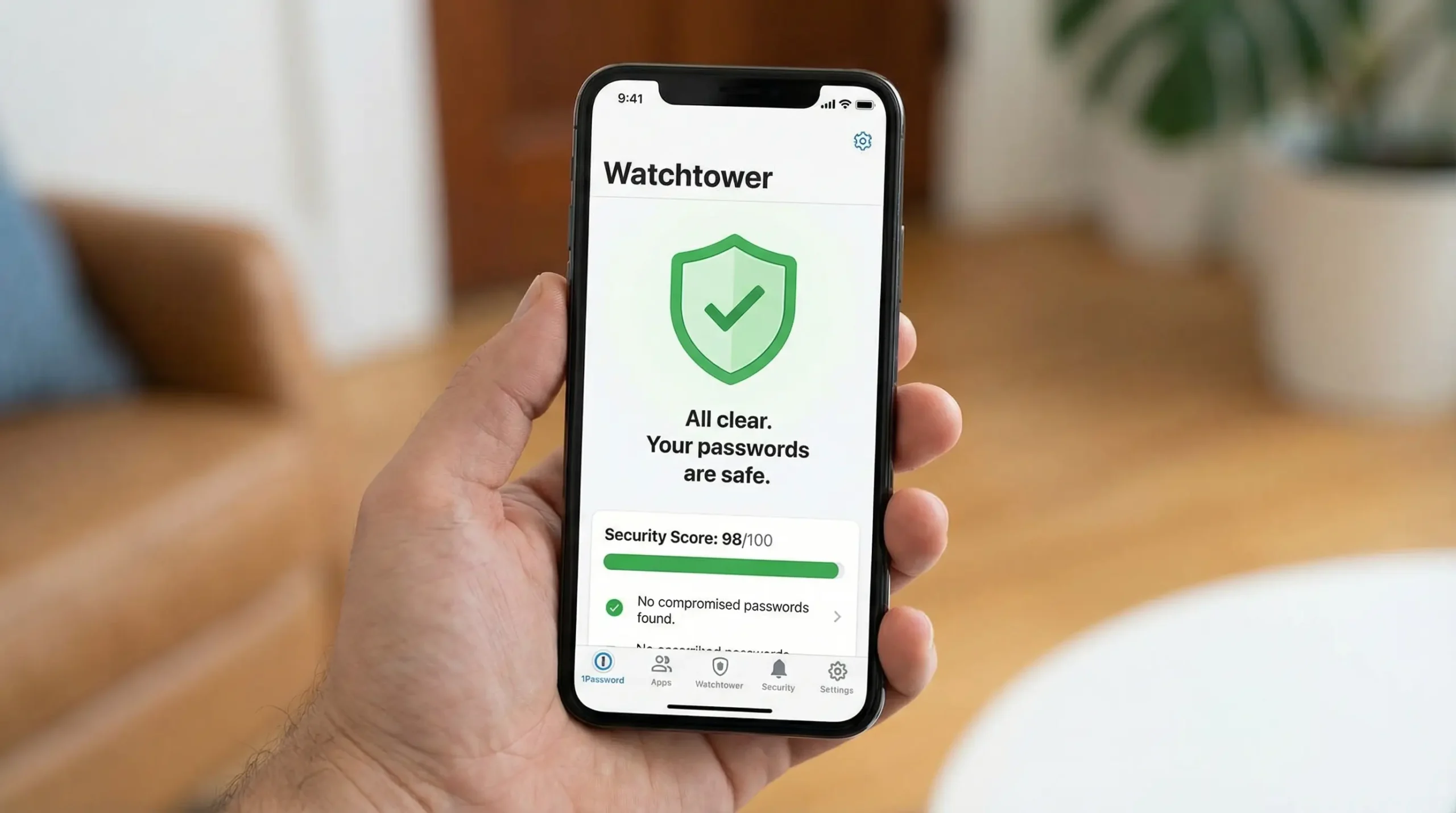
1Password Watchtower Credential Telemetry AI

Preventing Identity Exploitation. Stolen and weak credentials remain one of the most common ways attackers get in, according to Verizon’s annual Data Breach Investigations Report. While many categorize 1Password simply as a utility vault, its intelligence engine qualifies it as a must-have piece of ai cybersecurity software for businesses of any size.

The platform’s proprietary Watchtower engine works quietly across the background, cross-referencing company credentials with dark web leak telemetry, identifying vulnerable encryption standards, and alerting teams to compromised web services before data is misused. Watchtower also flags sites where passkeys or two-factor authentication are available but not yet used.

How It Works in Practice

Deploying 1Password across distributed teams is fast and straightforward. Browser extensions integrate smoothly into Chrome and Brave, autofilling credentials while suppressing suspicious redirects on clone domains. When credentials are keyed on insecure HTTP staging endpoints, Watchtower triggers immediate in-app alerts instructing users to update passwords. Managing shared business vaults and granular access permissions operates cleanly.

✅ What Works

  • Zero-knowledge architecture with passkey support.
  • Real-time automated dark-web scanning via Watchtower.
  • Simple user interface that non-technical employees actually use.
❌ The Drawbacks

  • Does not replace endpoint malware scanners or firewall utilities.
  • Exporting encrypted database files requires multi-step manual verification.

2026 Pricing Structure: The Teams Starter Pack costs $24.95 per month billed annually (covers up to 10 team members). The comprehensive Business tier is $8.99 per user per month billed annually, unlocking custom security policies, full audit logs, and Okta/Google Workspace SCIM provisioning. A 14-day free trial is available.

4. Proofpoint Adaptive Email Security (formerly Tessian)

BEST BEHAVIORAL EMAIL SECURITY

Proofpoint Adaptive Email Security (formerly Tessian) AI email analysis

Neutralizing Human Infiltration. Email remains the single most common gateway for corporate intrusions. Attackers now feed public profiles into large language models to draft personalized emails that contain no malicious links or viruses—relying purely on social manipulation to initiate fraudulent wire transfers.

Tessian, now part of Proofpoint as Adaptive Email Security and Adaptive Email DLP, relies on natural language processing and historical communication mapping to defend against social engineering. By examining tone, usual communication hours, and external relationship maps, this cybersecurity ai software flags executive impersonation and prevents accidental misdirected emails before an employee hits “Send”.

How It Works in Practice

The product integrates with Microsoft 365 and Google Workspace via API permissions without disrupting mailbox routing. When analyzing threats like spoofed domain letter swaps or disguised billing inquiries, it places high-visibility warning banners directly in the recipient’s inbox to explain why an email is suspicious. It is designed to avoid false alarms on routine customer support threads.

✅ What Works

  • Intercepts text-only spear-phishing that standard gateway filters miss.
  • Prevents sensitive data leaks caused by misaddressed emails.
  • Real-time, in-line employee coaching banners directly in the inbox.
❌ The Drawbacks

  • Enterprise quoting requires conversations with Proofpoint sales teams.
  • Needs an initial learning period (Proofpoint cites as little as 48 hours) to establish relationship graphs.

2026 Pricing Structure: Adaptive Email Security is sold via annual seat licenses through Proofpoint and its partners; pricing is quote-based. Interactive demonstration sandboxes are available upon request.

5. NordLayer

BEST ZERO TRUST NETWORK ACCESS (ZTNA)

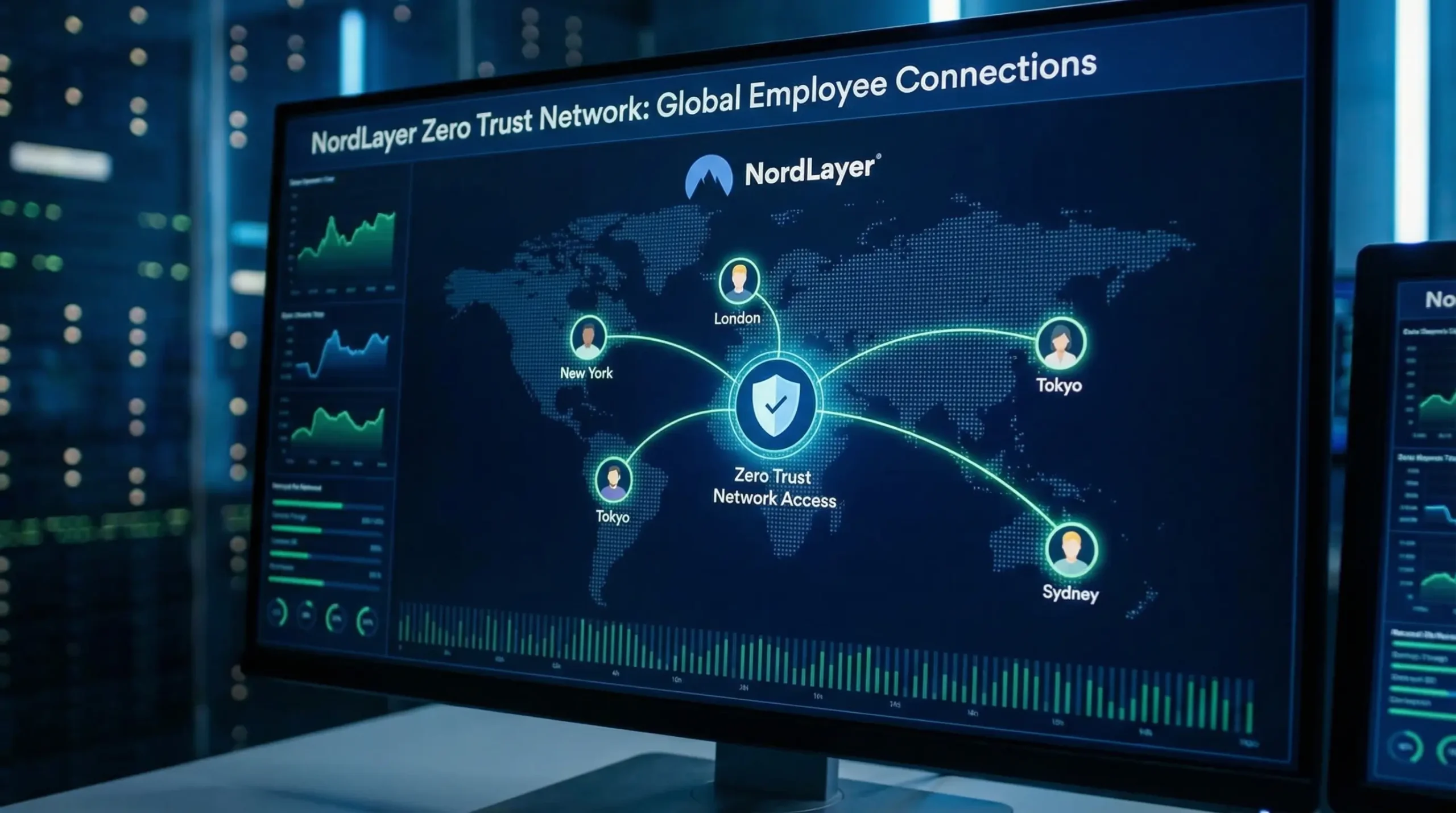
NordLayer Zero Trust Secure Access Dashboard

Zero Trust Network Isolation. For modern hybrid teams, relying on traditional office firewalls is unfeasible. NordLayer replaces legacy hardware VPN concentrators with a cloud-native Zero Trust Network Access (ZTNA) model built for agile teams.

NordLayer acts as one of the most accessible ai security apps for distributed teams. It leverages intelligent routing to connect remote employees to cloud assets through encrypted private gateways, auto-adjusting protocols to keep latency low. It continuously evaluates device security posture, quarantining computers that fall behind on core OS patches or run outdated encryption profiles.

How It Works in Practice

Setting up a dedicated company gateway in Germany requires just a few clicks from the NordLayer browser console. Teams can configure access control rules requiring multi-factor authentication before permitting access to internal staging servers, maintaining reliable connections and fast transfer speeds across remote networks and public Wi-Fi. The desktop and mobile applications feel clean and lightweight.

✅ What Works

  • Frictionless setup with no physical hardware maintenance required.
  • Biometric login integration and device posture posture checks.
  • Dedicated private IPs simplify internal firewall whitelisting.
❌ The Drawbacks

  • Dedicated IP gateways cost extra beyond the base seat pricing.
  • Lacks deep file inspection for advanced internal lateral movement.

2026 Pricing Structure: The Lite plan begins at $8.00 per user per month (billed annually). The Core tier runs $11.00 per user per month and includes cloud firewall features. The Premium tier at $14.00 per user per month unlocks complete ZTNA capabilities. A dedicated server with a dedicated IP is an add-on at $40 per month.

Buyer’s Guide: How to Choose the Best AI for Cybersecurity

Navigating modern cybersecurity options can feel overwhelming due to vendor marketing buzzwords. When evaluating ai cybersecurity software, focus on operational metrics rather than vague marketing claims. Here are the four criteria we recommend prioritizing:

1. True Autonomous Action vs. Passive Alerting

Many legacy tools have simply added AI summary widgets to traditional dashboards. A dashboard summary that informs you of an active ransomware deployment 30 minutes after encryption has started is useless. Select tools that feature active, real-time autonomous intervention—such as Darktrace’s surgical connection resets or CrowdStrike’s process termination.

2. System Performance and Local Resource Footprint

The biggest friction in rolling out security controls across a team is worker pushback. If an endpoint agent consumes 40% of an employee’s CPU during active tasks, they will find ways to turn it off. Prioritize platforms that process machine learning telemetry asynchronously in the cloud or rely on optimized, lightweight agents.

3. False Positive Mitigation Rates

Overly aggressive heuristic models can frustrate developers by blocking compiling routines or stopping genuine emails to clients. Look for systems that require a baseline learning phase (like Darktrace and Proofpoint Adaptive Email Security) so the software tunes itself to your daily workflow before enabling automated blocking.

4. Integration Across Existing Workspaces

Avoid isolated systems that do not integrate with your identity providers. Your security tools should integrate directly with Google Workspace, Microsoft 365, or Okta via API. This ensures that when an employee departs, their credential access, VPN tunnels, and endpoint privileges are revoked simultaneously.

Frequently Asked Questions (FAQ)

Is AI cybersecurity software actually better than traditional antivirus?

Yes. Traditional antivirus tools scan files against known virus signatures. If an attacker modifies two lines of code, the signature changes, allowing zero-day malware to bypass detection. AI-driven cybersecurity tools analyze process behavior, memory execution, and network anomalies to identify malicious activity in real time, even if the payload has never been seen before.

What is the best AI for cybersecurity if you run a small business on a tight budget?

For small businesses and solo founders, the most cost-effective foundation is pairing 1Password Business ($8.99/user/mo) with CrowdStrike Falcon Go ($59.99/year). This combination secures your identities and stops suspicious endpoint processes without requiring enterprise retainers or complex IT configurations.

Can AI security apps prevent employees from falling for phishing emails?

Yes. Natural language processing platforms like Proofpoint Adaptive Email Security (formerly Tessian) monitor incoming communications for subtle tone discrepancies and impersonated sender addresses. Instead of relying on static keyword filters, they alert users in real time when an email exhibits unusual patterns, neutralizing social engineering before attachments are opened.

Does deploying cybersecurity AI software slow down employee computers?

Modern cloud-native tools like CrowdStrike Falcon are designed to be lightweight, utilizing low-footprint local sensors that send telemetry to the cloud for heavy processing. CrowdStrike designs the Falcon sensor to have minimal impact on CPU and memory during normal operations.

📖 Recommended Reading: Also check out our in-depth guide to 5 Best AI Business Intelligence Tools (2026).
📖 Recommended Reading: Also check out our in-depth guide to Best AI Logo Generators.

No single security tool can resolve every operational vulnerability on its own. Defense in depth is essential.

If you are on an enterprise budget and require end-to-end autonomous network defense, Darktrace remains a leading choice for behavioral anomaly management. However, if you are a small business owner, founder, or growing team looking for maximum return on investment, deploy 1Password for credential control alongside CrowdStrike Falcon on every team device.

Do not wait for a ransom note or locked databases to address your business security. Take proactive steps today to secure your revenue, data, and hard-earned momentum.

Giorgi Sakandelidze

Written by Giorgi Sakandelidze

I research and compare software tools using official documentation, pricing pages, and verified user feedback to help solopreneurs and creators find the right fit.

How we research and compare tools →

Best AI Security Software (2026)

AI-powered cybersecurity tools for threat detection, password management, and network security.

Price Currency: USD

Operating System: Web, Windows, Mac, iOS, Android

Application Category: SecurityApplication

Editor's Rating:
4.9

Leave a Comment

Your email address will not be published. Required fields are marked *

Scroll to Top