Table of Contents
- The Evolution of AI Website Generation
- 2026 Comparison: Best AI Website Builders
- Architectural Evaluation Criteria
- Deep-Dive Reviews: Top 5 AI Website Builders
- 1. Framer AI — Best for Interactive UI & Tech Startups
- 2. Wix Studio — Best for All-in-One Operations & Local Business
- 3. Webflow AI — Best for Clean Semantic Code & Custom CMS
- 4. Hostinger AI Builder — Best Low-Cost Entry Platform
- 5. Durable AI — Best for Instant Solo Service Funnels
- Buyer’s Guide: Choosing an AI Website Builder in 2026
- Frequently Asked Questions
- Our Verdict 🥇
The Evolution of AI Website Generation
Imagine briefing a freelance developer on a high-stakes launch: you deliver brand guidelines, typography systems, and interaction specs, only to receive brittle layouts that collapse on tablet viewports. Early generative web design software operated the same way. Entering a prompt once returned static HTML templates decorated with disjointed stock assets, generic headings, and broken flexbox containers.
Entering 2026, the modern ai website builder landscape has transformed dramatically. Leading platforms compile production-ready React layouts, configure dynamic CMS schemas, and automate responsive CSS breakpoints directly from structured text prompts.
However, architectural limitations persist across the market. Many platforms rely on closed-source runtimes that create permanent vendor lock-in, while others burden founders with aggressive per-site subscription models. Finding the best ai website builder requires looking past marketing demos to examine real technical output, SEO infrastructure, and licensing costs.
Disclosure: This post contains affiliate links. If you use these links to buy something, we may earn a commission at no additional cost to you. We only recommend platforms vetted through thorough analysis.
2026 Comparison: Best AI Website Builders
The table below provides a factual overview of the top options among ai website builders in 2026, detailing official pricing, trial limitations, and baseline infrastructure.
| Platform | Best For | Free Tier / Trial | Starting Price (2026) | Editorial Rating |
|---|---|---|---|---|
| Framer AI | High-motion SaaS landing pages & design teams | Free tier (.framer.website domain) | $10/mo (Basic, billed annually) | 4.8 / 5.0 |
| Wix Studio | Agencies & service businesses needing native booking | Free plan (contains platform ads) | $19/mo (Basic, billed annually) | 4.6 / 5.0 |
| Webflow AI | Front-end engineers & programmatic CMS scaling | Free Starter plan (2 static pages) | $14/mo (Basic, billed annually) | 4.7 / 5.0 |
| Hostinger AI | Budget validation & bootstrap portfolios | 30-day money-back guarantee (no free tier) | $2.99/mo (48-month contract required) | 4.1 / 5.0 |
| Durable AI | Service contractors wanting automated lead capture | Free generation test (requires paid plan to launch) | $12/mo (Starter, billed annually) | 3.9 / 5.0 |
Architectural Evaluation Criteria
Generative web platforms vary widely in their technical execution. To separate enterprise-grade solutions from superficial LLM wrappers, systems are evaluated against strict architectural criteria.
- Semantic Document Hierarchy: The generation engine must produce structured markup containing accurate heading tags (H1 to H4), explicit ARIA landmarks, and valid DOM nesting. Platforms that generate unstructured text blocks or nested layout divs without semantic meaning degrade accessibility and search performance.
- Granular Component Regeneration: A functional ai based website builder must let developers regenerate discrete layout blocks, rewrite specific copy modules, or adjust styling variables without triggering full-page destructuring. Single-prompt tools that wipe an entire canvas during edits fail basic production workflows.
- Technical Search Foundation: Production deployment requires automated XML sitemaps, clean canonical routing, dynamic meta tagging, OpenGraph synthesis, and native WebP image optimization to satisfy Core Web Vitals.
- Portability & Lock-In Realities: Software reviews must evaluate hosting flexibility. Platforms providing clean HTML/CSS/JS export offer superior business resilience compared to proprietary runtimes that force permanent hosting lock-in.
Deep-Dive Reviews: The 5 Best AI Website Builders
1. Framer AI — Best for Interactive UI & Tech Startups
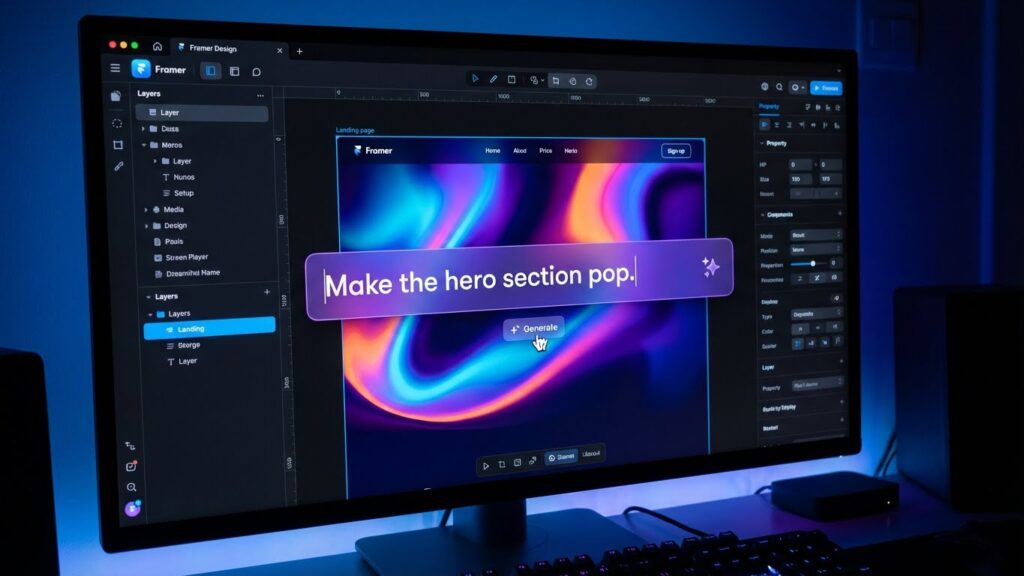
Best for: Product designers, venture-backed startups, and digital agencies demanding high-fidelity interactions, fluid micro-animations, and boutique typography.
Architecture & Technical Capabilities: Framer executes in a proprietary server-side-rendered React environment hosted on AWS and Cloudflare edge networks. The interface mirrors Figma rather than standard site builders. Users submit descriptive natural-language prompts to generate fluid multi-breakpoint designs across desktop, tablet, and mobile screens instantly.
The tool compiles true React components with native layout properties, fluid typography, and subgrid constraints. Layout elements are managed through dynamic Stacks, handling horizontal flexbox wrapping without brittle inline positioning. Framer Agents offer autonomous component generation, allowing creators to prompt specific navigation bars, pricing matrices, or CMS-backed blog directories without altering adjacent sections.
Framer includes integrated generative localization engines that handle language variants semantically. However, the system enforces a closed SaaS runtime. There is no raw React or static HTML/CSS export workflow available, locking production hosting exclusively to Framer infrastructure.
2026 Verified Pricing & Commercial Terms:
- Free Tier: $0/mo. Includes a
.framer.websitesubdomain, platform branding banner, and 1 GB bandwidth. - Basic: $10/mo (billed annually) or $15 month-to-month. Custom domain, dynamic CMS support, and 50 GB monthly bandwidth.
- Pro: $30/mo (billed annually). Supports 200,000 monthly visitors, staging environments, advanced redirects, and 100 GB bandwidth.
- Per-Seat & Add-on Realities: Framer bills on a per-site basis. Additional workspace editors cost $20/seat/month, and multilingual localization addons cost $20/month per additional locale.
Pros:
- Agency-grade aesthetic output, outperforming standard template-based generative software.
- Exceptional Core Web Vitals delivered via edge-rendered React static generation.
- Granular prompt-based section restyling preserves global style sheets.
Cons:
- Complete proprietary lock-in with zero native source code export options.
- Per-site billing models compound quickly for multi-brand operations and client agencies.
2. Wix Studio — Best for All-in-One Operations & Local Business

Best for: Agencies, multi-location small businesses, and commercial retailers that require native calendar booking, POS checkout, and built-in CRM automations.
Architecture & Technical Capabilities: Wix Studio represents an enterprise overhaul of legacy Wix editors, utilizing multi-cloud infrastructure and a serverless Node.js backend called Velo. Its generative AI Layout Engine automatically converts free-form canvas positioning into responsive CSS Grid and Flexbox containers across all breakpoints.
The conversational onboarding system builds complete operational websites in minutes. If configured for a legal practice or medical clinic, the generative system creates staff profiles, active scheduling calendars, and dynamic service pages wired to a central dashboard. AI code generation extends into the built-in IDE, writing custom JavaScript functions for Velo API endpoints.
While Wix Studio delivers rapid operational utility, administrative complexity is high. The backend dashboard features hundreds of business applications, making manual DNS modifications and route configurations unintuitive. Code remains non-exportable, tying all transactional data to the Wix ecosystem.
2026 Verified Pricing & Commercial Terms:
- Standard Wix (Light): $17/mo (billed annually). Supports custom domains, 2 GB storage, but disables checkout processing entirely.
- Standard Wix (Core): $29/mo (billed annually). Adds native e-commerce and basic payment gateways.
- Wix Studio (Basic): $19/mo (billed annually). Professional workspace access, custom domain mapping, 10 GB storage, and client handover tools.
- Commercial Traps: Sharp renewal price increases apply after Year 1 promotional rates. Business email accounts require separate Google Workspace subscription fees.
Pros:
- Deep native commercial tooling spanning scheduling, invoicing, subscriptions, and POS integrations.
- Intelligent responsive layout engine converts manual layouts into responsive CSS Grid code.
- Full serverless JavaScript execution via Wix Velo for dynamic custom business logic.
Cons:
- High subscription renewal cliffs once initial promotional contracts expire.
- Cluttered backend interface presents a steep learning curve for non-technical users.
3. Webflow AI — Best for Clean Semantic Code & Custom CMS
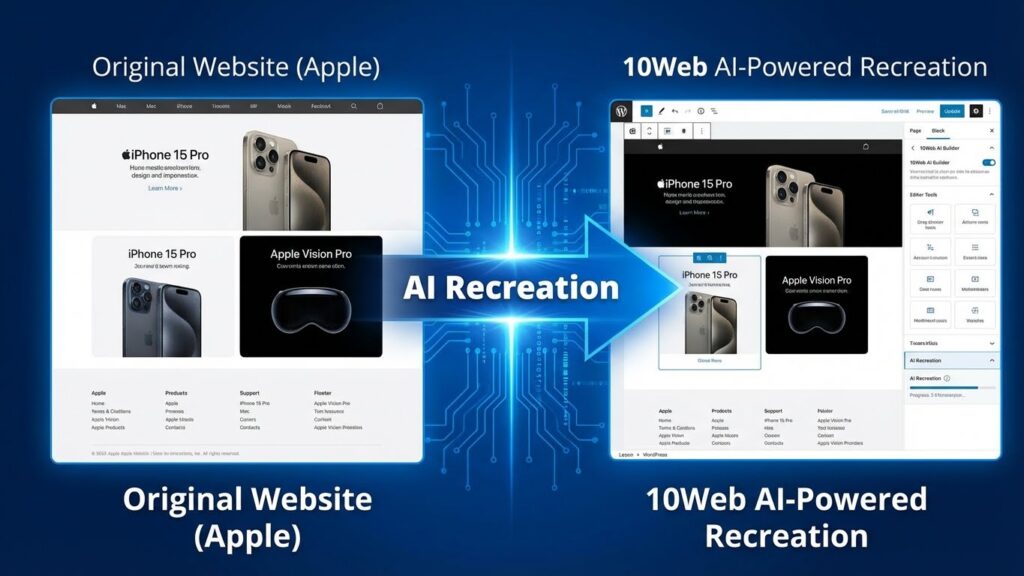
Best for: Front-end engineers, UX teams, and mid-market growth departments needing standards-compliant HTML, strict class hierarchies, and scalable relational databases.
Architecture & Technical Capabilities: Webflow runs on an AWS-backed foundation distributing assets via Fastly and AWS CloudFront networks. Unlike black-box builders, Webflow translates visual manipulation directly into standard web semantics. Users retain granular control over CSS selectors, padding, flex alignments, and nested CSS subgrids.
The integrated Webflow AI assistant accelerates manual front-end development rather than generating fragile one-click sites. It assists with generative styling, custom component generation via plain-text prompts, programmatic CMS collection scaffolding, and multi-language content translation. It enforces structured CSS naming conventions, preventing style collisions across large projects.
Crucially, Webflow allows users to export clean, standards-compliant static HTML, CSS, and JavaScript on paid Workspace plans. However, dynamic relational CMS collections and built-in e-commerce databases remain tied to Webflow hosting and cannot be exported as raw server-side backends.
2026 Verified Pricing & Commercial Terms:
- Free Starter Plan: $0/mo. 2 static pages,
.webflow.iostaging domain, and 50 CMS database items. - Basic Site Plan: $14/mo (billed annually). Custom domain connection, 500 monthly form submissions, but lacks CMS collections.
- CMS Site Plan: $23/mo (billed annually). Up to 2,000 CMS collection items, 3 content editors, and 1,000 monthly form submissions.
- Workspace Separation: Teams must maintain both a Workspace Plan (for seat licenses) and individual Site Plans (for hosting/domains), increasing total software costs.
Pros:
- Generates clean, semantic markup that adheres to professional front-end engineering standards.
- Supports raw static HTML, CSS, and asset exports for external server hosting.
- Flexible relational CMS engine supports scalable content publishing architectures.
Cons:
- Steep initial learning curve requiring a working knowledge of web box models and CSS inheritance.
- Bifurcated billing structure requires separate payments for Site hosting and team Workspaces.
4. Hostinger AI Builder — Best Low-Cost Entry Platform
Best for: Bootstrapped solopreneurs, local consultants, and creators seeking low-cost infrastructure for rapid MVP testing.
Architecture & Technical Capabilities: Hostinger packages a proprietary browser-based visual builder on top of its managed cloud hosting infrastructure. The onboarding flow prompts users for a company profile and industry type before generating a functional multi-page website complete with placeholder imagery, contact modules, and service sections.
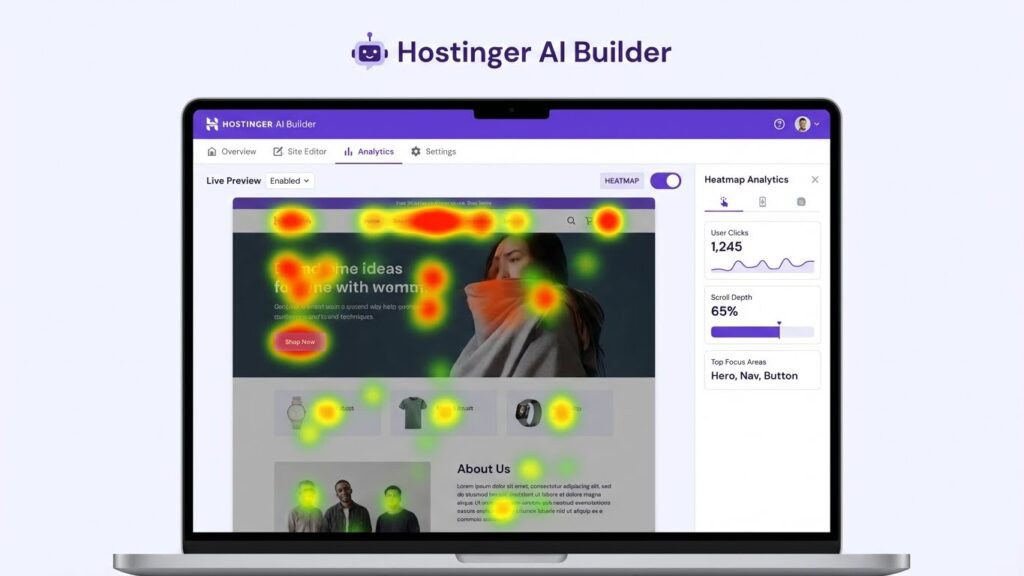
The visual editor uses a structured magnetic snap grid. This rigid layout model ensures that inexperienced users cannot break responsive mobile layouts when adjusting text or dragging components. An integrated AI Heatmap tool analyzes visual hierarchy, forecasting user attention paths to highlight call-to-action buttons effectively.
Despite its ease of use, technical flexibility is minimal. Hostinger lacks complex dynamic relational databases, restricting scalability for content publishers. Source code is non-exportable; migrating an established brand requires a full manual rebuild on another platform.
2026 Verified Pricing & Commercial Terms:
- Free Tier: None. Covered by a standard 30-day money-back guarantee.
- Promotional Tier: $2.99/mo to $3.99/mo. Unlocks the AI builder, custom domain registration for Year 1, and web hosting for up to 100 sites.
- The Multi-Year Trap: The advertised entry price requires an upfront 48-month contract commitment. Renewal rates increase to $10.99–$12.99/mo upon expiration.
Pros:
- Extremely low entry cost, bundling web hosting, domains, and AI generation together.
- Rigid magnetic snap grid prevents accidental responsive layout breaks.
- Integrated AI heatmapping helps optimize conversion placement before public launch.
Cons:
- Advertised monthly rates demand an upfront four-year billing commitment.
- No code portability or dynamic relational database modeling.
5. Durable AI — Best for Instant Solo Service Funnels
Best for: Solo service professionals (contractors, mobile mechanics, consultants, cleaners) requiring a fast web presence with integrated lead capture and billing tools.
Architecture & Technical Capabilities: Durable operates as a multi-tenant SaaS application that generates a website in roughly 30 seconds from a single prompt. It coordinates copywriting, layout generation, stock photography sourcing, and contact form setup without requiring manual visual composition.
Its primary advantage is commercial integration rather than design depth. The site scaffolding connects directly to an internal CRM, an invoicing generator, and a client management portal. When prospective customers submit an inquiry, their contact details route immediately into the built-in sales pipeline.
However, design customization is severely restricted. Layout components adhere to rigid, pre-defined templates that limit bespoke visual styling. Software firms, creative agencies, and scalable publishers will quickly outgrow its functional boundaries, as it offers no external API access or code export.
2026 Verified Pricing & Commercial Terms:
- Free Test: Instant browser-based website generation, but publishing requires a paid subscription.
- Starter Plan: $12/mo (billed annually) or $15 month-to-month. Custom domain, basic CRM access, and standard hosting.
- Business Plan: $20/mo (billed annually) or $25 month-to-month. Unlimited AI copy generations, advanced invoice tracking, and priority support.
- Operational Constraints: The platform functions as a closed ecosystem. The website cannot be decoupled from Durable’s proprietary hosting or CRM modules.
Pros:
- Rapid onboarding generates a functional business presence in under a minute.
- Tightly integrated CRM, billing, and invoicing pipelines require zero integration setup.
- Straightforward interface accessible to non-technical business operators.
Cons:
- Template-heavy designs lack unique visual distinction and modern micro-interactions.
- Complete absence of code export, external database integration, or developer tooling.
Buyer’s Guide: Choosing an AI Website Builder in 2026
Selecting the right software requires balancing immediate generation speed with long-term infrastructure control. Here are the core technical trade-offs to evaluate before making an architectural commitment.
The Single-Prompt Pitfall
Single-prompt tools frequently market themselves as end-to-end creators. In production, generating an entire site from a single prompt often produces generic layouts and uninspired marketing copy. Quality platforms use AI for targeted micro-workflows: scaffolding CMS collections, suggesting responsive CSS rules, writing localized content variants, and generating layout sections.
Evaluating Infrastructure Lock-In
Most modern ai website builders run on proprietary hosting networks. Platforms like Framer and Wix deliver integrated edge networks, automated SSL certificates, and managed updates, but they prevent you from exporting your source code. If subscription prices rise or your hosting needs change, leaving requires a complete manual rebuild.
If data ownership and code portability are essential for your business, prioritize tools like Webflow that allow clean static HTML/CSS/JS export, or consider pairing design generators with self-hosted frameworks.
Decision Framework: Finding Your Best Fit
- Choose Framer AI: If your priority is agency-grade visual design, complex animations, and modern React performance for a tech brand or design portfolio.
- Choose Wix Studio: If you run a local service business requiring turn-key scheduling calendars, client payment portals, and point-of-sale systems.
- Choose Webflow AI: If your team includes developers who require semantic HTML control, scalable relational CMS structures, and code export capabilities.
- Choose Hostinger AI: If you need to launch a functional prototype or portfolio with minimal budget overhead.
- Choose Durable AI: If you are a solo contractor needing a fast lead-capture funnel with integrated customer billing and CRM features.
Frequently Asked Questions
What is the best AI website builder overall in 2026?

Framer AI represents the top overall choice for design-led businesses and startups due to its production-grade React components and advanced animation controls. For teams requiring semantic code export, Webflow AI remains the technical benchmark.
Which tool functions best as a rapid AI website generator?
For immediate generation speed, Durable AI stands out by building an editable multi-page layout with built-in CRM routing in 30 seconds. However, its visual customization options are limited compared to Framer or Webflow.
Do AI-generated websites rank well on Google?
Yes, provided the builder outputs semantic HTML markup, clean URL slugs, configurable metadata, and fast mobile loading times. Platforms like Framer and Webflow generate fast edge-rendered code that satisfies Google’s Core Web Vitals criteria.
Can you export clean source code from AI site builders?
Most hosted builders (including Framer, Wix Studio, Hostinger, and Durable) do not support clean source code export. Webflow is the notable exception, allowing static HTML, CSS, and asset exports on paid Workspace tiers.
Our Verdict 🥇
After analyzing modern ai website builders across layout fidelity, code hygiene, and commercial pricing models, our recommendations focus on your operational scale:
If design excellence, responsive typography, and micro-interactions are non-negotiable for your tech product or agency, Framer AI leads the category. It produces professional layouts that stand well above standard template builders.
For organizations requiring clean HTML/CSS outputs, robust custom database schemas, and external export options, Webflow AI remains the developer standard.
Finally, for local service businesses needing built-in scheduling, point-of-sale checkout, and client CRM management without third-party integrations, Wix Studio is the most practical all-in-one platform.

Written by Giorgi Sakandelidze
I research and compare software tools using official documentation, pricing pages, and verified technical specifications to help founders and engineering teams find the right architectural fit.
Best AI Website Builders: 5 Tools to Build a Site in Minutes (2025)

A comprehensive review of the best AI website builders like Wix, Hostinger, and Squarespace. We compare AI features, pricing, and ease of use to help you launch a professional site instantly.
Price Currency: USD
Operating System: Web, Windows, macOS, iOS, Android
Application Category: DesignApplication
4.8