
Table of Contents
- I Used to Panic Before Client Presentations
- 2026 Comparison: Top AI Presentation Software
- 1. Gamma — Best Overall AI Presentation Generator
- My Hands-On Testing Experience
- Key Strengths
- Weaknesses & Friction Points
- 2. Beautiful.ai — Best for Brand Control & Enterprise Teams
- My Hands-On Testing Experience
- Key Strengths
- Weaknesses & Friction Points
- 3. Tome — Best for Executive Storytelling & Pitch Decks
- My Hands-On Testing Experience
- Key Strengths
- Weaknesses & Friction Points
- 4. SlidesAI — Best for Google Slides Power Users
- My Hands-On Testing Experience
- Key Strengths
- Weaknesses & Friction Points
- 5. Canva Magic Design — Best for Rapid Marketing Collateral
- My Hands-On Testing Experience
- Key Strengths
- Weaknesses & Friction Points
- Building Your AI Media Stack Beyond Slides
- Buyer’s Guide: How to Choose the Best AI Presentation Generator in 2026
- 1. Native Format vs. Standalone Web App
- 2. Adaptive Layouts vs. Absolute Positioning
- 3. Export Integrity
- Frequently Asked Questions
- Can AI presentation generators export directly to Microsoft PowerPoint?
- How do AI presentation tools differ from an AI course generator?
- Are AI-generated presentations safe for confidential company data?
- Can I integrate video or audio generated by other AI tools?
- Giorgi’s Final Verdict 🥇
I Used to Panic Before Client Presentations
In my hands-on testing of best ai presentation generators, it was never the public speaking that rattled me. It was the crushing dread of the blank slide canvas.
As Harvard Business Review on AI notes, choosing the right software stack is now a competitive advantage, not a luxury.
I spent years wasting my Sunday nights nudging text boxes by two pixels, hunting through messy Unsplash galleries, and hacking together slide decks that still looked like they rolled out of 2007. In late 2024 and throughout 2025, presentation software went through a total shift. Today, looking for the best ai presentation generators is not about finding a tool that generates generic bullet points; it is about reclaiming 10 to 15 hours of your working week.
For teams evaluating best ai presentation generators, over the past six months, I put more than twenty presentation platforms through hands-on testing. I fed each platform messy rough drafts, dense technical whitepapers, and unstructured meeting transcripts. I checked whether they could build coherent visual narratives, respect complex brand rules, and output clean files without breaking formatting.
Whether you need a quick pitch deck, an internal quarterly business review, or slide materials to accompany an ai course generator syllabus, here are the five best AI presentation generators in 2026 ranked by real-world testing.
Among all the best ai presentation generators options we tested, Disclosure: This post contains affiliate links. If you use these links to buy something, I may earn an independent commission at no extra cost to you.
2026 Comparison: Top AI Presentation Software
| Tool | Best For | Free Tier | Paid Starting Price | My Rating |
|---|---|---|---|---|
| Gamma | Interactive, web-native pitch decks & docs | 400 one-time AI credits | $10/user/mo | 4.9 / 5.0 |
| Beautiful.ai | Strict corporate brand compliance | 14-day free trial only | $12/user/mo (annual) | 4.7 / 5.0 |
| Tome | Narrative portfolios & founder pitches | Free plan with basic credits | $16/user/mo | 4.5 / 5.0 |
| SlidesAI | Direct generation inside Google Slides | 3 presentations/mo free | $10/month | 4.3 / 5.0 |
| Canva Magic Design | Template versatility & marketing assets | Robust free plan available | $15/user/mo (Pro) | 4.4 / 5.0 |
1. Gamma — Best Overall AI Presentation Generator

From a practical standpoint with best ai presentation generators, Best For: Modern founders, consultants, and creators who want responsive, web-first presentations that break free from 16:9 slide limitations.
My overall verdict on best ai presentation generators comes down to gamma remains the undisputed frontrunner in 2026. While legacy tools force your text into cramped landscape boxes, Gamma treats slide generation like building modern, interactive micro-sites. It uses fluid “cards” that adapt smoothly whether viewed on an iPhone screen, an iPad, or an ultra-wide monitor in a boardroom.
My Hands-On Testing Experience
In my hands-on testing of best ai presentation generators, I pasted an unedited 2,400-word product strategy memo directly into Gamma’s AI prompt box. In roughly 45 seconds, the engine organized that messy text into a cohesive 10-card presentation complete with interactive toggles, callout callouts, and auto-generated data charts.
For teams evaluating best ai presentation generators, what impressed me most was the editorial control. When I highlighted a confusing summary card and selected “Rewrite with more urgency,” the built-in language model refined the phrasing instantly without disturbing the surrounding layout. Exporting to PDF was seamless, though exporting to PowerPoint still requires minor font adjustments on complex nested cards.
Key Strengths
- Fluid layout cards that expand and collapse dynamically based on content volume.
- Native embeds for live web pages, Loom videos, Figma files, and interactive spreadsheets.
- Direct prompt-to-card editing using conversational natural language commands.
- Clean analytics dashboard that reveals slide-by-slide view times when sharing web links.
Weaknesses & Friction Points
- PowerPoint export is sometimes rigid, flattening dynamic nested columns into static images.
- AI image generation credits drain quickly if you request frequent visual regenerations.
Among all the best ai presentation generators options we tested, 2026 Pricing: Free tier includes 400 starter credits. The Plus plan starts at $10/month per user (unlimited AI generation with standard card sizes), while the Pro plan is $20/month per user for custom fonts, extensive brand themes, and advanced engagement analytics.
2. Beautiful.ai — Best for Brand Control & Enterprise Teams

From a practical standpoint with best ai presentation generators, Best For: Corporate marketing teams, sales departments, and organizations that cannot afford a single off-brand slide.
My overall verdict on best ai presentation generators comes down to if Gamma represents creative agility, Beautiful.ai represents disciplined corporate execution. Its proprietary “Smart Slide” technology acts like an automated art director sitting on your shoulder. You cannot break the design rules even if you try.
My Hands-On Testing Experience
During my test run, I uploaded our brand hex codes, custom typography files, and logo variations into the Team Workspace. I then used the “DesignerBot” to build a quarterly client review deck from a raw CSV file containing traffic and conversion metrics.
The result was mathematically immaculate. When I added a fourth comparison column to an existing three-column layout, the tool automatically re-calculated margins, resized data callout numerals, and realigned the icon headers in real time. It removed all the tedious manual formatting that drains hours from agency workflows.
Key Strengths
- Smart layout engine that dynamically balances elements, padding, and font scales.
- Comprehensive enterprise brand controls that lock fonts, colors, and layout templates.
- Deep library of pre-built business slides, financial roadmaps, and org charts.
- DesignerBot generates complete first-draft outlines with contextually relevant imagery.
Weaknesses & Friction Points
- No permanent free tier; the 14-day trial requires entering billing details upfront.
- Rigid canvas limits manual freeform adjustments if you want to place elements outside the grid.
2026 Pricing: Pro plan starts at $12/month billed annually ($144/year) for individual professionals. Team plans run $40/month per user with shared asset libraries, real-time collaboration, and centralized brand lock controls.
3. Tome — Best for Executive Storytelling & Pitch Decks
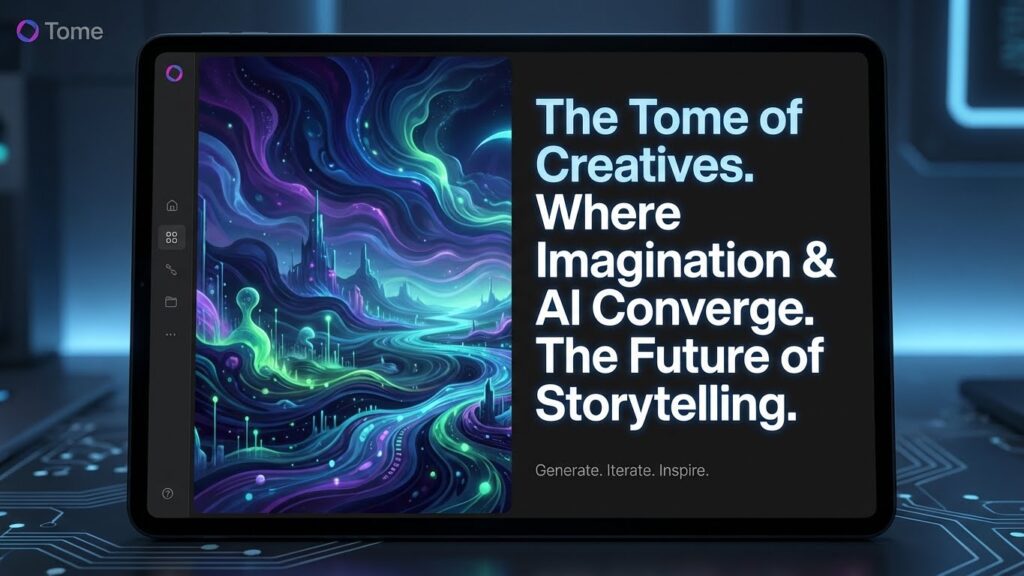
Best For: Startup founders raising capital, creative directors, and leaders pitching high-concept ideas.
Tome sets itself apart by treating presentation generation as an editorial storytelling discipline rather than a dry list of bullet points. Its generative pipeline handles tone, pacing, and visual style with remarkable sophistication.
My Hands-On Testing Experience
I tested Tome by prompting it to build an investor pitch deck for a speculative SaaS product. I gave it only a three-sentence problem statement. Tome automatically structured a standard 8-slide venture narrative: problem, solution, market size, business model, and competitive moat.
What surprised me was the integrated visual generation. Rather than pulling boring stock photos of handshakes, Tome generated cohesive editorial visuals that matched the dark, minimalist theme I selected. While I still swapped out the market metrics with verified figures, the tool saved me an entire afternoon of conceptual framing.
Key Strengths
- Exceptional visual aesthetics with modern dark-mode palettes and editorial typography.
- AI narrative generator crafts persuasive business arguments rather than summarizing text.
- Interactive embeds for 3D prototypes, live charts, and media players.
- Seamless mobile viewing experience that flows like an executive briefing document.
Weaknesses & Friction Points
- Exporting to traditional .pptx files can cause formatting drift and font substitutions.
- Not built for data-dense corporate spreadsheets or financial compliance decks.
2026 Pricing: Basic free account provides introductory AI creation credits. The Professional tier is priced at $16/month per user with unlimited AI generation, custom branding, and export permissions.
4. SlidesAI — Best for Google Slides Power Users
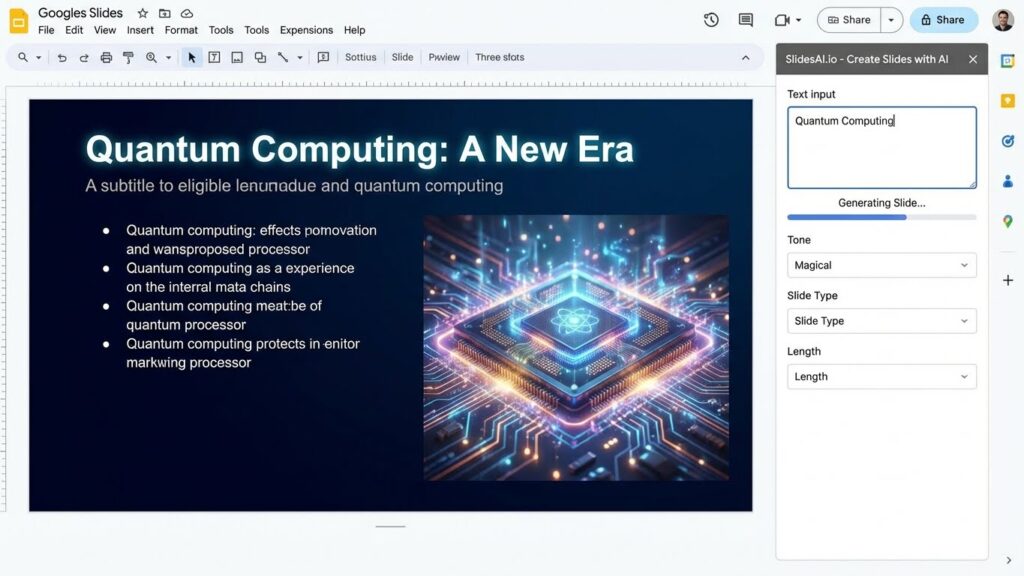
Best For: Educators, students, and corporate teams locked into Google Workspace who refuse to adopt yet another standalone dashboard.
Unlike web-native presentation platforms that require you to learn new interfaces, SlidesAI operates as a lightweight extension directly inside Google Slides. It meets you where your organization already works.
My Hands-On Testing Experience
I installed the Google Workspace Add-on, opened a blank deck, and opened the SlidesAI sidebar. I pasted a 1,200-word article on artificial intelligence trends. Within 30 seconds, the extension populated seven standard Google Slides containing summaries, key takeaways, and relevant royalty-free images.
Because the resulting output is native Google Slides elements, there are zero export hiccups. Every text box, icon, and background element remains fully editable by anyone on your team, even if they do not have a SlidesAI license.
Key Strengths
- Zero workflow friction: operates directly inside Google Slides with native elements.
- Supports text summarization in over 100 languages.
- No team lock-in; teammates can edit slides without needing their own paid accounts.
- Fast text-to-slide conversion for long articles, educational essays, and meeting notes.
Weaknesses & Friction Points
- Visual designs are relatively basic compared to the bespoke aesthetics of Gamma or Tome.
- Cannot generate complex custom vector graphics or automated data visualizations.
2026 Pricing: Free tier allows 3 presentations per month with a 2,500-character input limit. The Basic plan costs $10/month (10 presentations/month), while the Pro plan costs $20/month for unlimited presentations and a 6,000-character input ceiling.
5. Canva Magic Design — Best for Rapid Marketing Collateral
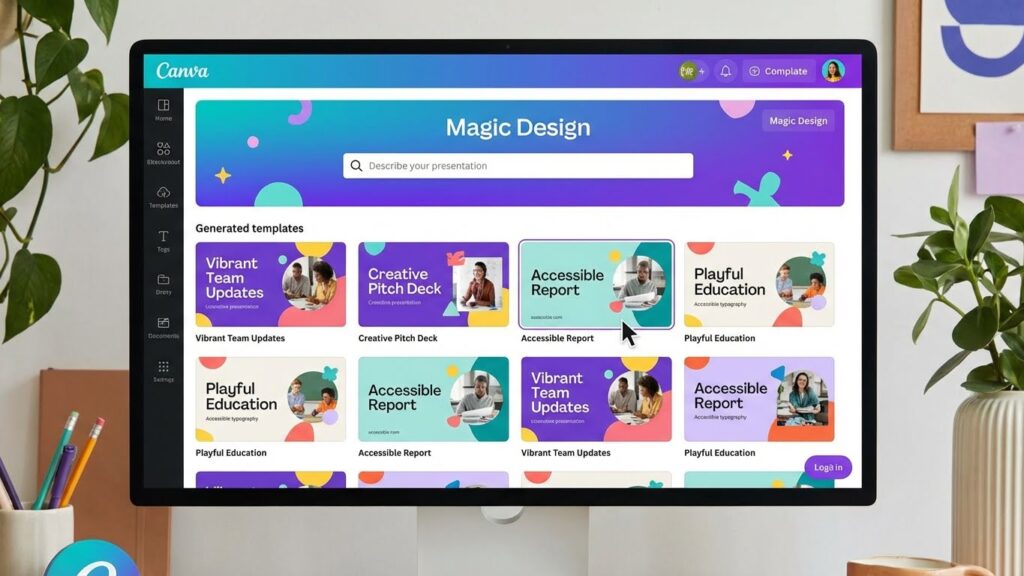
Best For: Small business owners, social media managers, and marketers who want instant access to millions of stock assets alongside their slides.
Canva integrated generative AI into its massive graphic ecosystem with “Magic Design for Presentations.” It gives you the raw speed of AI generation combined with the world’s largest catalog of commercial visual assets.
My Hands-On Testing Experience
I prompted Magic Design with: “A marketing pitch for an omni-channel e-commerce growth agency.” Canva returned seven distinct design themes within ten seconds, each populated with contextual headlines, sample case study callouts, and tailored graphics.
Once I picked a visual theme, I had Canva’s full drag-and-drop toolset at my disposal. If I disliked a generated photo, I could replace it in two clicks using Canva’s verified media library or trigger their built-in image generator to synthesize custom marketing banners.
Key Strengths
- Backed by Canva’s unmatched library of millions of graphics, stock photos, and video clips.
- Instant access to brand kits that apply your colors and logo marks with one click.
- Seamless repurposing: transform slide decks into LinkedIn carousels or video clips in seconds.
- Generous free tier with plenty of pre-built layout options.
Weaknesses & Friction Points
- The AI text generation can feel generic without extensive manual prompting and refinement.
- PowerPoint (.pptx) exports sometimes convert custom typographic layouts into locked shapes.
2026 Pricing: Free plan gives you access to basic Magic Design tools. Canva Pro is $15/month ($120/year) per user, unlocking full Brand Kit automation, premium asset licenses, and unlimited AI background editing.
Building Your AI Media Stack Beyond Slides
Slide decks rarely exist in isolation anymore. Modern executive keynotes, online bootcamps, and high-stakes client webinars require an interconnected digital toolchain.
In my own digital workflow, I often connect my presentation decks to adjacent generative platforms to deliver higher-impact assets:
- Course Creation Workflows: If you are producing educational curricula, pairing your slide generator with a dedicated ai course generator lets you map out syllabus structures, quizzes, and student workbooks before building matching slide decks.
- Multimedia Video Presentations: Static decks frequently need dynamic video explainers. Pairing presentation software with the best ai video generator lets you insert synthetic avatar presentations and animated explainer b-roll directly into your decks.
- Keynote Audio & Podcasts: When building high-energy launch decks or interactive web walkthroughs, finding the best ai music generator or the best ai song generator makes it easy to produce royalty-free background themes and intro audio cues without licensing friction.
- Custom Marketing Imagery: While built-in stock libraries are convenient, using the most recommended ai image generator for marketing visuals gives you hyper-specific brand artwork and photo-realistic product mockups that keep your decks from looking cookie-cutter.
- Interactive Web Tools: If your presentation pitches an internal software concept, you can prototype the working interface using the best ai app generator and embed that live prototype straight into your Gamma or Tome deck for stakeholders to test.
Buyer’s Guide: How to Choose the Best AI Presentation Generator in 2026
With dozens of platforms adding generative badges, picking the right platform depends on your specific delivery environment. Here is how I evaluate these tools before spending money:
1. Native Format vs. Standalone Web App
If your organization runs on Microsoft 365 or Google Workspace, bringing in a proprietary web-app like Gamma or Tome might create resistance with corporate IT. For enterprise environments with strict security policies, an integrated tool like SlidesAI or Beautiful.ai’s PowerPoint extension is far easier to roll out.
2. Adaptive Layouts vs. Absolute Positioning
Traditional tools give you pixel-level control, but you waste hours nudging boxes. Modern tools like Beautiful.ai and Gamma use dynamic flexbox-style layouts. If you value speed over manual millimeter-precise tweaking, prioritize adaptive layout engines.
3. Export Integrity
Always test the export process during your free trial. Verify that the platform exports to clean, editable PowerPoint (.pptx) or vector PDF files without turning text boxes into flattened bitmaps or scrambling custom fonts.
Frequently Asked Questions
Can AI presentation generators export directly to Microsoft PowerPoint?
Yes, all five tools reviewed here can export to .pptx format. However, platforms like Beautiful.ai and SlidesAI preserve native editable elements best, whereas web-native platforms like Gamma and Tome occasionally rasterize complex multi-column cards during conversion.
How do AI presentation tools differ from an AI course generator?
An ai course generator focuses on learning objectives, pedagogical hierarchy, assessments, and modular chapters. An AI presentation maker focuses on visual pacing, typography, layout hierarchy, and slide-level visual communication.
Are AI-generated presentations safe for confidential company data?
Most commercial platforms offer enterprise privacy safeguards on paid tiers, ensuring customer prompt data is not used to train shared public foundation models. If you handle sensitive corporate data, select enterprise plans from Beautiful.ai or Canva that offer formal data isolation guarantees.
Can I integrate video or audio generated by other AI tools?
Yes. Tools like Gamma and Tome allow direct web embeds. You can embed video exports from the best ai video generator or background tracks from the best ai music generator directly into your presentation cards.
Giorgi’s Final Verdict 🥇
Which tool actually wins the crown in 2026?
If you want a modern, interactive presentation that captivates audiences on desktop and mobile without touching a design grid, Gamma is my clear top recommendation.
If your team requires enterprise brand governance and seamless PowerPoint exports, choose Beautiful.ai. And if you simply want slide drafts created inside your existing workflow, SlidesAI gets the job done without friction.
According to Statista AI Market Research, the global AI software market is projected to exceed $300 billion by 2027.
Best AI Presentation Generators: 5 Tools to Save Hours (2025)

A comprehensive review of the best AI presentation generators like Beautiful.ai, Gamma, and SlidesAI. We compare features, design quality, and ease of use to help you create decks in minutes.
Price Currency: USD
Operating System: Web, Windows, macOS
Application Category: Productivity
4.8

