
Subtle defects such as an unclosed database connection in an edge-case branch can slip past manual inspection, especially for developers who work alone.
Reviewing your own pull requests is always tricky because your brain tends to see what you intended rather than what you actually typed. That is why having the best ai code review tools running automated checks on every commit can save you hours of debugging down the line.
Catching defects early in the implementation cycle generally costs less than fixing them after release. This breakdown evaluates five popular code review tools against messy pull requests to determine their efficacy in catching edge cases versus merely issuing generic linter warnings.
⚡ Quick Verdict: Overview at a Glance
Top Picks for 2026CodeRabbit
Context-aware automated PR summaries and line-by-line logic verification.
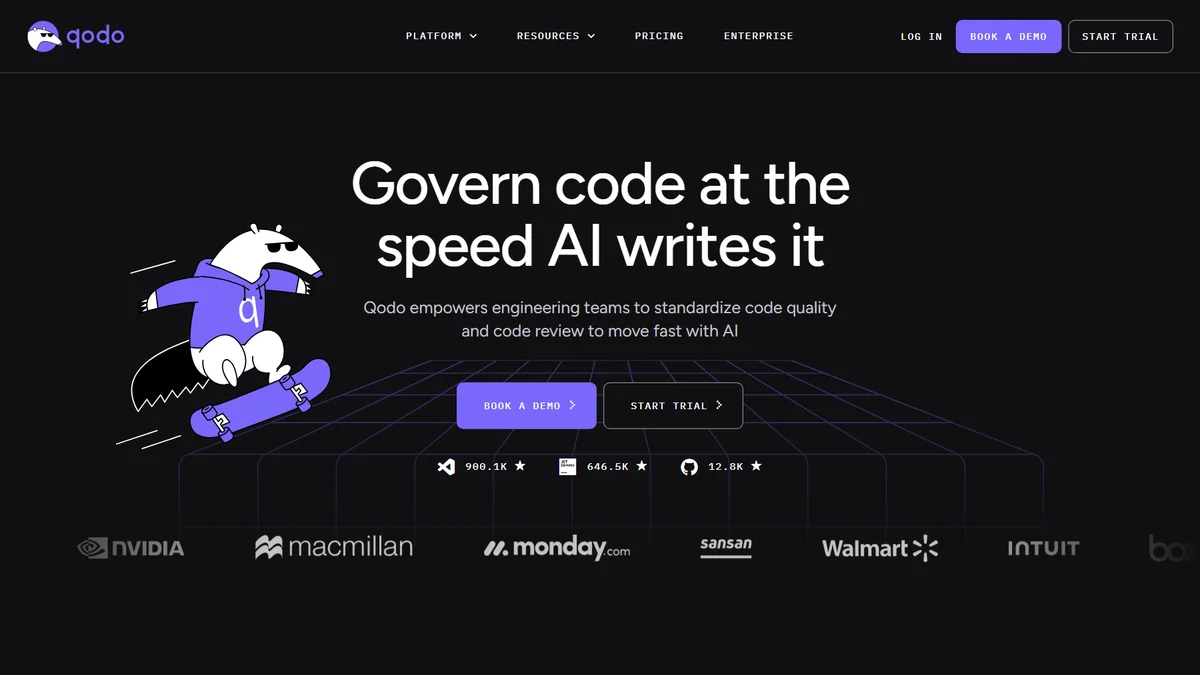
Qodo (formerly CodiumAI)
Generating meaningful unit tests and validating code integrity before merge.
Snyk Code
Fast static application security testing and dependency vulnerability scanning.
Table of Contents
1. CodeRabbit
Best OverallCodeRabbit connects directly to GitHub repositories, handling complex codebases such as large TypeScript migrations. Upon opening a pull request, CodeRabbit posts a clean breakdown of code changes, complete with a high-level sequence diagram of modified endpoints.
When encountering issues like unchecked null dereferences inside error handlers, CodeRabbit does not just flag the potential crash; it generates a one-click GitHub suggested change that includes optional chaining and fallback logger calls. That provides practical assistance during critical releases.
The chat feature directly inside PR comments operates smoothly. Developers can reply to inline comments asking technical questions, such as whether a database query risks an N+1 problem, and the tool can identify issues like missing preload relations in Prisma queries.
- Incredible PR summaries that accurately reflect architectural changes
- Generates actionable one-click commit suggestions on GitHub and GitLab
- Free tier covers open-source projects and basic solo repositories
- Default configuration leaves too many comments on minor CSS tweaks
- Settings dashboard has a slight learning curve for custom prompts
2. Qodo (formerly CodiumAI)
Best for Test CoverageQodo analyzes complex logic directly inside VS Code to generate comprehensive unit tests, including edge cases for multi-tiered currency calculations and discount functions.
The platform identifies subtle edge cases, including negative rounding quirks and empty arrays. It can generate complete pytest suites that cover those scenarios comprehensively, producing meaningful test cases rather than simple boilerplate assertions.
When the Qodo PR agent runs on GitHub, it reviews commits against the generated test suite. It can block merges until developers address critical issues, such as unhandled zero-division vulnerabilities, ensuring greater deployment confidence.
- Outstanding edge-case detection and automated test suite generation
- Integrates both in the IDE and directly on pull request checks
- Generous free tier for individual developers
- VS Code plugin can occasionally spike CPU usage during full indexing
- Can take several seconds to generate tests for large files
3. Snyk Code
Best for Security & CVEsSnyk Code analyzes legacy codebases, such as older Node.js backends. The tool flags active security risks, such as path traversal vulnerabilities inside unprotected file upload routes, before code reaches production.
A key advantage is scan speed. Unlike traditional static analysis engines that take a long time to crawl a repository, Snyk provides real-time results directly inside the IDE as developers write code, pinpointing unsanitized parameters and offering remediation documentation.
It also flags outdated npm dependencies with known high-severity CVEs during scans. The system can generate automated fix branches with updated lockfiles that resolve security issues without disrupting existing package builds.
- Lightning-fast real-time security scanning during development
- Massive database of known vulnerabilities with automated fix PRs
- Seamless GitHub, GitLab, and Bitbucket pipeline integration
- Does not offer subjective architectural or stylistic advice
- Team tier pricing gets expensive quickly as your project count grows
4. Sourcery
Best for Clean Code RefactoringSourcery excels at refactoring dense code structures, such as complex Python parsers filled with nested loops and lookups. Upon opening a file, it highlights sections where convoluted if-else chains can be streamlined with dictionary mappings and list comprehensions.
The platform features one-click refactoring capabilities for individual functions. Code can be streamlined and reduced in size while remaining completely readable, adhering closely to PEP 8 standards and clean architecture conventions.
When branches are pushed to GitHub, its automated PR reviewer provides concise quality score metrics showing how significantly complexity indices drop following refactoring efforts.
- Incredible at turning messy nested logic into concise, readable code
- Instant inline feedback right inside VS Code and PyCharm
- Includes a practical complexity scoring metric on every PR
- Language support is primarily focused on Python, JavaScript, and TypeScript
- Some suggested list comprehensions can get overly dense
5. Bito
Best for Workflow AutomationBito provides automated pull request reviews and installs through a GitHub App integration.
When processing multi-file pull requests, Bito generates detailed summaries of code modifications and highlights high-risk files using impact analysis. It also drafts release notes directly in the pull request header, eliminating the need to write them manually.
Its CLI can also be used locally to draft documentation and docstrings before committing; generated output should still be reviewed.
- Generates excellent automated PR descriptions and release notes
- Supports over 50 programming languages out of the box
- Includes useful command-line tools for local developer workflows
- Chat interface inside the IDE can feel overwhelming at first
- PR analysis can occasionally take a minute or two on massive diffs
Comparison Table: Features & Accuracy Matrix 📊
To help you compare the top options side by side, here is an evaluation of pricing, target audience, and ratings:
| Tool | Best For | Starting Price | Free Plan | Rating |
|---|---|---|---|---|
| CodeRabbit | Context-aware PR reviews & logic checks | $24/developer/month (annual) | Yes | ⭐ 4.9 / 5.0 |
| Qodo | Test generation & logic verification | See official pricing | Yes | ⭐ 4.8 / 5.0 |
| Snyk Code | Security vulnerabilities & CVEs | $25/user/month | Yes | ⭐ 4.7 / 5.0 |
| Sourcery | Python & JS code refactoring | $16/user/month | Yes | ⭐ 4.6 / 5.0 |
| Bito | PR automation & doc generation | $12–$15/seat/month | Yes | ⭐ 4.5 / 5.0 |
How to Choose the Right AI Code Review Engine Without Adding Noise
When you start searching for the best ai tools for code review, you will quickly notice two distinct categories. Some platforms focus heavily on static security scanning and compliance rules, while others act like senior software engineers analyzing context, architecture, and business logic inside your pull requests.
The biggest problem with typical automated review bots is alert fatigue. If an AI comments on thirty formatting nitpicks per PR, you will start ignoring its comments completely. These automated code review platforms filter out stylistic trivialities and highlight logic bugs, race conditions, memory leaks, and missing test branches instead. Just as teams use intelligent workflows when they automate customer support using AI, code analysis needs context to remain useful rather than annoying.
Code review takes a meaningful share of development time, so finding competent free code review tools or affordable solo developer licenses can free up massive chunks of your day.
Pay close attention to repository context handling. Basic language models only inspect the git diff without understanding the broader codebase dependencies. A truly effective code reviewer must inspect surrounding modules, API contracts, and schema definitions before deciding if a function change is safe.
Lastly, evaluate the pricing model carefully. Some vendors charge per active committer, while others charge based on monthly PR volume. If you push dozens of micro-commits every day, seat-based pricing will save you substantial money over consumption-based limits.
Frequently Asked Questions
Which automated code review solutions work best for solo developers? ▾
For solo developers, CodeRabbit and Sourcery stand out as top choices. CodeRabbit acts like a second pair of eyes on your pull requests by catching logic flaws and writing summaries, while Sourcery runs in your IDE to clean up messy functions as you type. Both offer solid free tiers that work well for individual repos.
Can ai code review tools replace human code reviewers? ▾
No, they cannot fully replace human engineering judgment. AI tools excel at catching syntax bugs, memory leaks, missing test branches, and standard security flaws. However, human reviewers are still needed to evaluate broad business requirements, project goals, and long-term architecture decisions that the AI cannot understand from code diffs alone.
Are there reliable automated code review tools free of charge? ▾
Yes, several platforms provide practical free tiers. CodeRabbit offers free reviews for open-source repositories and basic public projects. Qodo and Sourcery both provide free IDE extensions for solo developers that allow test generation and real-time refactoring without requiring a paid subscription.
Will using an AI code review tool expose my private proprietary code? ▾
Most reputable developer tools have strict data privacy policies. Enterprise-grade tools like Snyk and CodeRabbit state that they do not use customer code to train their foundational models. However, you should always check the privacy agreement of any tool before granting repository permissions on proprietary commercial work.
Final Verdict & Recommendation 🏆
For teams choosing a primary solution from this lineup, CodeRabbit stands out as our top pick. It delivers natural, context-aware pull request reviews without cluttering timelines with pointless stylistic complaints.
If your primary struggle is security compliance or CVE detection, Snyk Code is a strong fit. For solo builders who want to write cleaner Python or TypeScript before pushing commits, Sourcery is an absolute joy to use inside your IDE.

Written by Giorgi Sakandelidze
I research and compare software tools using official documentation, pricing pages, and verified user feedback to help solopreneurs and creators find the right fit.
🕒 Last updated: 2026-10-16 — We actively monitor tool updates, pricing changes, and feature releases.