Traditional video production can be notoriously frustrating.
Recording a seemingly straightforward two-minute explainer for a digital product often proves challenging. Lighting conditions can shift constantly, microphones pick up ambient street traffic, and verbal flubs require endless retakes.
A closer look reveals a direct head-to-head comparison of synthesia vs heygen to discover whether modern synthetic avatars can legitimately replace an on-camera founder.
Synthetic media is moving fast. Enterprise video production workflows are increasingly adopting generative human likenesses. Yet marketing promises often hide stiff micro-expressions, robotic cadences, and frustrating credit limits.
Both platforms support rendering scripts across multiple languages, generating custom avatars, and aligning audio synchronization. If you are debating between heygen or synthesia, this breakdown reveals which tool earns your subscription dollars in 2026.
Table of Contents
- Buyer Guide: Choosing the Best AI Avatar Video Generator
- Synthesia AI vs HeyGen: Scenario Comparison
- Platform Specifications & Capabilities
- The Software Breakdown: Synthesia vs HeyGen Deep-Dive
- 1. Synthesia Review
- 2. HeyGen Review
- Comparison Table: Synthesia vs HeyGen 📊
- Frequently Asked Questions
- Final Verdict on Synthesia vs HeyGen 🥇
Buyer Guide: Choosing the Best AI Avatar Video Generator
Finding the best ai avatar video generator in 2026 requires looking past polished homepage demos. Pre-rendered landing page videos always showcase perfect studio lighting and hand-tuned phonetic pronunciations.
When you feed raw, conversational text into these engines inside a real workflow, flaws appear immediately. You need to consider six critical operational factors before choosing between heygen vs synthesia.
1. Avatar Realism, Micro-Movements, and Natural Blinking
The infamous “uncanny valley” occurs when an avatar’s eyes remain locked in a dead stare while its mouth moves. Key quality indicators include whether an avatar shifts its weight, tilts its head naturally during pauses, and blinks at randomized intervals.
Synthesia focuses heavily on polished, posture-perfect corporate presenters. HeyGen emphasizes casual bodily gestures, shoulder motion, and relaxed speech patterns suited for social feeds.
2. Expressive Lip-Sync and Phonetic Alignment
Lip synchronization fails most often on plosives like ‘P’, ‘B’, and dental sounds like ‘Th’. If the mouth snaps open or lags behind the audio, viewer engagement drops within seconds.
When comparing synthesia vs heygen, a key consideration is whether the algorithms adapt mouth shape to pitch changes or simply loop generic mouth open-and-close cycles. Dynamic mouth shapes make or break authenticity.
3. Video Editor Architecture: Slides vs Multi-Track Timelines
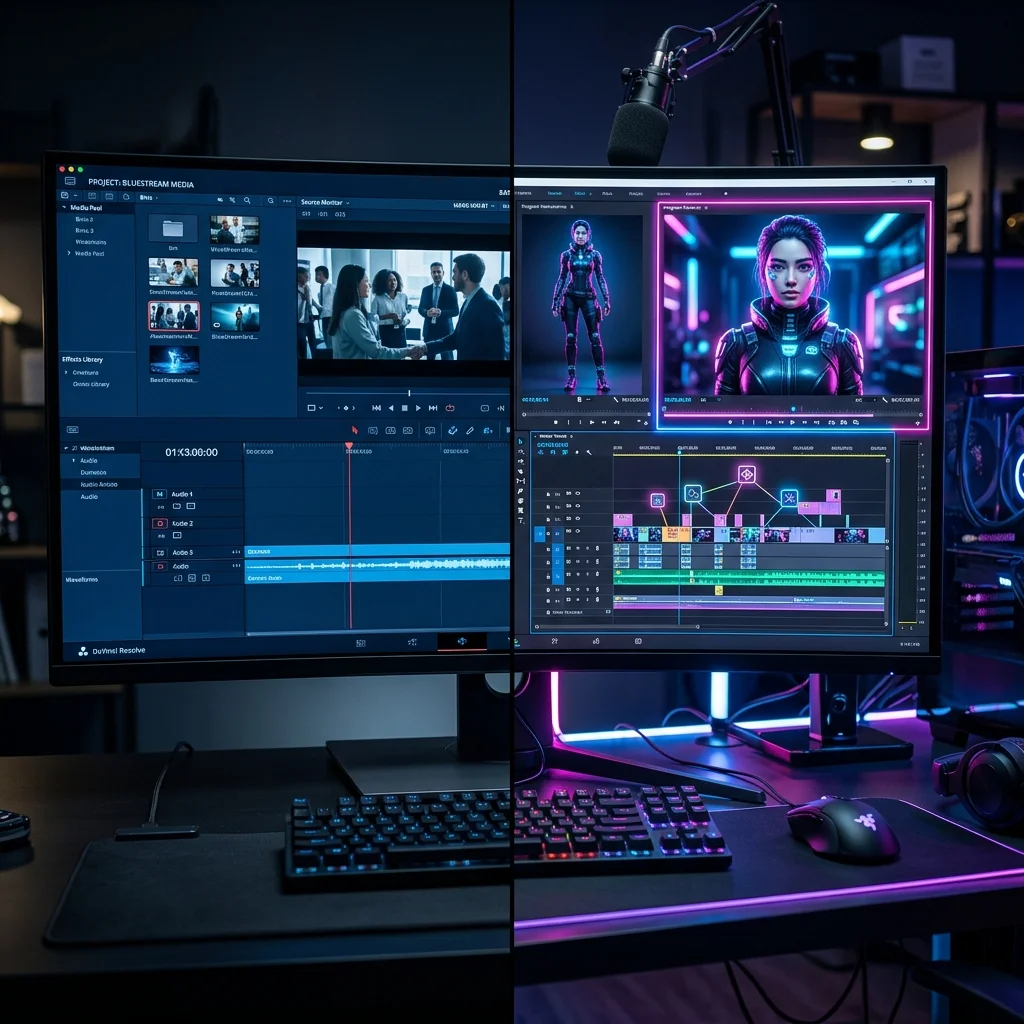
Your editing background determines which platform feels comfortable. Synthesia uses a structured, slide-based model reminiscent of Google Slides or PowerPoint. Each scene is a distinct container with its own script box.
HeyGen employs a hybrid model that features traditional video editing layers alongside slide scenes. This setup gives you finer control over transition timing, background audio ducking, and overlay triggers, though it creates a steeper learning curve.
4. Voice Cloning and Audio Dynamic Range
Standard synthetic voices sound decent until you need emotional inflection. The ability to clone your real voice with accurate pitch variation is a game changer for solo operators.
You also need the option to upload raw WAV or MP3 files recorded externally. If you want pristine vocal tracks, pairing these platforms with the Best AI Voice Generators delivers superior fidelity compared to native text-to-speech engines.
5. Video Translation and Voice Localization
Global marketing requires translating existing video assets into foreign languages without re-recording. Modern localization engines translate the spoken words, clone the original speaker’s vocal timbre, and re-animate their lips to match the target language.
Localization is a common growth lever in multilingual content distribution. A tool that handles this automatically saves hundreds of dollars in voiceover hiring.
6. Minute Limits, Credit Expirations, and Overage Costs
Both platforms rely on usage-based metrics, but their billing policies diverge significantly. You must calculate what a ruined render or script typo costs you in real dollars.
Synthesia’s self-serve plans combine a monthly video-minute allowance with credits. HeyGen uses a monthly credit model that permits flexible month-to-month planning, though monthly credits are use-it-or-lose-it on standard plans.
Synthesia AI vs HeyGen: Scenario Comparison
To provide actionable clarity, both platforms are compared across common production scenarios. Here is how the synthesia ai vs heygen comparison plays out by use case.
Scenario 1: Corporate Training and Employee Onboarding
For training videos, structured slide presentation and strict brand consistency matter far more than flashy animation. Both systems are built to convert standard operating procedure documents and corporate documentation into video slides.
Synthesia handles this task with clinical efficiency. Its slide layouts, corporate-styled backgrounds, and integrated screen-recording features allow creators to build structured modules with avatars that look like seasoned corporate trainers.
HeyGen is less tailored to this specific use case. Its library leans toward casual attire, hoodies, and lifestyle backdrops. While functional, it can require extra manual formatting to match a formal enterprise aesthetic.
Scenario 2: Social Media Shorts and Organic Video Content
Short-form vertical video designed for YouTube Shorts and Instagram Reels requires a different approach, prioritizing casual body language, energetic delivery, dynamic auto-captions, and modern b-roll placement.
HeyGen is the stronger fit here. Its vertical 9:16 canvas templates, built-in caption animations, and relaxed avatars suit short-form formats.
Synthesia supports 9:16 exports, but its formal, upright presenter style can feel corporate on social channels.
Scenario 3: One-Click Video Translation (HeyGen Synthesia Localization)
Both platforms also support video translation into languages like Spanish and German while matching realistic lip movements.
The heygen synthesia localization comparison favors HeyGen for existing footage. HeyGen can take an original MP4, translate the speech, clone the vocal tone, and re-sync mouth movements to the target language.
Synthesia offers excellent multilingual text-to-speech with over 140 languages supported in its editor. It also offers a video translation tool for existing videos.
Platform Specifications & Capabilities
Operational performance varies depending on script complexity and visual assets. The table below outlines key platform specifications and capabilities for standard 1080p workflows.
| Test Metric | Synthesia | HeyGen | Operational Edge |
|---|---|---|---|
| Average Render Speed (2 Min Video) | Varies with length and queue | Varies with length and queue | No verified benchmark |
| Lip-Sync Style | Steady, formal delivery | Conversational, expressive | HeyGen (Casual content) |
| Stock Avatar Selection | 240+ Avatars | Hundreds (500–1,100+ per HeyGen pages) | HeyGen (Larger library) |
| Webcam Instant Avatar Generation | Personal avatars on paid plans (consent recording) | Instant Avatar from webcam footage | HeyGen (Fast Deployment) |
| Enterprise Security & Compliance | SOC 2 Type II, ISO 27001 | SOC 2 Type II | Synthesia (Enterprise Proven) |
The Software Breakdown: Synthesia vs HeyGen Deep-Dive
Both platforms stand at the top of the synthetic video sector. If you are comparing a wider range of software alternatives, check our comprehensive guide to the Best AI Video Generators. Below is an exhaustive breakdown of the two heavyweights based on verified specifications and user reports.
Comparison Table: Synthesia vs HeyGen 📊
Here is an objective feature-by-feature evaluation comparing synthesia vs heygen based on current 2026 platform specifications.
| Feature / Metric | Synthesia | HeyGen |
|---|---|---|
| Primary Target Audience | Corporate Training, HR & Internal Comms | Creators, Marketers & Social Growth |
| Starting Price (Monthly) | $29 / mo (Starter, Billed Monthly) | $29 / mo (Billed Monthly) |
| Free Plan Availability | Yes (Basic free plan) | Yes (Up to 3 Videos/Month) |
| Avatar Realism Style | Crisp, Newsroom-Anchor Formal | Casual, Expressive, Dynamic |
| Lip-Sync Engine Precision | Solid, clean on steady pacing | Outstanding on conversational speech |
| Custom Avatar Creation | Personal avatars on paid plans; Studio Avatar extra | Instant Webcam Avatar included |
| Supported Languages | 140+ Languages | 175+ Languages & Accents |
| Video Translation Quality | Text translation & voice synthesis | Direct MP4 video-to-video with lip re-sync |
| API Integration Access | Available on higher tiers (see official pricing) | Accessible across standard developer tiers |
| Overall Rating | ⭐ 4.6 / 5.0 | ⭐ 4.8 / 5.0 |
Frequently Asked Questions
Synthesia vs HeyGen: Which tool has better lip-sync technology?
HeyGen is widely regarded as providing more natural lip-sync on conversational speech. Its algorithm tracks complex vowel transitions, plosive consonants, and fast conversational pacing with greater realism. Synthesia performs dependably on steady, formal corporate scripts, but can feel slightly rigid when narrating casual or energetic dialogue.
Should I pick HeyGen or Synthesia for multilingual video translation?
If you already have pre-recorded footage of a real human speaking, choose HeyGen. Its automated video translator takes your source MP4, translates the speech into over 175 languages, clones your actual vocal tone, and re-animates your mouth to match the foreign phrasing. Synthesia is wonderful for generating slide-based presentations in multiple languages from written text, but HeyGen owns the video-to-video translation workflow.
Can I build an AI video workflow without using human avatars?
Yes. If you prefer faceless YouTube channels or text-overlay explainer videos without a digital persona on screen, you don’t necessarily need Synthesia or HeyGen. We recommend reading our tutorial on How to Use InVideo AI, which automates scriptwriting, stock footage assembly, and audio generation without an on-screen avatar.
Is Synthesia AI vs HeyGen better for enterprise compliance and security?
Synthesia holds a clear advantage for large corporate compliance teams. It maintains SOC 2 Type II compliance, ISO/IEC 27001 certification, and provides strict administrative permissions, content moderation filters, and brand protection tools required by Fortune 500 legal departments.
How does custom avatar creation compare between HeyGen and Synthesia?
HeyGen allows anyone on a paid plan to generate an “Instant Avatar” using five minutes of raw webcam footage, which delivers surprisingly strong quality for daily marketing. Synthesia prioritizes professional “Studio Avatars” shot against green screens with broadcast cameras; while the fidelity is exceptionally sharp, the setup takes significantly longer and carries higher setup costs.

Final Verdict on Synthesia vs HeyGen 🥇
The winner of the synthesia vs heygen showdown depends on who is watching your content.
If you represent an enterprise organization needing to generate 200 standardized employee onboarding modules without stylistic drift, Synthesia is the right choice. Its slide-based interface, robust governance, and pristine corporate avatars make it reliable for internal communications.
However, for solo entrepreneurs, agile growth marketers, and modern creators, HeyGen is the clear overall victor. Its superior lip-sync mechanics, fast webcam avatar cloning, and flexible video translation engine make it the most powerful and authentic synthetic video platform on the market today. It stands out as our top recommendation for client outreach and social video.

Written by Giorgi Sakandelidze
I research and compare software tools using official documentation, pricing pages, and verified user feedback to help solopreneurs and creators find the right fit.
How we research and compare tools →
🕒 Last updated: 2026-05-22 — Content is periodically reviewed against official platform updates.
For creator-centric timeline editing and podcast workflow automation, consult our detailed Descript AI video editor review.