
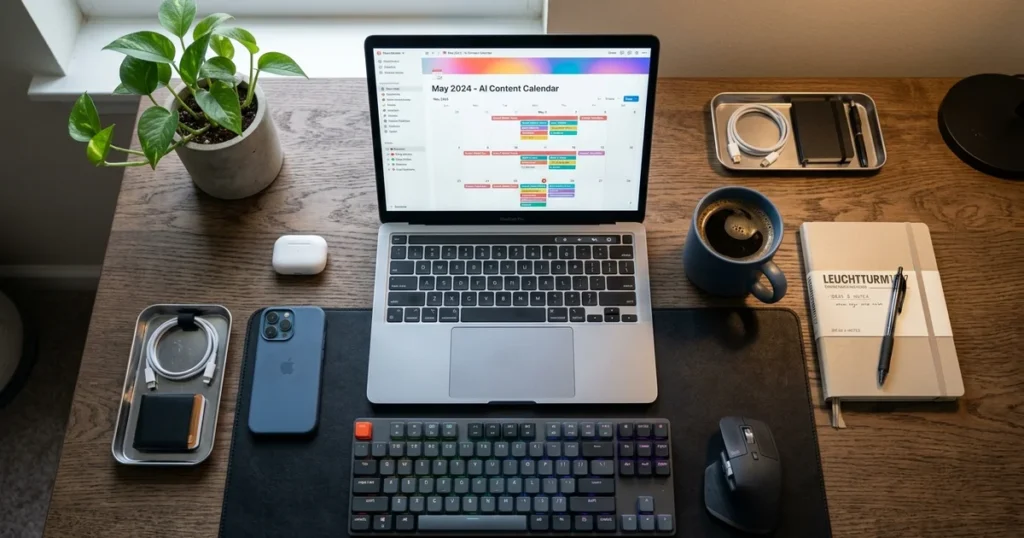
I spent three hours last Tuesday trying to do something that should have taken ten minutes. I was staring at a blank spreadsheet, trying to map out my blog posts for the next month. My brain was completely fried.
I realized I desperately needed an ai content calendar, but every template I found online was either too complex or cost $50. So, I decided to build my own using ChatGPT. Honestly, I almost gave up on it during the first few attempts.
The AI kept spitting out generic garbage that sounded like a robot wrote it. But after tweaking my prompts and workflow, I finally cracked the code. Now, I can generate a full month of highly targeted topics in about fifteen minutes.
It’s genuinely the best productivity hack I’ve found this year. If you run a one-person business, you can’t afford to waste hours on manual planning. According to a recent Gartner report, marketing automation is becoming mandatory for survival.
In this guide, I’ll show you exactly how to build an incredible ai content calendar from scratch. No expensive software required. Just you, ChatGPT, and a bit of strategic thinking. If you are also looking to automate other areas, check out my epic guide on automating business meetings. Let’s get this setup running.
Table of Contents
- Why You Actually Need an AI Content Calendar (And Why Most Fail)
- Step 1: Define Your Core Audience and Pillars
- Step 2: Feed It Real Keyword Data
- Step 3: Generate the Initial Topic Ideas
- Step 4: Structure the Calendar
- Step 5: Create the Drafting Prompts
- Comparison Table 📊
- Frequently Asked Questions
- My Final Verdict on ai content calendar 🥇
Why You Actually Need an AI Content Calendar (And Why Most Fail)
Before we get into the exact steps, we need to talk about why most people fail at this. Building an ai content calendar isn’t just about asking ChatGPT for “30 blog post ideas.” If you do that, you’ll get 30 useless, generic topics that nobody actually searches for.
I used to make this exact mistake. I would dump a vague prompt into the chat and expect magic. The reality is that an effective ai content calendar requires strict parameters, audience context, and SEO data.
You have to treat the AI like a junior assistant who needs explicit instructions. When I finally figured this out, my traffic actually started moving. I stopped guessing what to write and started executing a real strategy.
Before I automated this, my Sunday nights were miserable. I would sit at my desk for hours, desperately trying to fill a blank Google Calendar with ideas. It felt like pulling teeth. I was wasting my best creative energy on administrative formatting instead of actually writing.
A well-structured content schedule gives you a bird’s-eye view of your entire marketing funnel. It ensures you are hitting different pain points, targeting the right keywords, and maintaining a consistent publishing cadence. Consistency is the hardest part of running a solo business.
You get busy with client work, and suddenly your blog or newsletter goes dark for three weeks. Having a pre-planned ai content calendar eliminates that friction entirely. You wake up, look at the schedule, and know exactly what needs to be drafted.
Plus, it saves a ridiculous amount of mental energy. Decision fatigue is a real killer for freelancers. A study by Statista highlights how administrative tasks drain creative professionals. By offloading the planning phase to ChatGPT, you preserve your brainpower for the actual writing.
But here is the catch. You still need to inject your own personality and expertise into the final output. The AI-generated schedule is just the skeleton. You are the muscle.
If you rely on AI for everything, your content will sound like a corporate brochure. I learned this the hard way when I was testing different setups. I tried using complex Notion templates, which you can read about in my Notion AI review for solopreneurs.
Ultimately, I found that a simple spreadsheet paired with a highly trained ChatGPT thread is the ultimate combination. It’s fast, free, and incredibly effective.
Step 1: Define Your Core Audience and Pillars
You can’t build a functional ai content calendar without knowing exactly who you are talking to. Open a fresh ChatGPT thread. Don’t use an old one, because the AI gets confused by past context.
Paste this exact prompt: “I am a [Your Profession] targeting [Your Audience]. My main goal is to help them [Core Benefit]. Give me 4 distinct content pillars I should focus on.”
When I did this for my tech review site, the AI nailed it. It gave me pillars like “Tool Comparisons” and “Workflow Automations.” If the output is too broad, tell it to get more specific. Don’t accept generic pillars.
If you skip this step, ChatGPT will default to a generic, boring tone. It will suggest topics that have been written about a thousand times already. You have to force the AI into a specific niche corner.
Step 2: Feed It Real Keyword Data
ChatGPT is terrible at actual keyword research. It hallucinates search volumes and trends. You need to bring your own data to the table.
Go to a free tool like Ahrefs Keyword Generator or Google Keyword Planner. Find 10-15 low-competition keywords in your niche. Copy that list and paste it into your ChatGPT thread.
Tell the AI: “Here is a list of my target keywords. I want to build an ai content calendar around these specific terms. Don’t invent new keywords.” This forces the AI to stay grounded in reality.
I personally use Ahrefs, but even the free Google Keyword Planner works fine. The goal is to find long-tail phrases that actual humans are typing into search engines. If you skip this, you are just writing into the void.
Step 3: Generate the Initial Topic Ideas
Now it’s time to generate the actual post ideas. This is where the magic happens if your prompt is good. Ask ChatGPT to create 3 title variations for each keyword.
Use this prompt: “For each keyword provided, generate 3 highly engaging, click-worthy blog post titles. Avoid corporate jargon. Make them sound like a real human wrote them.”
Review the list and pick the best ones. I usually throw out about 40% of what it suggests. You are looking for angles that actually sound interesting, not just SEO-stuffed robotic titles.
You want titles that provoke curiosity or promise a specific result. If ChatGPT gives you ‘5 Tips for Better Marketing’, tell it to try again. Force it to give you something like ‘Why Your Marketing Strategy is Failing (And How to Fix It)’.
Step 4: Structure the Calendar
Once you have your winning titles, you need to organize them. Ask ChatGPT to format the data into a table. This makes it incredibly easy to copy and paste into Google Sheets.
Prompt: “Organize my selected titles into a 4-week ai content calendar table. Include columns for: Publish Date, Keyword, Title, Content Pillar, and a 2-sentence summary of the post.”
The AI will spit out a beautiful markdown table. Just highlight it, copy it, and paste it directly into your spreadsheet. Boom. You now have a structured plan for the month.
You can even ask it to add a column for ‘Target Word Count’ or ‘Primary Call to Action’. The more structured the table, the easier your life becomes. I literally just copy the markdown output and paste it into my master tracking sheet.
Step 5: Create the Drafting Prompts
The final step is setting yourself up for the actual writing process. Your planned schedule is useless if you stare at a blank page when it’s time to write.
Ask ChatGPT to generate a specific outline for the first topic on your calendar. Tell it to include H2s, H3s, and bullet points for key arguments. This gives you a massive head start when you sit down to draft.
I do this for every single post on my schedule. It turns a daunting writing task into a simple fill-in-the-blanks exercise. It’s the best way to maintain momentum as a solo creator.
I usually ask it to write the meta description and suggest three internal link opportunities right in the outline. This takes an extra ten seconds but saves me ten minutes during the editing phase. It’s the ultimate productivity hack for solo writers.
Comparison Table 📊
| Tool | Best For | Starting Price | Free Plan | Rating |
|---|---|---|---|---|
| ChatGPT Plus | Advanced data structuring & tables | $20/mo | Yes (Basic model) | 4.9/5 |
| Claude 3.5 Sonnet | Natural sounding blog titles | $20/mo | Yes | 4.8/5 |
| Notion AI | All-in-one workspace planning | $10/mo | No | 4.5/5 |
Frequently Asked Questions
How long does it take to build an ai content calendar?
Building your first ai content calendar usually takes about an hour or two. You have to spend some time refining your prompts and figuring out your core pillars. Once you have the workflow dialed in, it gets much faster.
I can now generate a full month of scheduled topics in under twenty minutes. It’s just a matter of feeding the right keyword data into ChatGPT and letting it format the table. The upfront time investment pays off massively.
Can I use the free version of ChatGPT for this?
Yes, you absolutely can use the free version to get started. The basic model is more than capable of organizing data and brainstorming titles. However, I highly recommend upgrading to Plus if you are doing this seriously.
The advanced data analysis features and custom GPTs make the process significantly smoother. You get better reasoning and less repetitive formatting errors. It’s easily worth the twenty bucks a month for the time it saves.
Will Google penalize me for using AI to plan my content?
No, Google doesn’t penalize you for planning or outlining your strategy with AI. They care about the quality and helpfulness of the final published article. Using an AI tool to organize your schedule and brainstorm angles is just smart workflow management.
As long as you are injecting your own human experience into the actual writing, you are perfectly safe. The penalty risk only comes if you blindly publish unedited, low-quality AI text.
How far in advance should I plan my publishing schedule?
I recommend planning no more than four to six weeks out. If you try to plan an entire year, your strategy will become rigid and outdated. The internet moves fast, and your niche might shift.
A monthly planning cycle gives you enough structure to stay consistent while remaining flexible enough to jump on new trends. It also prevents you from feeling overwhelmed by a massive backlog of unwritten posts.
What is the biggest mistake people make with AI content planning?
The absolute biggest mistake is treating the AI output as a finished product. People will generate a massive list of topics and just blindly follow it without applying any critical thinking. You have to remember that the AI doesn’t know your specific business goals.
It also lacks your unique personal experiences. Always filter the AI’s suggestions through your own human perspective before you commit to writing anything. If a topic feels boring to you, don’t write it.

My Final Verdict on ai content calendar 🥇
Building an ai content calendar completely changed how I run my solo business. I used to dread the planning phase, often procrastinating until my traffic started to dip. Now, it’s a streamlined, almost enjoyable process.
By using ChatGPT to handle the heavy lifting of organization and brainstorming, I save hours of mental energy every single month. You don’t need expensive, bloated software to get organized. A simple spreadsheet and a smart AI prompt are genuinely all you need to stay consistent.
The ultimate secret is treating the AI like an assistant, not a replacement for your brain. Feed it real keyword data, give it strict parameters, and always review the output critically. If you follow the steps in this guide, you’ll have a rock-solid publishing schedule ready by tomorrow morning. Stop guessing what to write and start executing a real strategy.

Written by Giorgi Sakandelidze
I independently test and review software tools to help fellow solopreneurs find the exact right solution. My hands-on testing process covers real-world freelance use cases, pricing accuracy, and genuine limitations — not recycled vendor marketing copy.
Learn about my review methodology →
🕒 Last updated: 2026-08-05 — We update our reviews whenever tools change pricing or features.

